सीधे निष्कर्ष से शुरू करें: oCam और GomCam general purpose screen recorders के तौर पर सच में बहुत अच्छे हैं, लेकिन game वाले features (auto clipping, game detection, कम load वाली encoding) में कमज़ोर हैं। Lecture, meeting या tutorial जैसी पूरी screen रखने के लिए दोनों अच्छे, कम मेहनत वाले विकल्प हैं।
पर अगर recording का मुख्य मकसद games है, यानी आप अच्छे play moments छूटने नहीं देना चाहते, तो आपको games के हिसाब से बना alternative चाहिए। यह लेख oCam और GomCam की ख़ूबियों को जैसा है वैसा मानते हुए game recording के नज़रिए से DOR की ईमानदार तुलना करता है।
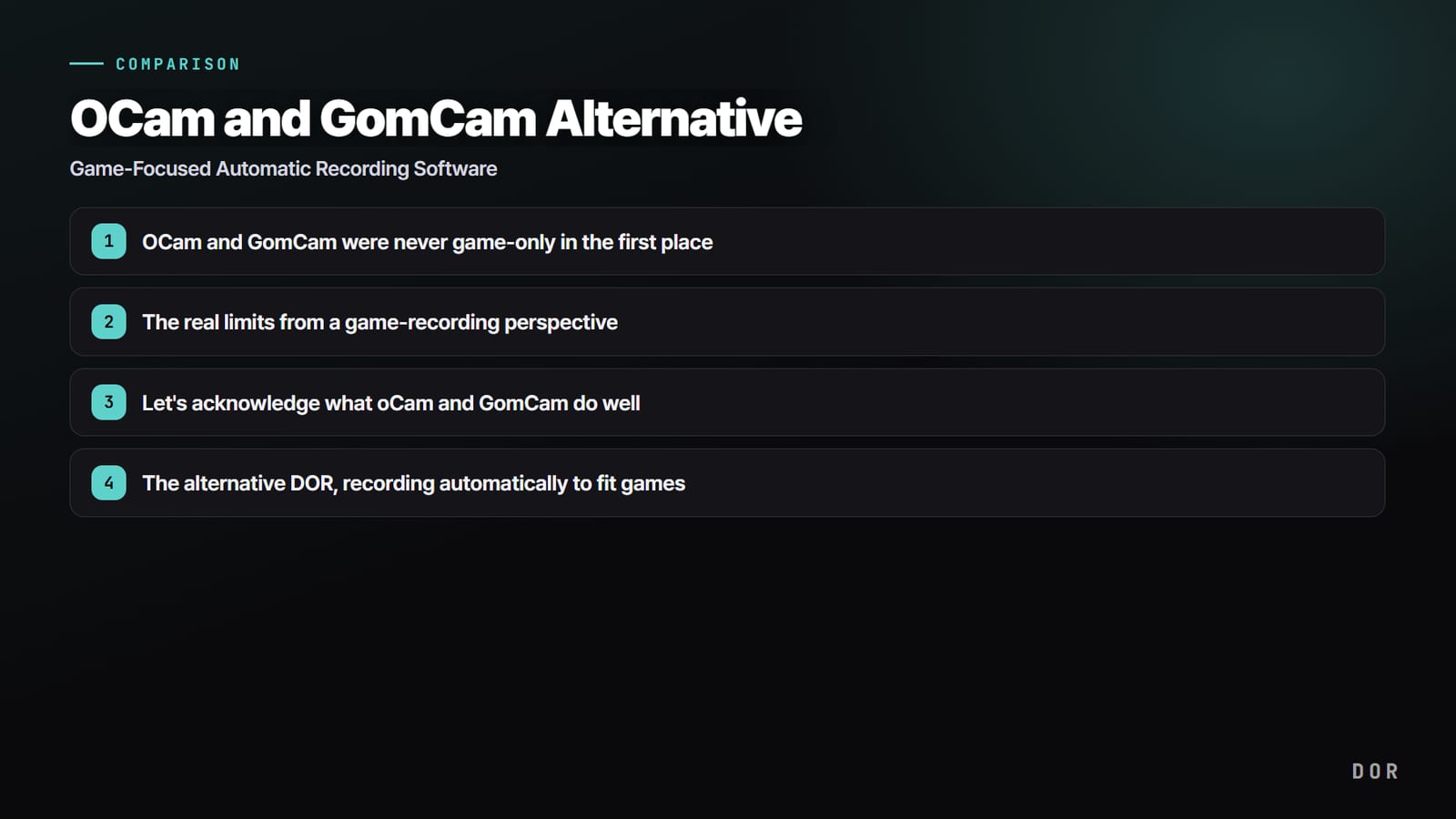
oCam और GomCam शुरू से ही सिर्फ़ games के लिए नहीं बने थे
पहले इनका स्वभाव समझ लें: oCam और GomCam सिर्फ़ games वाले tools नहीं, बल्कि कुछ भी capture करने वाले general purpose screen recorders हैं। Monitor पर जो भी हो, game, browser या lecture slides, उसे record कर पाना इनकी ताक़त है, और यही वजह है कि कोरिया में ये सबसे ज़्यादा इस्तेमाल होते हैं।
लेकिन यह versatility games में सीधे ताक़त नहीं बनती। क्योंकि ये बस पूरी screen या चुना हुआ हिस्सा record करते हैं, program को game का context (अच्छा पल कब है, कौन सा process game है) पता नहीं होता।
Game recording के नज़रिए से असली सीमाएँ
सबसे आम समस्या performance की है, यानी frame drops। oCam में software codec (जैसे Open H.264) को high quality पर चलाने से CPU usage तेज़ी से बढ़ता है और game का frame rate गिर सकता है, और अगर game 30 FPS पर आ जाए तो recording भी 30 FPS पर ही रहती है।
oCam अपनी codec settings में NVIDIA NVENC जैसा hardware encoder चुनने देता है, और भारी games में frame drops कम करने का यही standard तरीका है। GomCam का official page recommended specs के तौर पर Intel i5 या उससे बेहतर CPU और GTX 700 series या उससे बेहतर graphics card बताता है।
भारी game खेलते हुए record करना हो, तो इन specs से ज़्यादा headroom वाला PC रखना और quality settings tune करना सुरक्षित है।
दूसरी बात है manual operation। दोनों programs में recording शुरू करने के लिए किसी को record button दबाना पड़ता है, इसलिए अक्सर teamfight शुरू होने के बाद याद आता है कि recording चालू ही नहीं की थी। तीसरी बात है editing का बोझ।
पूरा game record करने पर दसियों मिनट की footage बनती है, और उसमें kills या highlights किसी को खुद ढूँढकर trim करने पड़ते हैं। कुल मिलाकर ये सीमाएँ ऐसे general tools होने से आती हैं जिन्हें game का context नहीं पता।
oCam और GomCam जो अच्छा करते हैं, उसे मानें
इसका मतलब यह बिल्कुल नहीं कि oCam और GomCam ख़राब programs हैं। दोनों OBS जैसे broadcasting tools से कहीं हल्के और चलाने में आसान हैं, install करें, button दबाएँ और screen तुरंत save हो जाती है।
कोरिया में लंबे समय से इस्तेमाल होने के कारण इनके बारे में कोरियाई भाषा में ढेरों resources और guides हैं, और games के साथ lectures, meetings और tutorials भी एक ही tool से निपटा लेना इनकी साफ़ ताक़त है। अगर आपका मकसद बस screen को video में रखना है, तो ये अब भी बढ़िया विकल्प हैं। दिक्कत यह है कि जब सिर्फ़ games मुख्य मकसद हों, तो यह ताक़त game वाले features में नहीं बदलती।
oCam की free शर्तें और GomCam की pricing (12 November 2026 तक)
oCam के official purchase page के मुताबिक oCam non-commercial personal use के लिए free है। Free version में ads आते हैं, program बंद करते समय भी, लेकिन features paid version जैसे ही हैं।
Commercial use, या companies, organizations, public institutions, educational institutions या PC cafes में इस्तेमाल के लिए license चाहिए।
Bandicam, जिसे लोग अक्सर oCam के साथ तौलते हैं, अपनी official guide के मुताबिक अभी free version में हर recording को 5 मिनट तक सीमित रखता है; recordings पर खुद कोई watermark नहीं होता, सिर्फ़ trim करके export किए videos पर आता है।
यह पुराने versions की watermark वाली 10 मिनट की limit से अलग है, इसलिए जो भी guide पढ़ें उसकी तारीख़ देख लें।
GomCam, GOM Lab के official page पर free trial download देता है। Page पर free version की limits जैसे recording time या watermark नहीं लिखी हैं, इसलिए सबसे सटीक जाँच install करने के बाद app के अंदर ही होती है।
कोरियाई official page पर lifetime license KRW 25,000 (KRW 47,000 से event discount) का है और GOM Easy Pass KRW 9,900 प्रति माह का। दोनों एक PC के लिए हैं, एक साथ कई जगह इस्तेमाल नहीं।
| Item | oCam | GomCam |
|---|---|---|
| Free इस्तेमाल | Non-commercial personal use | Free trial download |
| Free version में क्या दिखता है | Ads (exit पर भी), features paid जैसे ही | Official page पर limits नहीं लिखीं, app में जाँचें |
| पैसे कब देने पड़ते हैं | Companies, organizations, public institutions, schools, PC cafes, या ads हटाने के लिए | Lifetime KRW 25,000 (सामान्य 47,000), GOM Easy Pass KRW 9,900 प्रति माह |
| Activation और PCs | Purchase के बाद email से मिला serial app menu के Register में डालें | हर license एक PC, एक साथ इस्तेमाल नहीं |
Free version की शर्तों पर oCam और Bandicam को साथ साथ देखने के लिए Bandicam vs oCam पढ़ें। अगर oCam ही इस्तेमाल करते रहना है, तो oCam कैसे इस्तेमाल करें और oCam में आवाज़ न आए तो fix से शुरुआत करें। अगर record करने की मुख्य वजह games हैं, तो DOR वाला हिस्सा नीचे जारी है।
Alternative DOR: games के हिसाब से अपने आप recording
DOR शुरू से game recording के लिए बना एक free Windows app है। General purpose screen recorder के बजाय games का tool होने के कारण यह oCam और GomCam में कम पड़ने वाली तीन चीज़ों (manual start, manual editing, frame load) को games के हिसाब से हल करता है।
Supported game launch करते ही DOR उसे पहचानकर पूरा match record करता है, और recordings app के My Clips में जमा होती हैं। PC पर save होने वाली original recordings और automatic event clips पर कोई watermark नहीं होता, और जो game नहीं है उसे screen recording से capture किया जा सकता है।
Automatic game detection और automatic kill clipping
DOR का मुख्य फ़र्क है automation। Install करके छोड़ दें, यह game launch अपने आप पहचानकर background में recording शुरू कर देता है।
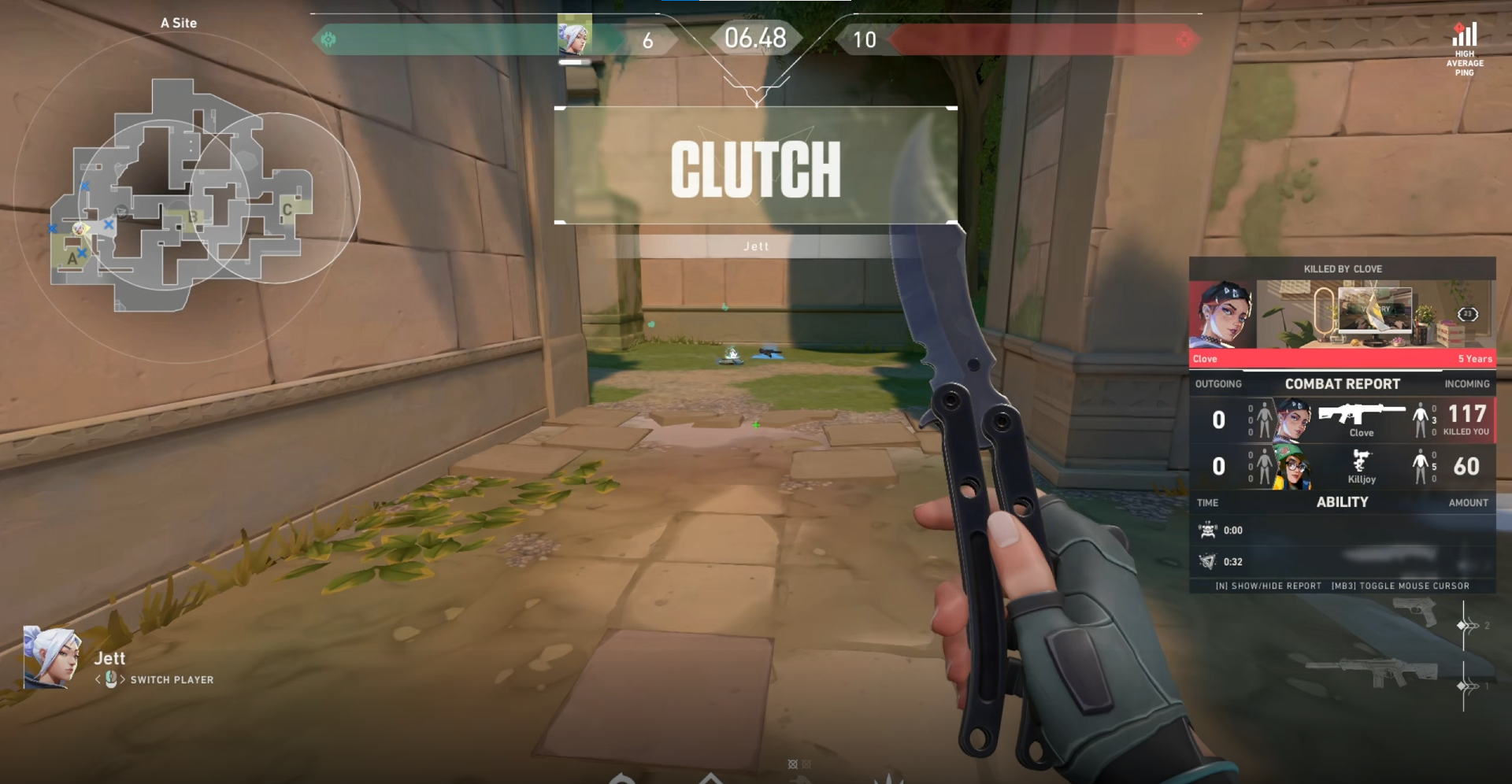
सात games, League of Legends, VALORANT, PUBG, FC Online, Fortnite, CS2 और Overwatch में यह kills जैसे events पहचानकर उन्हें छोटे अलग clips में save करता है (LoL में kills, multikills और objectives; VALORANT में kills के साथ ace और clutch tags)।
बाकी supported games में पूरा match record होता है, इसलिए app में बस अपने चाहे पल trim कर लें। दबाने के लिए कोई record button नहीं है, इसलिए oCam और GomCam में अक्सर होने वाली "recording चालू करना भूल गया और highlight छूट गया" वाली समस्या ख़त्म हो जाती है।
VALORANT का ace round या League of Legends का pentakill game बंद करते ही clip के रूप में तैयार मिलता है, लंबी footage में scrub करने की ज़रूरत नहीं।
NVENC hardware encoding से कम load वाली recording
Performance में DOR, RTX series जैसे supported NVIDIA graphics cards पर NVENC hardware encoding से record करता है और काम GPU को सौंप देता है।
CPU software encoding की तुलना में यह frame rate कम खाता है, इसलिए उन cards पर बिना कोई setting बदले वही फ़ायदा मिलता है जो oCam को hardware encoder पर switch करने से मिलता है। जब भारी game smooth खेलना हो और highlights भी रखने हों, तो यह फ़र्क महसूस होता है।
एक नज़र में: oCam, GomCam, DOR
- स्वभाव: oCam general purpose screen recorder / GomCam general purpose screen recorder / DOR games पर केंद्रित recording
- Recording शुरू: oCam manual / GomCam manual / DOR supported game launch होते ही अपने आप शुरू (VALORANT, LoL वगैरह पहचानता है)
- Highlight clips: oCam manual editing / GomCam manual editing / DOR 7 games में kills जैसे events के auto clips बनाता है, और बाकी games में पूरा match record करता है ताकि आप चाहे पल trim करें
- Hardware encoding: oCam codec settings में NVENC चुन सकते हैं / GomCam i5 और GTX 700 series या बेहतर recommend करता है / DOR RTX series जैसे supported NVIDIA cards पर NVENC से record करता है
- कीमत (12 November 2026 तक): oCam non-commercial personal use के लिए free (ads के साथ), companies, schools और PC cafes के लिए license / GomCam free trial, lifetime KRW 25,000 या GOM Easy Pass KRW 9,900 प्रति माह / DOR free (DOR Pro के साथ 1440p, 4K, 120 और 144 fps)
- Game के अलावा screen recording: oCam मज़बूत / GomCam मज़बूत / DOR non-game screens को screen recording से save करता है
निष्कर्ष: मकसद के हिसाब से चुनें
कुल मिलाकर, अगर आपको सिर्फ़ games नहीं बल्कि lectures, meetings और tutorials भी एक ही tool से record करने हैं, तो oCam या GomCam जैसा general purpose tool अब भी अच्छा विकल्प है।
दूसरी ओर, अगर आपकी मुख्य बात है "recording का मकसद games है, अच्छे plays अपने आप अलग जमा हों और frame drop भी कम हो," तो सबसे कम मेहनत वाला alternative DOR है। अपने पसंदीदा game के page पर recommended settings और असली auto clip examples देखें: Valorant, League of Legends।