Game Shorts are the fastest format for growing a channel right now. Long-form takes months to gather 1,000 subscribers, but with Shorts a single video can hit hundreds of thousands of views and flip the board in a single day. But do not misunderstand: you do not blow up by "just launching the game and uploading any clip." The same ace scene can vary 100x in views depending on the editing, length, and first 3 seconds. This article points out, one by one, the formulas of game Shorts that actually blow up in views.
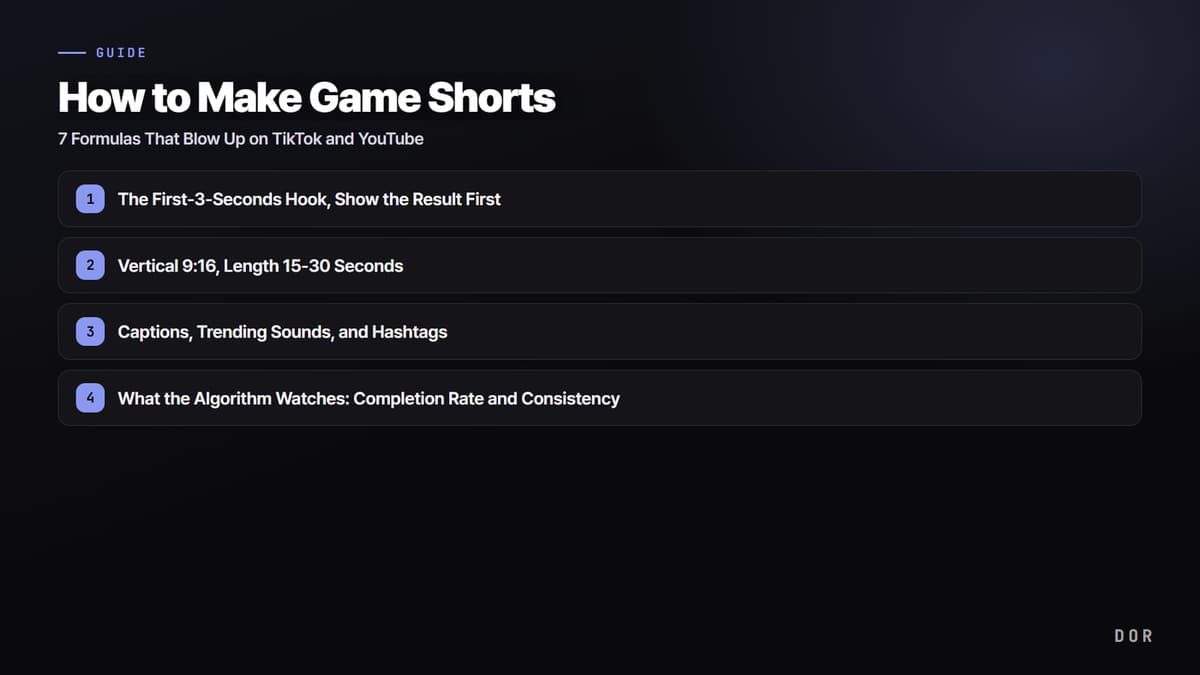
The First-3-Seconds Hook, Show the Result First
The most important thing in the Shorts algorithm is stopping the "swipe-away." Viewers decide within the first 1-3 seconds whether to watch to the end or scroll past. So going in chronological order, "fight starts, then buildup, then final kill," gets almost everyone scrolling away. Instead, use reverse-order editing that shows the most impactful result cut up front for 0.5-1 seconds first. On the first frame, slap a big caption with a curiosity phrase like "Is this even possible?" or "1v4 clutch." For captions, the top third of the screen with white text and a black outline has the best readability.
Hook Examples by Game
- Valorant: Right before the ace, show the moment when only one enemy is left at 4 kills for 0.5 seconds first, with the caption "Will this land?"
- PUBG: A final 1v1, with the screen showing the last 2 players inside the zone as the first cut. Caption "1 kill from chicken dinner."
- League of Legends: Right before the pentakill, show the health bars at 4 kills first, then rewind into the main fight.
Vertical 9:16, Length 15-30 Seconds
Games are usually played horizontally (16:9), but Shorts and TikTok are vertical (9:16) by default. Upload a horizontal video as-is and the screen sits small, breaking immersion and reducing algorithm reach too. Crop vertically so the character and crosshair come to the center of the screen, and if the minimap or kill log matters, place it small at the top or bottom. As for length, 15-30 seconds is the golden zone. Too short (under 5 seconds) and there is no context; too long (over 45 seconds) and the completion rate drops sharply. The rule is one peak moment per clip.
Captions, Trending Sounds, and Hashtags
A large share of Shorts viewers watch with the sound off. So you have to lay down the key situation as captions so the content gets across even on mute. For audio, uploading your own music file easily runs into copyright, so pick from the trending audio library built into the TikTok and YouTube Shorts apps. Platform built-in audio is copyright-safe, and using a trending sound gets you shown together in the feed for that sound, generating extra reach. For hashtags, do not get greedy with 10 each; use just 3-5, combining the game name, platform, and content type.
- Captions: Essential for silent viewing, white text + black outline, placed at the top of the screen
- Audio: Use only platform built-in trending audio (copyright-safe + trend reach)
- Hashtags: 3-5 (e.g., #valorant #valorantclips #gameshorts)
What the Algorithm Watches: Completion Rate and Consistency
The metric the Shorts algorithm watches most is "completion rate (watch retention)." It pushes videos that get watched to the end, and even replayed, to more people. This is exactly why the first-3-seconds hook and the 15-30 second length matter. The second is upload consistency. The algorithm trusts channels that post on a regular cadence. If you can, keep it daily, at minimum 3-4 times a week. For upload timing, just before the hours when viewers gather is good: on weekdays, evenings 6-10 PM, and on weekends, midday 12-3 PM, are the windows with heavy game viewing.
- Completion rate: Hook with the first 3 seconds and keep the length short so they watch to the end
- Upload cadence: Daily to 3-4 times a week, keep a steady rhythm
- Upload timing: Weekday evenings 6-10 PM / weekend midday 12-3 PM
Clips That Blow Up by Game
Each game has its own "scenes that work well as Shorts." Moments where the result is clear in a short time and there is a twist that makes the viewer go "whoa" tend to blow up.
- Valorant: Multikills, aces, and 1v3-or-more clutches. Op (sniper) no-scope flicks are short with big impact, so they blow up especially well.
- League of Legends: Solo kills, pentakills, and a last-second Baron steal. For game-turning teamfight scenes, it helps to add situation explanation with captions.
- PUBG: A final 1v1 with the chicken dinner in sight, long-range sniping (headshots), and a 4-man clutch. The zone countdown naturally creates tension.
The Crux Is Material to Post Daily: DOR Automatic Clips
Read this far and the conclusion is clear. The channel that posts consistently, every day, wins. But to post every day, you need clips to use every day. Realistically, it is hard to repeat hitting the record button every time you play and then, when it is over, finding and cutting peak moments out of long footage every single day. Automating exactly this "material supply" is DOR. DOR auto-detects when a game launches, records in the background, and the AI detects highlight moments like kills, multikills, aces, pentakills, and chicken dinners, saving them automatically as clips. Because it is NVIDIA NVENC hardware encoding, it has almost no impact on your competitive frames, and saved clips can be cut into vertical 9:16 Shorts right away in DOR's free editor.
Check the automatic clip method and recommended settings for each game on its page, Valorant, League of Legends, PUBG.