Record, edit
& find your community
Practical guides from capturing and editing gameplay to finding friends, parties, and communities.
Page 1 of 12
 Guide
GuideThe Complete Guide to Settings for Better Game Recording Quality (Resolution x Bitrate x Encoder Table)
We've laid out how to dial in bitrate, fps, and encoder for 1080p, 1440p, and 4K to improve quality, with a recommended settings table and step-by-step instructions.
 Troubleshooting
How to Fix Game Recording Lag and Black Screens: Record Without Frame Drops (2026)
We break down, step by step, the causes and fixes for the two big problems with game recording: frames dropping the moment you hit record (lag), and saved videos coming out as a black screen. We cover switching encoders (x264 to NVENC), proper resolution, fps, and bitrate values, going from fullscreen to borderless, and admin rights, drivers, and discrete GPU settings, all in one place.
 Guide
GuideWhat's the Right Recording Bitrate? Comparing 8/16/25/50Mbps Quality and File Size, Plus Recommendations by Resolution (2026)
Get a straight answer, by resolution, on what bitrate to set for game recording so both quality and file size leave you satisfied. We compare the quality and per-minute file size of 8/16/25/50Mbps in a table, and walk through setting it up directly in OBS. If memorizing and tweaking it is a hassle, we also explain why DOR optimizes bitrate for quality and size by default.
 Guide
GuideHow to Watch League of Legends Replays: From Downloading Match History to Saving Videos Forever (2026)
How to download and watch LoL replays from the client and OP.GG, the view and playback-speed features, and how to keep them forever as videos that survive past patches, all laid out step by step.
 Troubleshooting
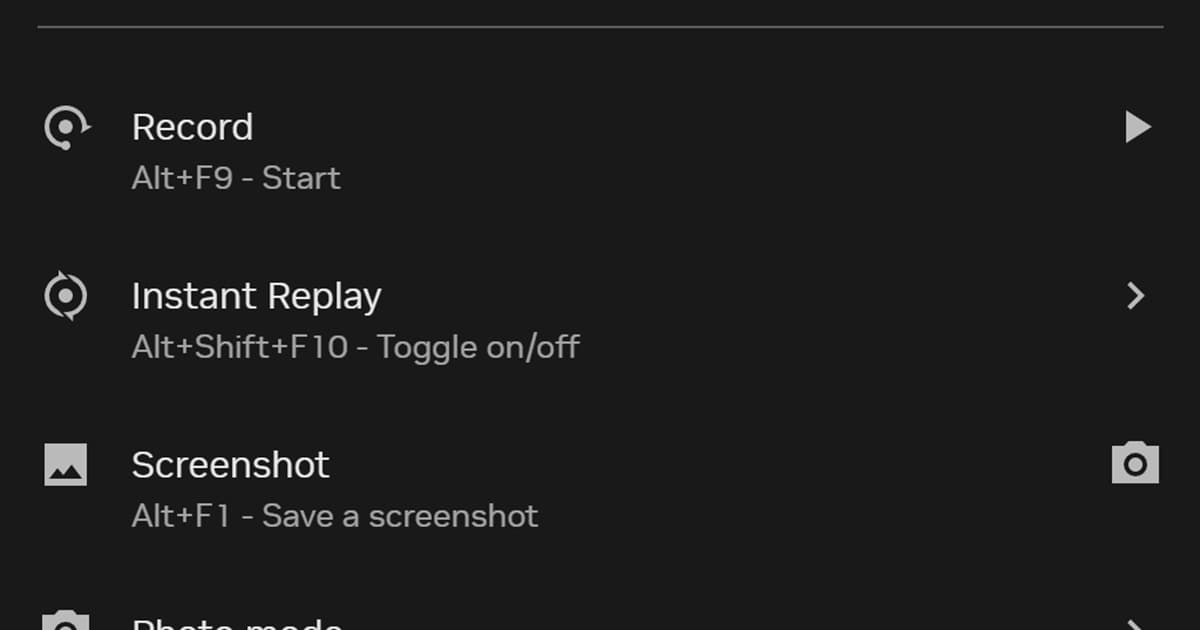
NVIDIA Instant Replay Not Working: Fix Saving and Hotkeys
Use a symptom-first checklist when Instant Replay turns itself off, Alt+F10 does nothing, or a saved clip cannot be found.
 Troubleshooting
OBS Game Capture Black Screen or Not Working: Every Fix, in Order (2026)
Game running fine but the OBS preview and recording pitch black? Nine times out of ten it is one of three things: a laptop GPU mismatch, a failed Game Capture hook, or a permissions gap. Run the four checks below in order — admin rights, borderless window, GPU assignment, capture mode — and most cases are fixed within 5 minutes. There is also a recorder that skips this problem entirely.
 Guide
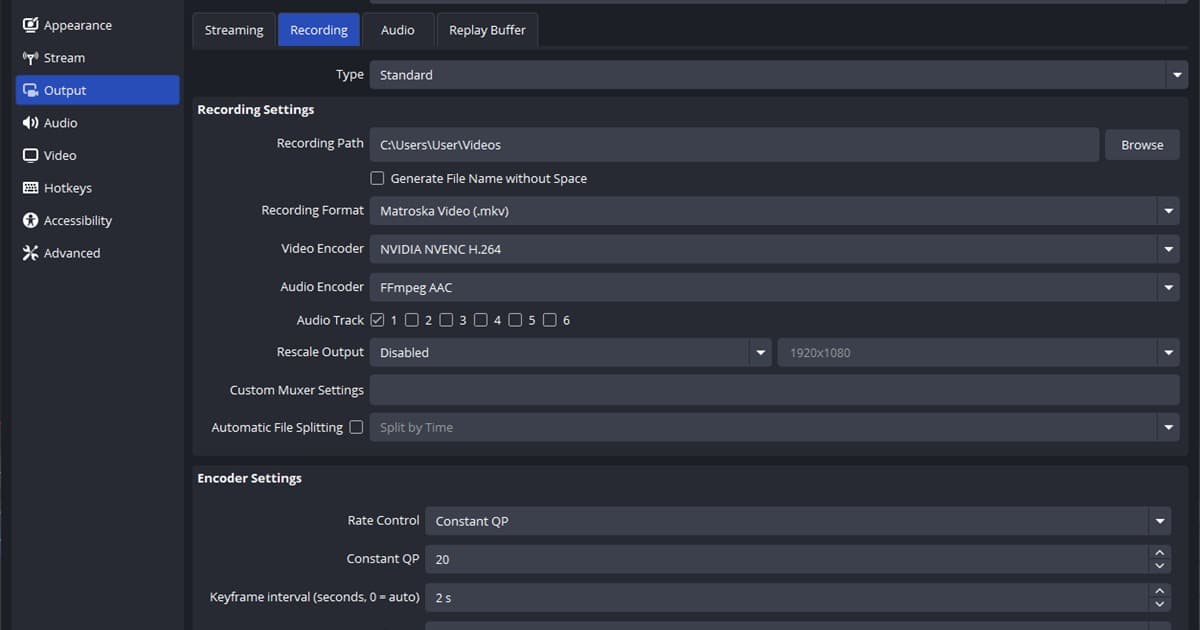
GuideThe Complete Guide to OBS Game Recording Settings: Lag-Free, High Quality (2026)
A full rundown of the encoder, CQP bitrate, resolution, keyframe, recording format, and audio track settings you need to record games in OBS at high quality with no lag, complete with menu paths and recommended values, plus an easier way to handle all of it automatically.
 Troubleshooting
OBS Recording Looks Blurry: Fix Resolution, Scaling, and Encoding
Find why an OBS recording looks soft or breaks up in motion by checking resolution, scaling, quality control, and encoder headroom in order.
 Troubleshooting
When the OBS Replay Buffer Doesn't Work: Fixes by Cause Plus an Automatic Alternative (2026)
When the OBS replay buffer isn't working or won't save, we lay out how to fix it by walking through the four common causes one by one: buffer disabled, hotkey conflict, save path, and memory capacity. At the end we even compare an automatic alternative that needs no buffer setup or hotkey at all.
 Troubleshooting
When Your Recorder Won't Detect the Game: Fixes by Cause
Is OBS Game Capture failing to grab your game and showing only a black screen? We break it down by hook failure, anti-cheat conflict, and permission problems and solve each step by step, and we've also laid out screen-capture fallback and automatic-detection alternatives.
 Comparison
Apex Legends Rank Distribution: The Last Official Numbers and Season 30 Ranked Rules (2026)
There is no official tier distribution for Season 30 Marked. Here are the last figures Respawn published (October 2020 table, November 26, 2025 chart) plus the help.ea.com entry requirements, 2-rank premade limit, RP entry costs and Split 2 reset values, checked September 14, 2026.
 Guide
GuideHow to Clip Apex Legends: The Surest Way to Auto-Save Kill Scenes
In Apex, fights end in an instant, so it's easy to miss great scenes. Here's a step-by-step guide to the limits of in-game features and how DOR's automatic full-match recording keeps every kill and highlight.
 Comparison
Delta Force Rank Distribution: Tier Order and Season Reset Rules (2026)
Delta Force has never published tier-by-tier player percentages. Here is what the official notices confirm as of 14 September 2026: the Operations and Warfare rank ladders, the soft-reset mapping, and where to read your own rank.
 Guide
GuideHow to Record Eternal Return Replays and Save Match Highlights
Eternal Return replays and screen recordings serve different purposes. This guide shows when to use each, how to record smoothly, and how to turn a decisive fight into a shareable highlight.
 Recording Guide
Fortnite Replay File Location and How to Open the Replay Viewer (2026)
Where Fortnite stores replay files on PC, how to open the replay viewer from the Career tab, the camera modes and playback controls, and why old replays stop working after an update, checked against Epic's official docs.
 Guide
GuideHow to Clip Valorant: Auto-Save Aces and Clutches (2026)
Valorant now has replays, but they disappear once their retention period passes. Here's how to keep your kills, aces, and clutches as automatic clips with DOR and edit them into Shorts.
 Troubleshooting
NVIDIA Low Latency Mode: Off, On or Ultra? A Situation-by-Situation Decision Table
Low Latency Mode only pays off when your GPU is the bottleneck, and in games with Reflex the driver value gets overridden. Recommended values per situation and the exact setting paths, based on NVIDIA's own wording as verified on September 14, 2026.
 Guide
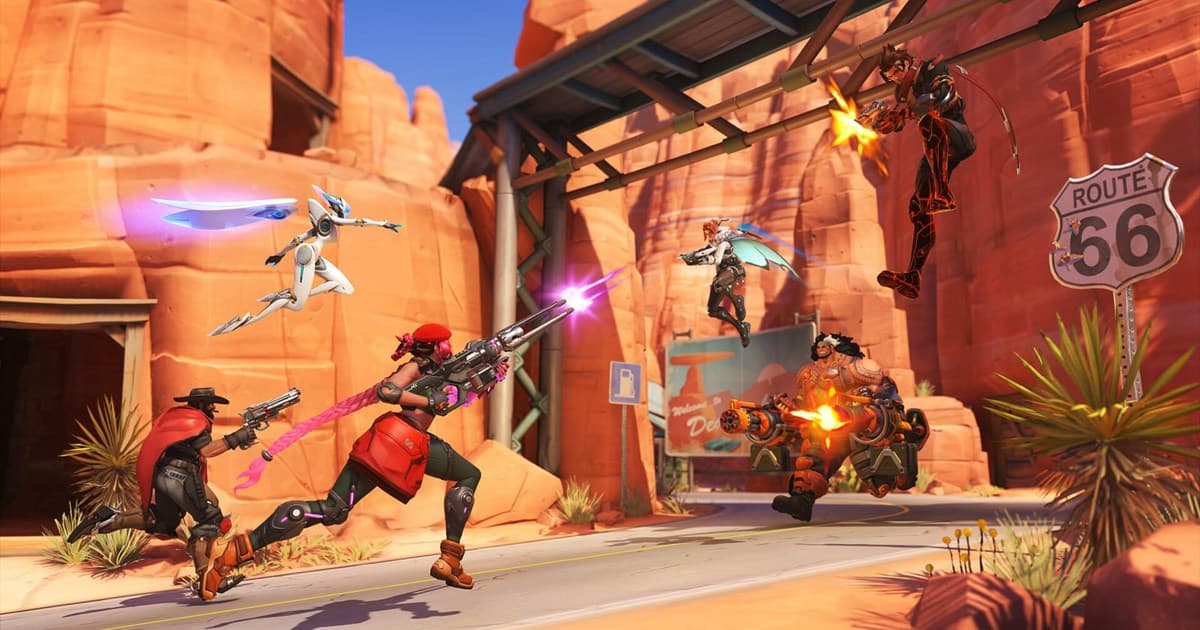
GuideOverwatch 2 Recommended Settings and a Complete Rundown of Crosshairs by Hero
From video settings that stabilize your frames to crosshair values for hitscan, projectile, and tank heroes, this is an Overwatch 2 settings guide you can enter exactly as written and be done.
 Comparison
Overwatch Rank Distribution, Tier Order and Competitive Requirements (Checked September 2026)
Blizzard's official tier percentages, the nine-tier order from Bronze to Champion, the 50-win unlock, 10 placement matches and group rank limits, all sourced from patch notes.
GuideHow to Watch Overwatch Replays: Replay Codes, Camera Switching, and Saving Highlights Forever (2026)
A complete rundown of how to load and play Overwatch replays from the main menu, share the same match with a replay code, and rewatch from every player's perspective with the free camera. We also walk you through, step by step, how to save replays as video so they last even when the patch changes.
 Guide
GuidePUBG Recording File Size: Save Space Without Ruining Video Quality
PUBG recordings can consume more storage than the game itself over time. Calculate file size from bitrate, choose practical quality settings, and organize OBS or DOR clips before the drive fills up.
 Recording Guide
Where PUBG Replay Files Are Stored: Demos Folder Path, Structure, and Keeping Them After Patches
PUBG replays live in %LOCALAPPDATA%\TslGame\Saved\Demos, one folder per match. Verified on a Steam install on September 14, 2026: the path, folder layout, sizes, how to match folders to the in-game list, why old replays stop working after updates, and how 2D Replay and camera controls differ.
 Recording Guide
Where Rainbow Six Siege Match Replays Are Saved (MatchReplay Folder Path and Why They Expire Each Season)
Siege Match Replay files live in the MatchReplay folder inside the game's install directory, not in Documents. Here are the Steam and Ubisoft Connect paths, the PC storage cap, and why replays only play back within the same season, all from Ubisoft's official docs, plus how to keep a match past the season reset.
 Recording Guide
How to Record Apex Legends on PC: Auto-Record Every Match, Clip Fights Later
Apex has no replay mode, so recording is the only way to rewatch a match. Compare Game Bar, the NVIDIA app, Steam and DOR, then auto-record every full match and cut the fight afterwards.