The coolest moments in a game always erupt without warning: a 1v3 fight you barely survived, a no-scope your hands reacted to first, a teamfight comeback you thought was lost. And these moments happen exactly when you did not have recording on, and only after they pass do you sigh, 'ah, I should have saved that.' An automatic game highlight generator solves exactly this problem. The program detects events like kills, aces, and pentakills on its own and turns just the window around that moment into a short clip for you. No need to hit a record button, and no need to scrub through a long original to find the section.
How does automatic highlighting figure out the best moments
The core question is 'how does the program know it is a cool moment?' A person knows the instant they see the screen, but a program needs some criteria to pick out best-moment sections. The ways to save game highlights automatically fall into roughly three methods, each with different accuracy and convenience.
Event detection: reading the kill log and scoreboard
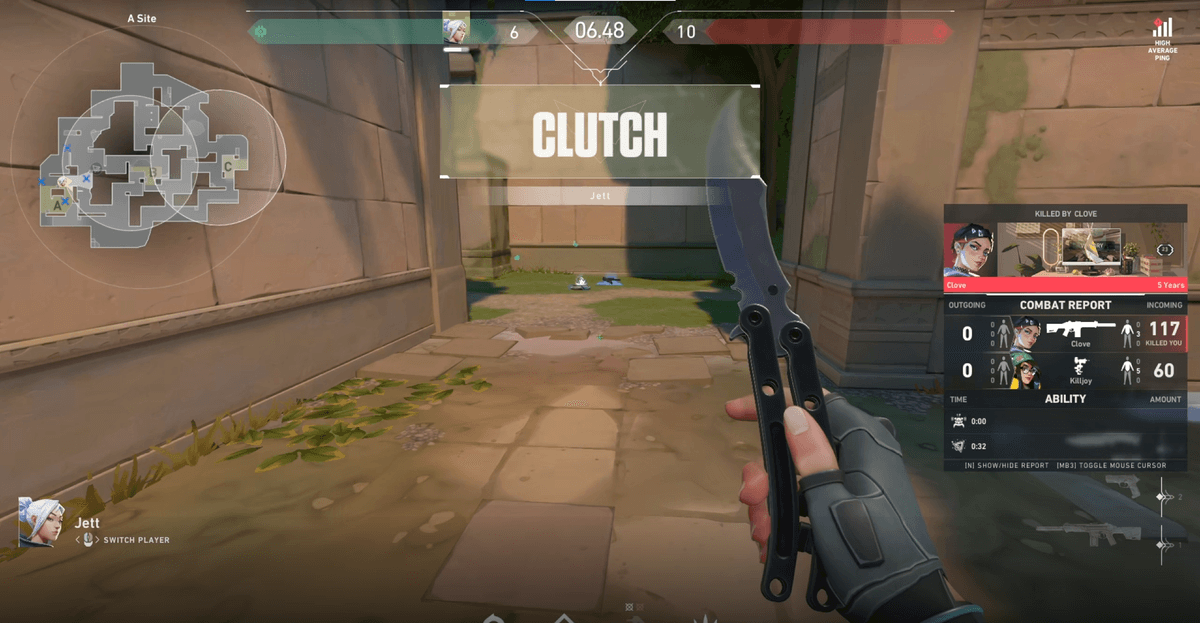
This is the smartest method. The game screen has visual cues that always appear when a best moment erupts: the kill log at the top, an 'ace' or 'pentakill' banner in the center, scoreboard changes, round-end indicators, and so on. Event detection reads these cues in real time to judge 'a kill just happened' or 'the round was just won,' and cuts out the few seconds around that moment as a highlight. Because it is the closest to how a person notices a best moment by watching the screen, it has a high chance of picking out only the moments that actually matter.
Replay buffer: always holding the last few minutes
The replay buffer is a method where the program always holds the last few minutes in memory in the background. When a cool moment happens, you press a hotkey and the recent window up to that moment is saved to a file. The advantage is that you can grab 'the scene that just happened' without having recording on in advance. But since the program does not judge what a best moment is, in the end a person has to press the hotkey. In the middle of a hectic fight, even pressing that key is easy to miss.
Manual recording: do everything yourself
This is the most primitive method. You turn on recording before the game, keep a long original throughout, then later find and cut the best-moment sections yourself in an editing program. The freedom is highest but it takes the most effort. If you forget to record, that whole match is gone, and finding a 30-second best moment in a one-to-two-hour original is no small task. For people who have to post content every day, this editing burden is the biggest reason uploads stop.
- Event detection: detects real in-game events like kills and aces and creates clips automatically. Almost no effort and a high hit rate.
- Replay buffer: always keeps the last few minutes on standby. No need to turn on recording in advance, but you must press a hotkey yourself at the decisive moment.
- Manual recording: record everything then edit yourself. High freedom, but the burden of forgetting to record and of editing is heavy, and best moments are easy to miss.
Game clip software compared: automatic highlight generation vs replay buffer vs manual recording
| Method | Who decides it's a highlight | How recording starts | Editing effort | Risk of missing it |
|---|---|---|---|---|
| Automatic highlight generation (event detection) | The program, from kill and ace events | Auto-detected when the game launches | Almost none, clips come out pre-cut | Low |
| Replay buffer | You | You press a hotkey to save | Small, the saved section is short | Gone if you miss the hotkey mid-fight |
| Manual recording | You | You start it before the game | Find and cut moments in a long original | Forget to record and the whole match is lost |
To read the table in one line: what people searching for a game highlight recorder or clip software usually want is the first row. Kill and ace moments are saved as clips without touching a record button or hotkey, so when choosing a tool, check first whether it supports this method.
How DOR catches best moments automatically
DOR is an automatic game highlight generator that works mainly through event detection. Once installed, it automatically detects your game launching and starts recording in the background, and analyzes visual cues on the game screen like the kill log, scoreboard, and round info in real time. When a meaningful event is detected, such as a kill, death, fight, or objective battle, it cuts only the window around it into a short clip and saves it automatically. On top of that, it uses the GPU's NVIDIA NVENC hardware encoding by default, so in-game frames barely drop even while recording. When you close the game, that day's best moments are already organized into clips, and since it is free with no watermark, you can post them straight to YouTube or Shorts.
It catches the 'best moment,' which differs per game, tuned to each game
One reason automatic game highlight generation is hard is that the shape of a best moment is completely different for each game. An FPS best moment and a MOBA best moment differ from the signals that appear on screen. So DOR tunes its detection criteria per game. In Valorant it catches aces and multikills, taking down all five opponents in a round; in League of Legends it catches pentakills, taking down five at once, and major teamfights; in Overwatch it catches the POTG (Play of the Game) picked as the match's best moment and ultimate combos, tuned to each game's signals. Check the examples and recommended settings on the page for the game you play most to see which moments become clips automatically.
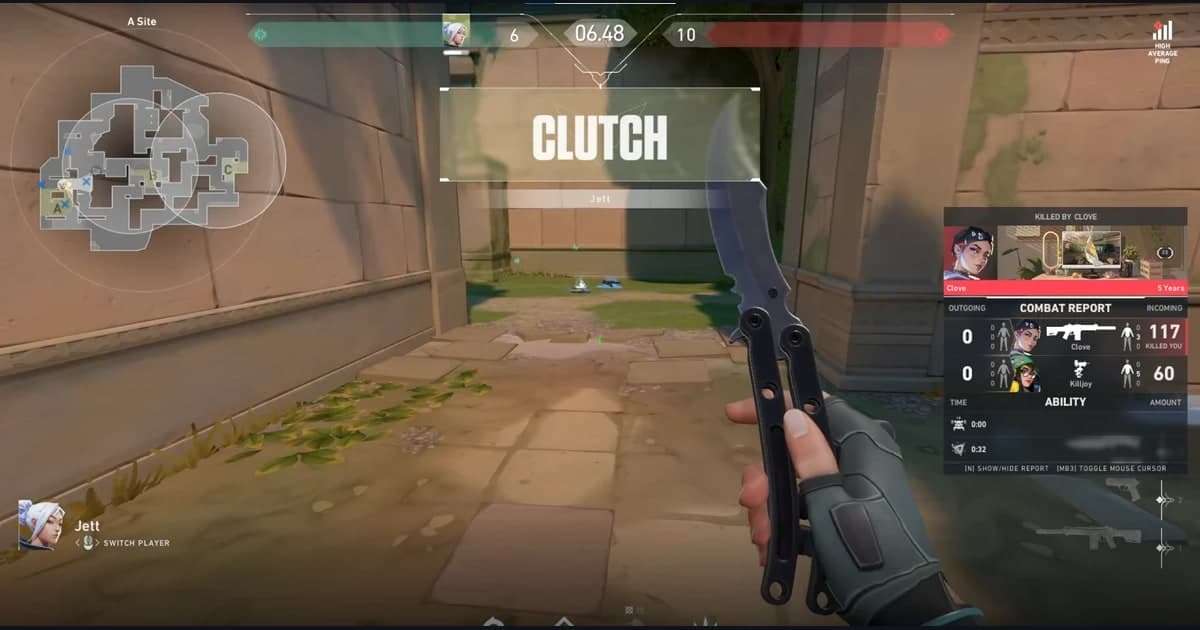
- Valorant: detects round-defining fights like aces, clutches, and multikills and saves them as clips.
- League of Legends: automatically keeps pentakills, quadrakills, and the teamfight sections that decided the win or loss.
- Overwatch: captures POTGs, ultimate combos, and the moments that led to a team wipe as highlights.
To sum up, the surest way not to miss best moments is not 'remembering to record' but 'having them saved automatically without remembering.' Since DOR watches for best moments on your behalf from the moment you launch a game, you can focus purely on playing. When you close the game, moments like kills, aces, pentakills, and POTGs are already stacked up as clips, and you just pick the ones you like and post them as they are. If the game you play most is one of Valorant, League of Legends, or Overwatch, first check on its game page how automatic highlights are caught.
More on game highlight recorders: how it works, comparisons, and per-game examples
- What is automatic game clipping?: a closer look at the detection that keeps kills, aces, and pentakills from slipping by.
- Auto highlight clips: a step-by-step walkthrough of how DOR saves your best moments for you.
- Medal.tv alternative and when OBS is too complicated: comparisons for switching from other clip tools or manual recording to the automatic method.
- DOR automatic game recording: if you want the whole match rather than short clips, continue there.
- Per-game auto clip examples: see what becomes a clip on the Valorant, PUBG, and League of Legends pages.
 #Valorant