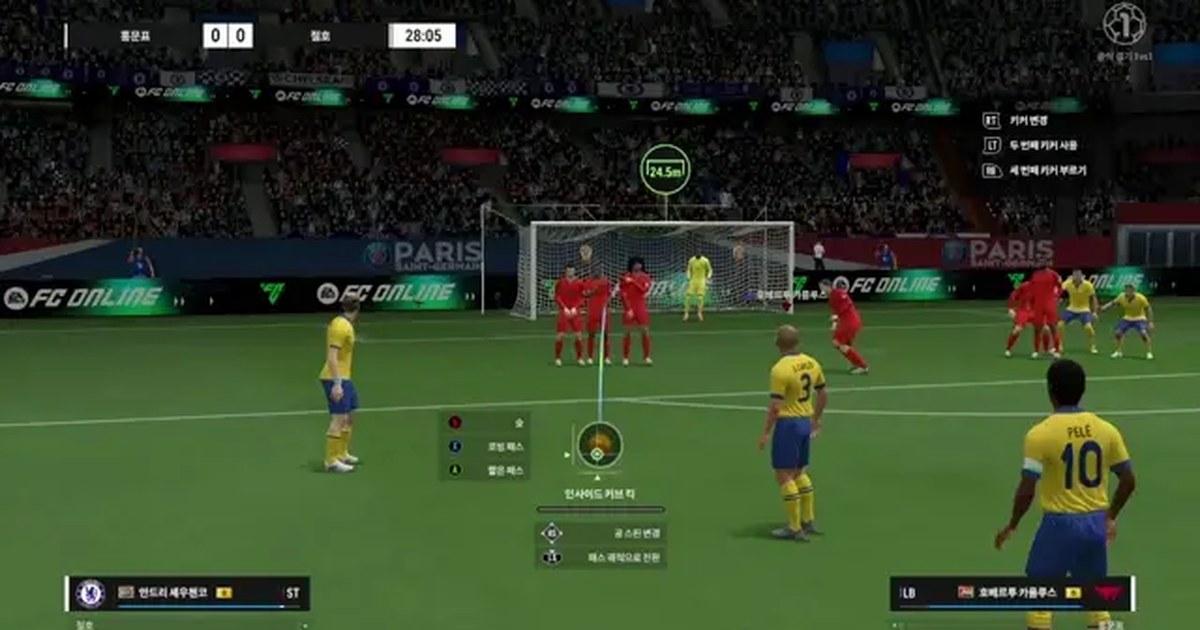

The short answer: FC Online replays are watched in the in game Highlights system (Medal). Goals, conceded goals and saves are stored automatically during the match, so there is nothing to set up before you have scenes to rewatch.
The catch is that in game storage deletes the oldest files once the capacity limit is passed, so to keep a scene as video or send it to a friend, it is easier to leave DOR running. FC Online is a game DOR supports, so DOR records the whole match and splits goals into clips on its own.
Sending a recorded goal to a friend is covered in how to share an FC Online goal video; this guide covers where to watch replays, the saving rules and the steps to keep them as video.
Everything here is as of November 2026 and is based on the official Nexon guide for the update of December 5, 2024, which describes the Korean Nexon service of FC Online.
The answer: watch in Medal Highlights, keep long term with DOR auto recording
If you only want to rewatch a moment once, in game Highlights is enough. Every goal you score and every goal you concede is saved, and saves by both your keeper and the opponent's keeper are saved together.
But when storage passes the set limit, the file with the oldest save time is deleted first, so scenes you want to keep are safer exported as video. For how long replays last in other games, compare replay retention by game.
DOR records the whole FC Online match on its own, and it only cleans up the oldest videos once the Full Play Video share of storage (5GB by default) is exceeded, keeping recent recordings and liked videos.
Steps to watch replays and keep them as video
- 1Watch saved scenes in MedalWhen the match ends, scenes such as goals, conceded goals and saves are already stored. The official guide does not state the menu location, so look for the Medal entry in the game; the auto save categories can be changed inside Medal.
- 2Pick the scenes to keep firstBecause in game storage deletes the oldest files when it fills up, choose the goals and saves you want to keep first. The system is not available on the mobile version, so check it on PC.
- 3Play FC Online with DOR runningInstall DOR and launch FC Online. It is detected as a supported game, the whole match is recorded automatically, and goals are split into clips that collect in My Clips. You do not need to press a hotkey.
- 4Trim the goal in My ClipsTrim the part you want in My Clips and save it as 16:9, 9:16 or 1:1. For joining several scenes into one video, see the game highlight editing workflow.
- 5Make a short or send a linkIn DOR Studio (dor.gg/studio), join clips and add text and BGM, then export an mp4 or share a dor.gg link. The vertical video steps are in how to make FC Online shorts.
What FC Online Highlights saves automatically (as of November 2026)
| Scene | What is saved | Condition |
|---|---|---|
| Goals | Every goal you score, own goals included | Saved from the moment the goal happens |
| Goals conceded | Every goal you concede, own goals included | Saved from the moment the goal is conceded |
| Saves | Saves by your keeper and the opponent's keeper, corners included | Saved from the moment the save happens |
| Cards and sending offs | A booking or a red card for one of your players | Saved from the moment it is declared |
| Shots | Your shots that miss or hit the post | From the moment it misses or hits the post |
| Player upgrades | Upgrades of players with OVR 120 or more at upgrade level 7 or higher | Up to 15 seconds before the recording end time |
| Player pack openings | Pack openings with OVR 120 or more at upgrade level 8 or higher, single or bulk | Up to 15 seconds before the recording end time |
| Spectating and special match admin | Not an auto save target | Spectated matches and admin matches are excluded |
Check before you keep it as video
- The goals and saves you want are stored in in game Highlights
- You played on the PC version, since mobile has no Highlights system
- FC Online was launched while DOR was running
- My Clips shows the full match and the goal clips
- You picked the aspect ratio for where it goes: 16:9, 9:16 or 1:1
Leave DOR running and FC Online records itself
DOR is a free Windows game recording app. FC Online is a supported game, so DOR detects it automatically, records the whole match, splits goals into highlight clips and collects them in My Clips.
Trim a section in the app and save it as 16:9, 9:16 or 1:1, then use DOR Studio (dor.gg/studio) to join videos, change the aspect ratio and add text, BGM and effect templates before exporting an mp4 or sharing a dor.gg link. DOR output carries no watermark. Free quality is 720p and 1080p at 30fps and 60fps.