When you open a program to record or clip a game, you run into terms less familiar than the game itself. What to set FPS to, what is good about high bitrate, what on earth NVENC means, and what the POTG and clutch your friend mentioned are. Gloss over the meanings and your quality turns to mush or the game stutters, and the actually great scene does not end up as a clip.
So we gathered the terms that come up often while recording and clipping games in one place. They are split into three groups, quality and performance terms, recording and clip feature terms, and highlight and game terms, and each term gets a sentence or two of meaning plus a note on why it matters in recording and clipping. Read it from the top, or just look up the term you need.
Quality and performance terms: why your video breaks up or the game lags
This group is the terms that decide why your recorded video looks blurry and why the game stutters the moment you turn on recording. You will meet most of them right on the settings screen of a recording program.
FPS (frame rate)
FPS is the value for how many screens are drawn per second; the higher the number, the smoother the motion. In recording you have to distinguish two kinds, because the frame rate the game actually runs at and the recording frame rate saved to the video can differ. Saving at 60fps is usually smooth, and for a scene you will use in slow motion you might shoot at 120fps or higher. If your game FPS drops sharply when you turn on recording, suspect the encoding method (hardware encoding, below) first.
Resolution
Resolution is the horizontal and vertical pixel count that makes up the screen, referred to as 1080p (1920x1080), 1440p, 4K (2160p), and so on. The bigger the number, the sharper it looks, but the storage size and encoding load grow to match. If you plan to post clips to YouTube or social, 1080p is usually plenty, and stably pulling 1080p 60fps beats forcing 4K and having the game lag.
Bitrate
Bitrate is the amount of data packed into one second of video, shown in Mbps. Even at the same resolution, low bitrate makes fast-moving scenes break up into blocks (blocking artifacts), while raising it cleans them up at the cost of a larger file. A Valorant firefight where the whole screen shakes violently shows it especially at low bitrate, so if your quality keeps turning to mush, raising the bitrate before the resolution is the more effective move.
Codec
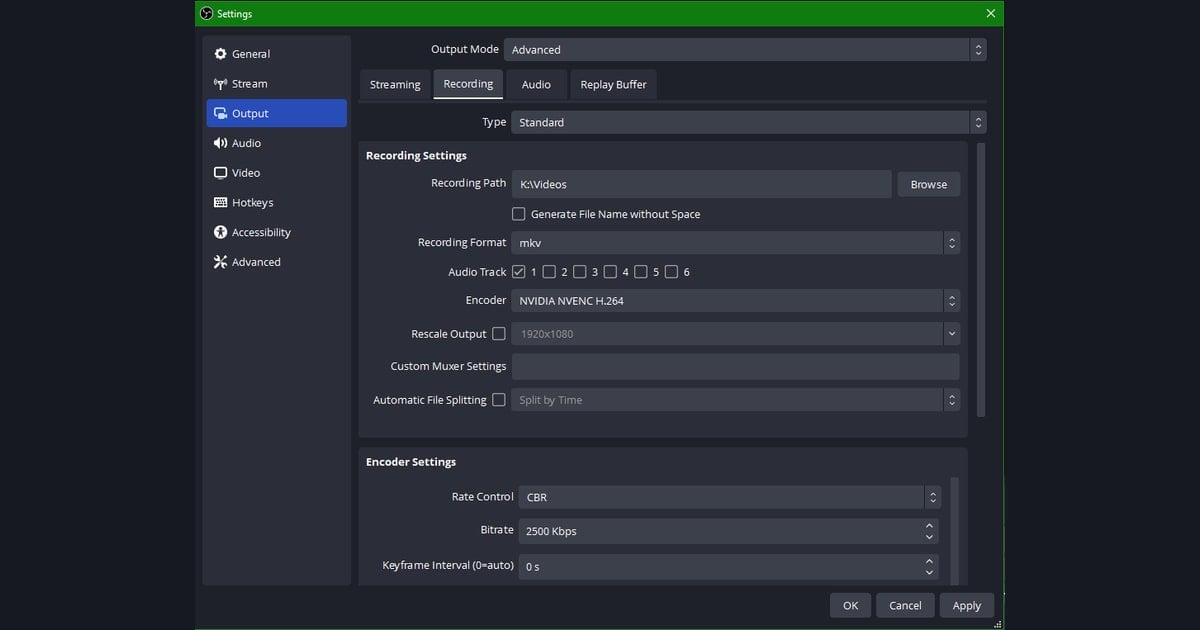
A codec is the rule that decides how a video is compressed and decompressed, governing how small a file size the same quality fits into. The most common one in game recording is H.264 (AVC), which has broad compatibility and opens right away in nearly every editor and platform. Pick the wrong codec and the video records fine but will not open in an editing program or on your phone, so unless you have a special reason, H.264 is a safe default.
HEVC (H.265)
HEVC is the next-generation codec after H.264, with the advantage of fitting the same quality into roughly half the size. It is favorable when recording high resolutions like 4K for a long time or when storage is tight. But it may not play or edit on older devices or some editing programs, so trying to save space can land you in compatibility trouble. Split it like this: H.264 if size is not urgent, HEVC for long high-quality recordings.
Hardware encoding (NVENC / AMF)
Hardware encoding is the method that hands the video compression work to a dedicated chip built into the graphics card. NVIDIA graphics cards call it NVENC, AMD calls it AMF/VCE. Conversely, software encoding (x264), which compresses on the CPU, takes CPU resources meant for the game and drops frames. Most of the it lags the moment I turn on recording problem improves dramatically just by switching the encoder to hardware (NVENC/AMF). It is the term most directly tied to performance, which makes it the most important one in this article.
Recording and clip feature terms: how you keep and cut video
This group is the terms about how you make and refer to long recordings and short clips. To avoid missing great scenes, it especially pays to know the replay buffer concept.
Replay buffer
The replay buffer is a feature that keeps recording the screen but does not save it, holding only the last few seconds to a few minutes temporarily in memory. Right after a great scene happens, hitting the save hotkey keeps that section that just passed as a file. It is the core concept that solves the great scenes always happen when recording is off problem, and thanks to it you can salvage just the highlights after the fact without running a full recording the whole game.
Clip
A clip is a short piece cut out of a long original video. It is usually a few seconds to around a minute and holds a single scene (one kill, one round). Game videos posted to social or communities are mostly at this clip unit, and it is rare to upload a full video whole. So recording and clipping serve different purposes: if recording is about keeping the original, clipping is about picking out only the worthwhile parts of it.
Highlight
A highlight refers to a collection of just the standout moments from one game or several. If a clip is a single scene, a highlight is closer to gathering such clips into a today's best plays bundle. In games like Overwatch where several good scenes come up per match, stitching just the highlights together makes a short video on its own.
Montage
A montage is the term for a genre of game video made by stitching several clips together with music and editing effects. Kill scenes or superplays are arranged to the rhythm to make something for viewing, often in the form of a personal skill showcase or fan video. Making a montage requires several good clips stacked up, so the everyday habit of steadily keeping highlights as clips is what supplies the material.
Highlight and game terms: the words that often go in clip titles
This group is the terms for clip-worthy moments, the ones happening in-game that are worth cutting out. They show up often in clip titles and community posts, so just knowing the meanings makes searching for videos and talking about them easier.
POTG (Play of the Game)
POTG is the scene where the game automatically picks the most impressive play of a match and plays it back after the game ends. It is a widely known concept from Overwatch, where multikills or a decisive blow are usually selected. Since the game has already picked the best moment and shown it to you, keeping that POTG section as a clip as-is makes a foolproof highlight.
Killcam
A killcam is the screen that, right after you die, re-shows that moment from the viewpoint of the opponent who got you. It is common in FPS games and lets you check how you got taken down from the opponent's perspective. In a clip context, it makes good material when an opponent's headshot or wallbang is revealed on the killcam, and conversely, if your play gets caught nicely on an opponent's killcam, that is a bragging-right clip in itself.
Clutch
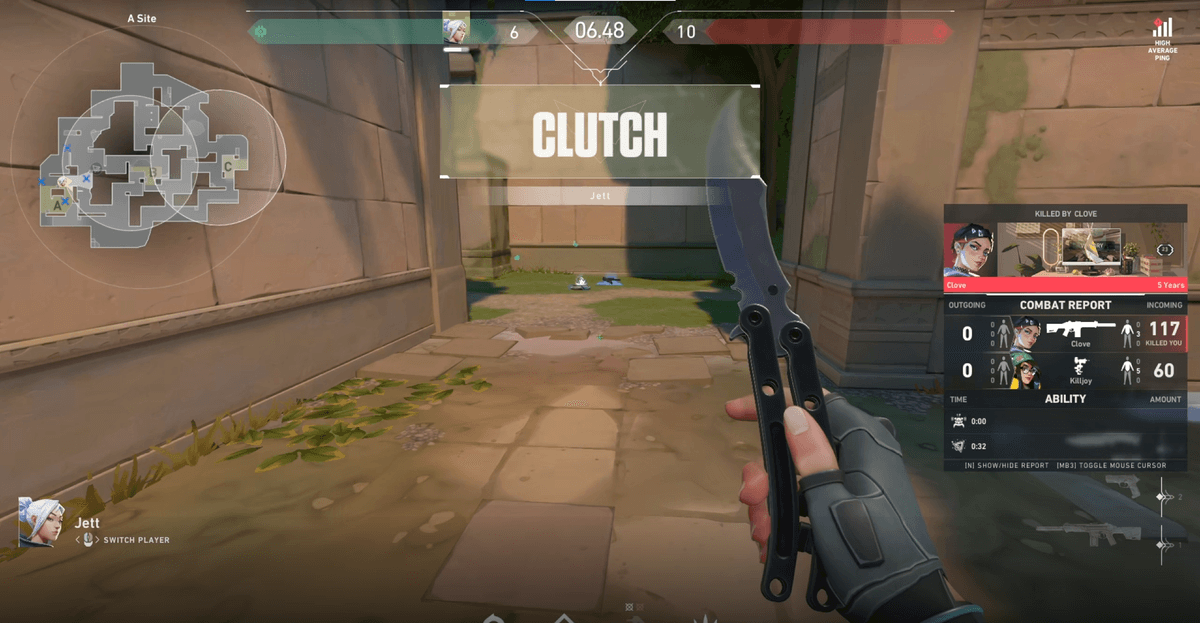
A clutch means a play where you flip and win a round from an unfavorable situation, especially when left alone at a disadvantage. In Valorant and Counter-Strike it is named with the number of enemies left, as in a 1v3 clutch. With its high tension and dramatic outcome, it is one of the most popular clip types, and everything up to the round-winning moment fits neatly into one clip.
Ace
An ace means taking down the entire enemy team on your own in a single round. In Valorant and Counter-Strike it is called an ace round, and on a 5-player team it means you landed 5 kills solo. It is hard to pull off and packs that much impact, making it prime clip material, so a round where an ace lands is worth keeping as a clip without fail.
Pentakill
A pentakill, in League of Legends, is taking down all five opponents in a row within a short window, the top tier of multikills. After a double, triple, and quadra kill, the fifth kill makes it a pentakill. It barely happens once a game, so it is the clip material fans treasure most, and the moment it lands you reflexively reach for the save button, the definitive too-good-to-miss moment.
- Quality turns to mush: raise the bitrate before the resolution.
- It lags the moment you turn on recording: switch the encoder to hardware (NVENC/AMF).
- You keep missing great scenes: leave the replay buffer on and save after the fact.
- The video will not open somewhere: use H.264 for the codec, or HEVC if size is urgent.
That covers the terms you often meet in game recording and clipping. In practice these terms do not stand apart but connect into one flow. You record while protecting frames with hardware encoding, keep moments like a POTG or pentakill as clips without missing them via the replay buffer, and then gather those clips into a highlight reel or montage. DOR handles the hands-on parts of this process, that is, hardware encoding settings, the replay buffer, and auto clips of moments like kills, aces, and pentakills, by default. Once you know what the terms mean, you can leave the settings to DOR and focus on the game, and good clips pile up on their own.
 #Valorant