When you are deep into a game on team voice, you often cannot remember what you actually called once it is over. Whether you made the right shotcall just before a teamfight, whether your rotation instructions got through to the team accurately, and what reaction you had in a frantic moment all fly by in an instant.
In moments like these, being able to rewatch what you said as text makes reviewing much easier. This article covers why and how to review your voice comms by converting in-game speech to text (STT), and how DOR automatically records and transcribes your mic and Discord voice.
Why You Should Review What You Said Mid-Game
Aim and positioning are not the only skills. In team games, communication is a skill in itself. The more a game is decided by team voice, like Valorant, League of Legends, and Overwatch, the more looking back on the quality of your calls helps you grow.
- Shotcall review: checking whether your calls on entry timing, ability use, and when to pull back were actually appropriate
- Info delivery: checking whether you relayed enemy positions and health info concisely and accurately
- Reaction check: looking back on whether you made calm calls instead of words that rattle the team in frantic moments
- Clip context: seeing what you said during a highlight moment alongside the play to confirm the reasoning behind your decisions
If you rely on memory alone, the good moments get romanticized and the calls you regret get fuzzy. When you see exactly what you said, your communication habits become clear objectively.
What Is Speech-to-Text (STT)
STT (Speech-to-Text) is technology that turns spoken sound into written text. When you convert the voice captured in your mic and voice chat during a game into text, you can quickly skim what was said in writing without relistening to the video from start to finish.
Especially when you are trying to find what call you made in a particular scene, having it in text makes it far easier to scan with your eyes. Instead of relistening to an entire 20-minute game, you can pick out just the lines around the decisive moments, and that is the key advantage.
The Usual Way: The Hassle of Separate Recording and Manual Checking
Reviewing your voice normally takes a lot of work. You have to turn on a separate recording program before the game, adjust your audio settings so your mic and Discord sound are captured properly, and later open the video and rewind through each segment to listen.
- You have to manually turn on the recording program every time before a game
- You have to mind your audio routing so both mic and Discord voice are captured together
- When reviewing, you have to rewind through a long video and find the lines you want yourself
- If you forget to turn it on, the voice from an important match disappears entirely
This process is such a hassle that most people give up on voice review entirely. Things change completely when everything is recorded automatically and even organized into text.
Automatic Mic + Discord Voice Recording and Transcription with DOR
DOR is a free tool that automatically detects your game and records your play. As it does, it captures not only your screen but also your mic and Discord voice, and converts them to text. Thanks to this, after the game ends you can recheck what you said in writing.
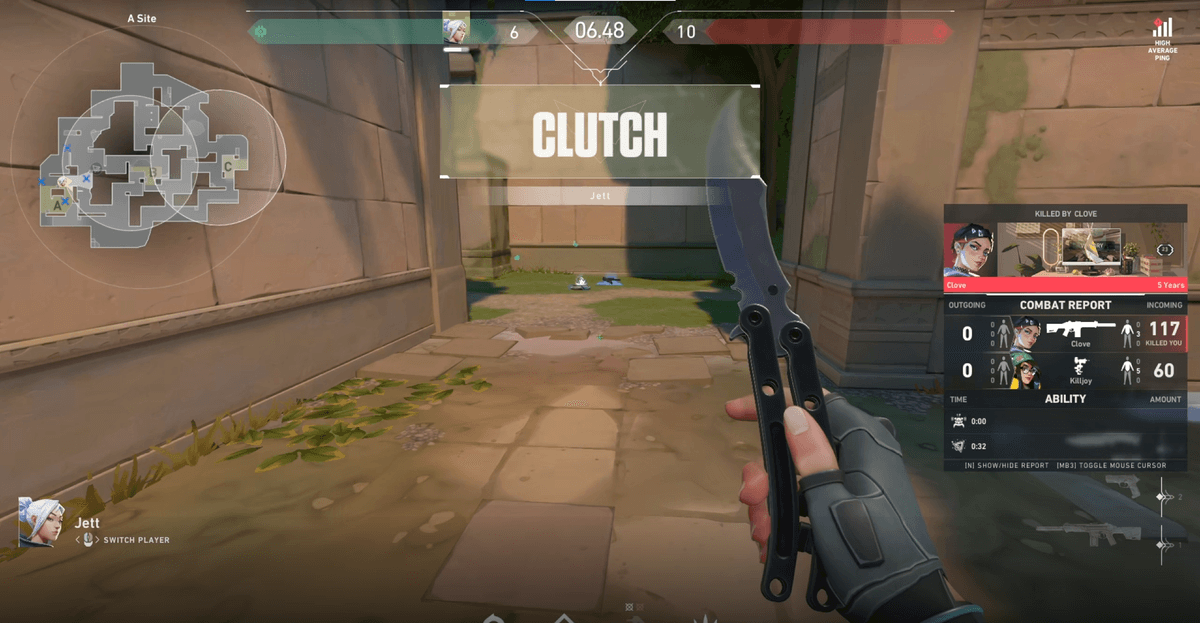
- Automatic recording: when it detects a game, your play and voice are saved together with no extra action.
- Mic + Discord voice: what you said and your team's voice calls are captured together.
- Text conversion: the captured voice is turned into text so you can skim it with your eyes.
- Review alongside clips: you can connect a highlight moment with what you said at the time and review both together.
DOR also trims highlights automatically, so you can put the clip of a decisive moment and the call you made at the time side by side. It is NVENC-based, so it is light even on low-spec setups, and it records with no watermark, so you can polish it straight in the browser editor and share it to the dor.gg community in one click.
Tips for Using Voice Review
- The more a match you lost, the more you should reread the calls just before a teamfight to find where communication broke down
- In matches that went well, check the good call patterns and lock them in as habits
- Check in writing whether info calls like 'two enemies left' were concise and accurate
- Look at the text together with your duo or friends to sync up your call timing
Wrap-Up
When you rewatch the calls you made as text, you can objectively check your communication skills, which matter just as much as aim. DOR automatically records and transcribes your mic and Discord voice, letting you start reviewing your voice comms without any complicated setup. From your next match, look back not just on your screen but on what you said too, and grow one step at a time.
 #Valorant