When you dissect hundreds of gaming Shorts that hit hundreds of thousands of views, the conclusion is simple. Viral videos almost without exception share three things: a hook that grabs the viewer within the first 3 seconds, big captions readable even with the sound off, and a loop structure where the end connects naturally back to the start. With just these three, the same gameplay footage gets several times the views.
This article is a practical guide that organizes those three patterns so you can follow along in order, from picking source clips to editing and uploading. More than fancy gear or editing skill, knowing the pattern precisely is what goes viral first.
Step 1: Picking source clips - choose a scene where you can show the payoff first
80% of going viral is decided by the source clip. A good Shorts source clip shows the payoff or tension the moment it starts. A clip where you walk through an empty screen and the engagement starts 3 seconds later loses the viewer during those 3 seconds. Conversely, a scene that is a 1-on-4 situation from the first frame, or where an unbelievable superplay bursts out right away, makes fingers stop.
In Valorant, pick clutch moments just before an ace; in League of Legends, pick cuts where the payoff is imminent, like the middle of a teamfight where a pentakill begins. Which moments work well per game is covered in more detail in the Valorant clips and League of Legends highlights guides.
- Scenes where you can see what is about to happen in the first 1 second (tension, danger, a flashy start)
- Scenes with a clear payoff (a kill, a comeback, a mistake, a funny moment)
- Short, strong cuts where the whole arc wraps up within 5 to 15 seconds
- Scenes where, if the setup is long, that setup section can be cut out entirely
Step 2: The first 3-second hook - viewers leave within 1 to 2 seconds
Viewers decide whether to keep watching or scroll past within 1 to 2 seconds of the video appearing. So you have to place the best part at the very front. Do not show the setup; show the payoff first. If a flashy kill is in the middle of the video, change the cut order to pull the moment just before that kill up to the video's first frame.
A strong hook is complete when three elements send the same message at once. What is seen (visual), what is read (caption text), and what is heard (voice or sound effect). When all three point the same direction, the viewer instantly understands what the video is and stays.
- Visual hook: a surprising first frame, strong emotion, an obvious danger situation up front
- Text hook: a short phrase that wraps up in 3 to 5 words (e.g. Is a 1-on-4 clutch happening)
- Sound hook: an impactful sound like a sound effect or scream in the first moment
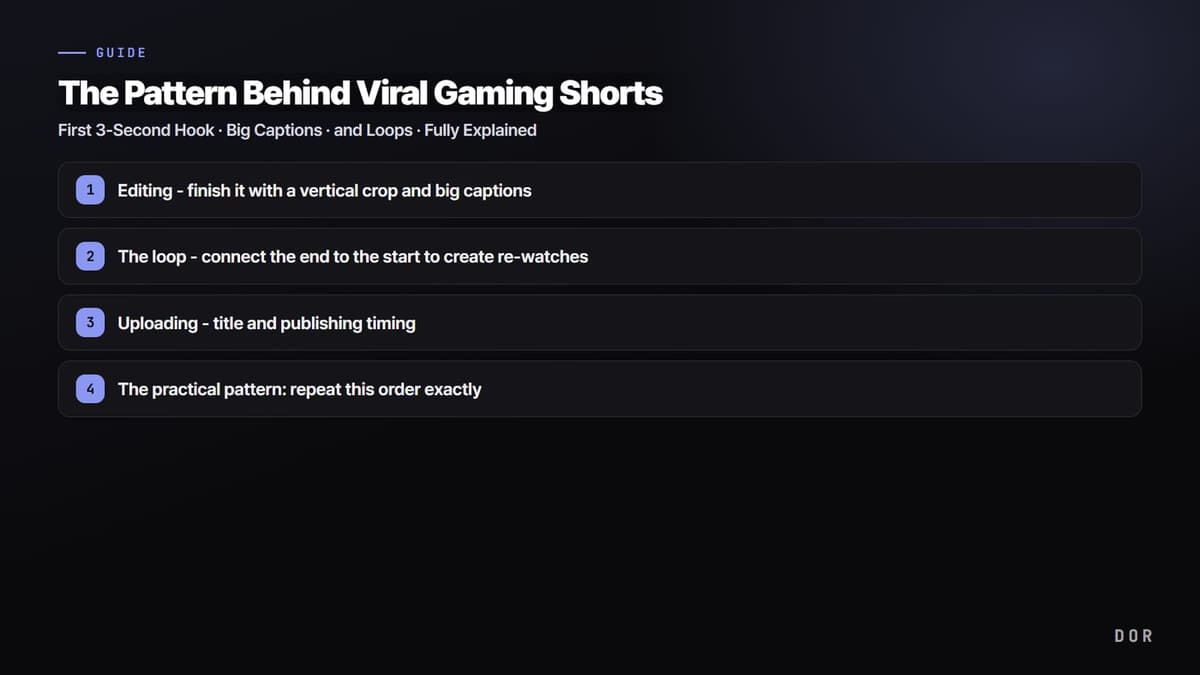
Step 3: Editing - finish it with a vertical crop and big captions
Game screens are horizontal, but Shorts are vertical. While cropping to a 9-by-16 ratio, you have to frame it so the important information, especially the character, crosshair, and kill log, stays inside the screen. Filling the top and bottom with empty space and uploading the horizontal screen as is, is the most common yet fatal mistake.
Many people watch Shorts with the sound off. So captions are effectively a second voice. Place 4 to 7 words at a time, in high-contrast colors (white text with a black outline), inside the safe area at the top and bottom of the screen. The bigger the caption, the better. If it is too small to read, it might as well not be there.
- Ratio: 9-by-16 vertical crop, adjust position so key information is not cut off
- Captions: 4 to 7 words, high-contrast, large text, inside the safe area
- Pace: cut the sagging stretches so not a single cut is wasted
- Length: between 15 and 30 seconds, short and strong
Step 4: The loop - connect the end to the start to create re-watches
The 2025 to 2026 algorithm reads re-watches as a powerful satisfaction signal. Completing the loop means the last frame connects naturally to the first frame, so the viewer, with the video left running, watches it again without realizing. When watch time passes 100%, the algorithm pushes that video to more people.
The easiest loop is matching the last cut to the same screen as the first cut. Ending on the same camera angle and same scene hides the seam when it loops back to the start. Or, if you end the video on a question that the first line answers, the viewer watches the start again to confirm the answer.
- Match the end frame to the same screen as the first frame to erase the seam
- End the video on a question that the first line answers
- Cut just before the decisive moment, and arrange it so that moment becomes the opening again
Step 5: Uploading - title and publishing timing
Once editing is done, take care of the final touch at the upload stage. The title, first comment, and hashtags are hints to the algorithm about which viewers the video should reach. Clearly state the game name and situation, and use a curiosity phrase that matches the video's content rather than excessive clickbait.
- Title: game name plus situation (e.g. Valorant 1-on-4 comeback clutch)
- Hashtags: 3 to 5 tags for the game name, character name, and Shorts-related tags
- Timing: focus on evenings and weekends when your target viewers play a lot
- Consistency: a steady publishing frequency grows a channel more than one hit
The practical pattern: repeat this order exactly
To sum up, the production order for viral Shorts is always the same. Pick a highlight that shows the payoff first, pull the moment just before that payoff up to the first 3 seconds, crop it vertically and lay big captions on top, and close with a loop connecting the end to the start. Repeating this pattern every time turns it into a channel that pulls views consistently, not just once by chance.
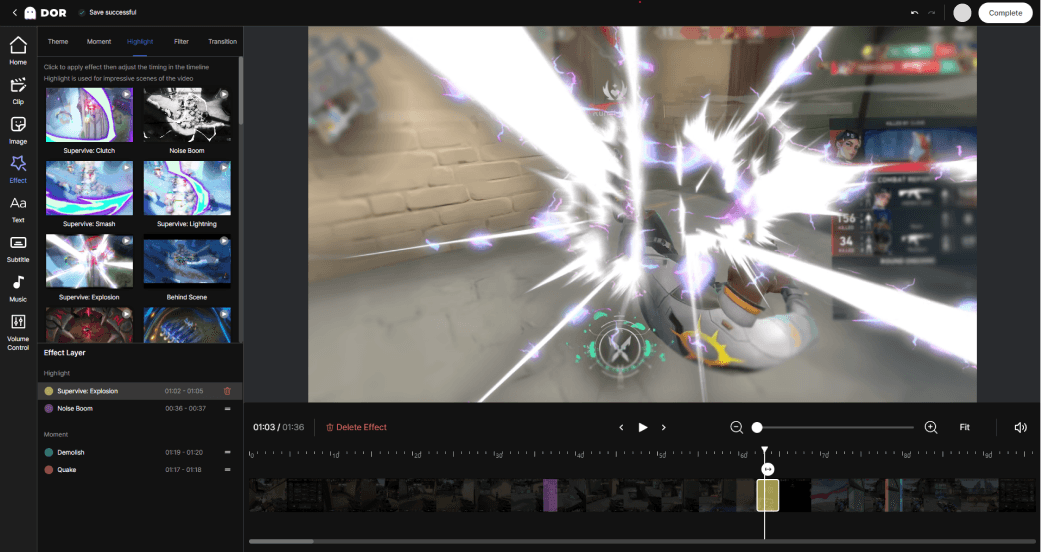
The problem is speed. Finding source clips, re-cropping horizontal to vertical, and typing in captions one by one easily eats an hour or two per piece. This is where DOR's edge comes in. DOR automatically clips the highlight moments of your gameplay so Shorts source material gathers on its own, and you can finish it right in the editor with a vertical crop and captions. By cutting out the time spent finding and converting source clips entirely, the speed of repeating the pattern itself gets faster.