To put the conclusion first, game videos that put core keywords up front in the title and fill tags with 'words people search + game name' see search exposure shoot up. Even for the same highlight clip, a title of 'Today's match' and a title of 'Valorant 1v5 Clutch Ace Compilation' produce completely different results in search. That is because the algorithm reads a video's content as text first.
In this article we organize it not by guesswork but in writing order. First the title, then the tags, and last the description. We separately note the parts that change when posting short as a Short, and at the end we tie together what actually affects search exposure.
Step 1: Title - core keywords up front
The title is the heaviest spot for search exposure. Place the core keyword within the first 30 characters of the title. YouTube reads the front of a title as a more important signal, and on mobile search results the back is often cut off and not shown at all. 'Valorant Clutch Tips: How to Win a 1v3' is more advantageous than 'Win With This Valorant Clutch Tip,' pulling the game name and core keyword to the front.
The key is to weave keywords naturally into one sentence rather than simply listing them. Sticking words together like 'Valorant Clutch Tips Ace Compilation How to Play Well' misaligns with search intent and lowers click-through rate. Think of it as making one sentence in words a person would actually type into the search box.
- Put the game name up front: use the name people call it, like 'LoL,' 'Valorant,' 'PUBG.'
- Pin what the video is in one word: 'clutch,' 'ace,' 'tips,' 'highlights,' 'guide.'
- Add a specific situation or number: '1v3,' 'solo ranked,' 'new champ,' 'early season.'
- Finish within 60 characters: so the title shows whole in search results.
For example, for a League of Legends video, make it so the game name, core keyword, and specific situation come in order from the front, like 'LoL Jungle Pathing Guide: How to Raise Early Gank Success Rate.' For Valorant, 'Valorant Aim Practice: A 10-Minute Deathmatch Routine' is one example.
Step 2: Tags - fill with search terms and game names
The role of tags has shrunk from before, but they are still useful for game videos. That is because game names get searched as a mix of abbreviations, official names, and English spellings. 'LoL,' 'League of Legends,' 'lol,' and 'league of legends' all point to one game, and bundling these variants with tags creates room to catch various search terms.
- Put the most important tag first: make the first tag represent the video's topic.
- Include game name variants: Korean abbreviations, official names, and English spellings together.
- Include words people will search: like 'clutch,' 'highlights,' 'guide,' 'tips.'
- Cover frequent misspellings: common typos or alternate spellings of character and champion names.
- Only include words that match the video: irrelevant popular tags aimed at views are actually a minus.
As of 2026, YouTube analyzes whether tags actually match the video's content. Recklessly stuffing in popular game names to chase ranking no longer works and actually blurs the relevance signal, hurting you. Think of tags as a bundle of 'search terms that accurately describe this video.'
Step 3: Description - the core in the first line, keywords in the body
The description shows its first two or three lines in the search-result preview. So it is good to put the game name, core keyword, and what the video is into a natural sentence in the first line. Below that, expand on what the video covered in 200 characters or more, but write it as text a person reads rather than forcibly repeating keywords. Listing chapter timestamps or the champions and agents that appear becomes a search signal in itself.
For Shorts, description hashtags are key
Shorts have a short title character count, so it is hard to cram hashtags into the title too. So it is better to put hashtags at the front of the description. The first three hashtags in the description are automatically exposed as clickable links above the title, so you get the same effect without using title characters.
- Put #Shorts as the first hashtag: it helps it get sorted onto the Shorts shelf.
- Include game hashtags: like #Valorant #valorant, Korean and English together.
- Add one topic hashtag: search keywords like #clutch, #highlights.
- Finish with 3 to 5: too many actually blurs the categorization.
Posting DOR-gathered clips in a search-friendly way
No matter how good the title and tags are, they are useless if you have no video to post. If a highlight happened mid-game but you had not recorded it, that is the biggest loss. DOR keeps capturing the game screen and gathers the good moments into clips, so it is good for stockpiling material to post for search.
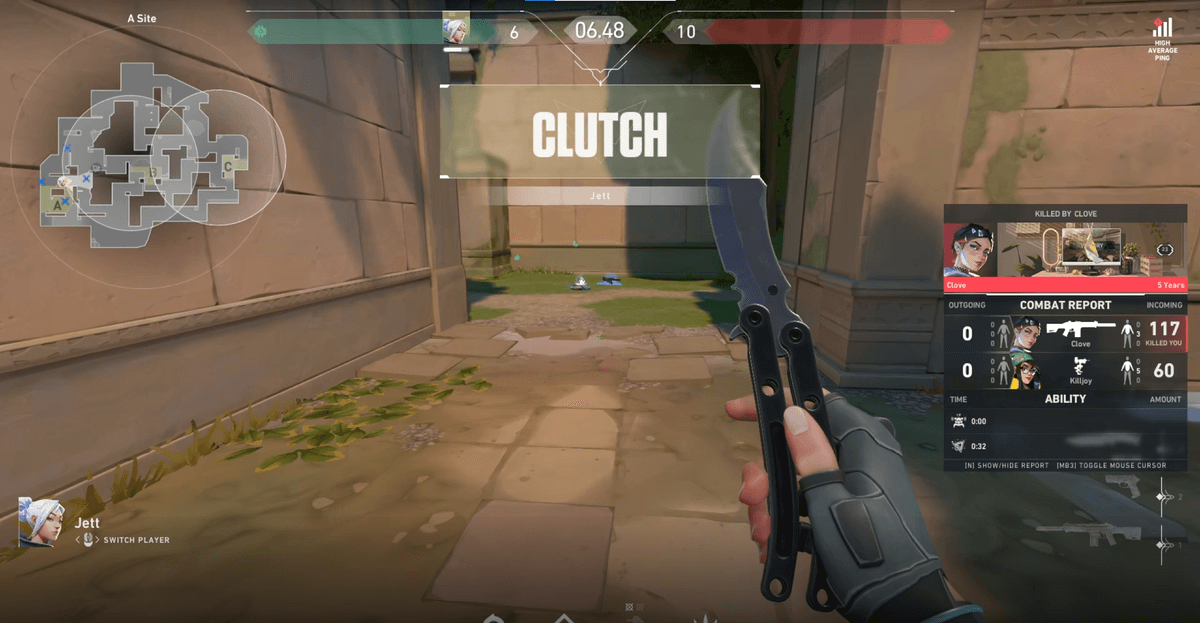
When you post clips gathered with DOR this way, putting the game name and highlight keyword up front in the title is advantageous for search inflow. Moving the clip's content straight into title keywords, like 'Valorant clutch' or 'LoL pentakill,' makes writing the metadata much easier. The highlight becomes the search term itself.
Search exposure is ultimately made together by metadata and watch retention
Title, tags, and description are the entrance that tells YouTube 'which search terms this video matches.' But what pushes the ranking all the way up is how long the people who came in watch, that is, watch retention and total watch time. Both steps, bringing people in accurately with metadata and holding them with the video's content, have to line up for it to stay at the top of search for long.
- Get exposed to the right search terms with title, tags, and description.
- Block clicks and bounces with the thumbnail and first 3 seconds.
- Secure watch retention with the video's content.
- Solidify relevance with engagement signals like comments and likes.
To organize it, the order is simple. The game name and core keyword up front in the title, tags with search terms and game name variants, the core and Shorts hashtags in the description's first line. Add to this the highlight clips you steadily gathered with DOR, and even the same scene at the same skill level gets discovered far more often in search.