To get straight to the point, a game you bought on Steam can be refunded in most cases regardless of the reason, as long as you have played it under 2 hours and it has not been 2 weeks (14 days) since purchase. With just these two conditions met, the request itself is set up to be approved automatically, so you can get your money back without worry when a game turned out different from what you expected or did not run properly on your PC.
This article lays out Steam's refund rules as of 2026, as-is. First we cover the core 2-hour and 2-week rule, then what order to actually make the request in, and finally the cases where you get rejected, in turn.
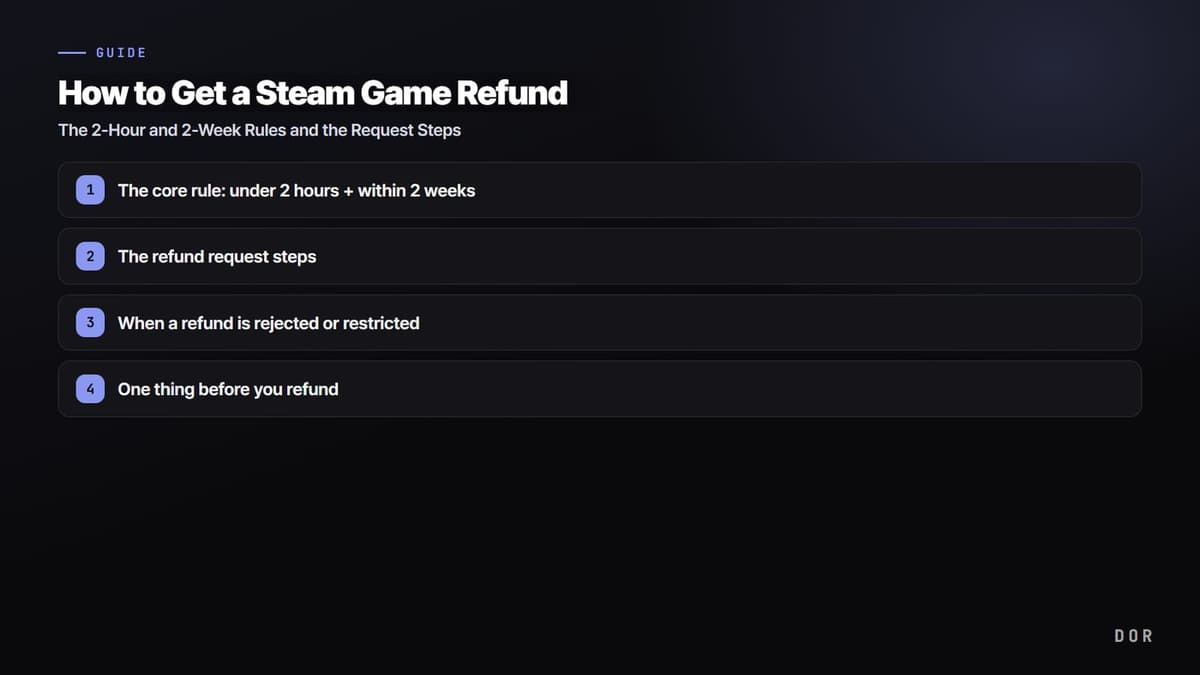
The core rule: under 2 hours + within 2 weeks
Steam's refund baseline is just two things. Game playtime must be under 2 hours (120 minutes), and it must be within 2 weeks, that is, 14 days, from the time of purchase. Meet both of these and Valve proceeds with the refund without asking your reason. Whether it is 'the game was not fun' or 'the specs did not match,' it does not matter.
What is easy to get confused about here is how 'playtime' is calculated. Steam counts the entire span from the moment the game process launches to when it closes as playtime. In other words, the menu screen, loading screens, time spent with the launcher open, even time spent with the game minimized and running in the background, are all included. This is why people end up saying 'I barely played it but the time was already filled.'
The refund request steps
The request itself takes just 5 minutes. It is fastest to do it from the support page rather than the Steam client. The order is as follows.
- 1. In a web browser or the Steam client, go to help.steampowered.com and log in with your own Steam account.
- 2. Find the game you want to refund in your recent purchase list. If you do not see it, click the 'Purchases' or 'Games, Software, etc.' menu and search.
- 3. Select that game, then click 'I would like a refund.'
- 4. Choose 'I'd like to request a refund,' and pick whether to receive the refund to your Steam Wallet or your original payment method.
- 5. Write a brief reason (optional) and submit the request, and you are done.
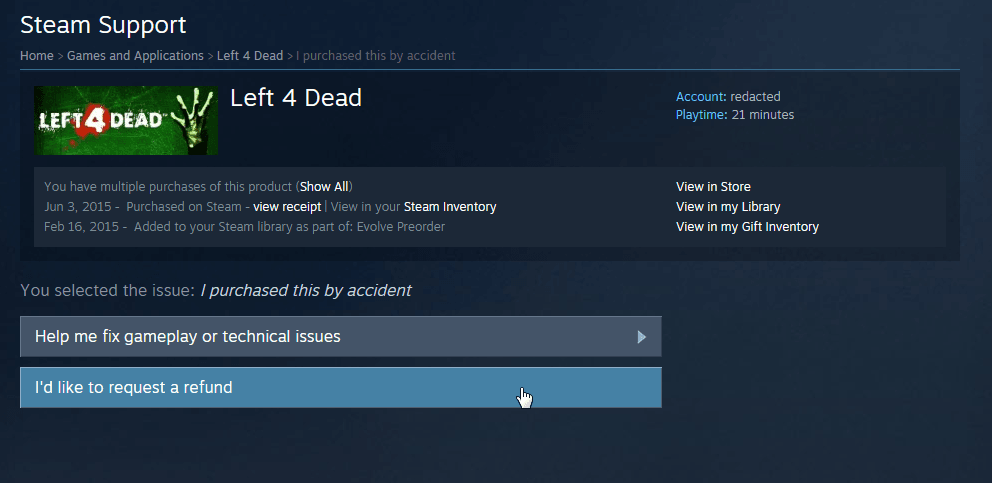
If you met the conditions, it is usually approved automatically right away. After approval, the refund comes in within a week. If you receive it to your Steam Wallet, it is reflected almost instantly, and if you receive it to a card or other payment method, it may take a few more days as long as that side's processing takes.
When a refund is rejected or restricted
If you go past the 2-hour or 2-week conditions, you cannot get automatic approval. But even in this case, the request itself is still possible. Valve reviews it manually and then handles it at its discretion, and depending on the circumstances it may be approved. In situations like 'I went slightly over 2 hours' or '2 weeks passed but I never launched it once after buying,' it is worth writing a reason and trying the request.
It is also good to know that the rules differ slightly by type.
- DLC: Refundable only when it is within 14 days of purchase, the base game has been played under 2 hours since buying that DLC, and the DLC has not been consumed, modified, or transferred. Some third-party DLC is marked as non-refundable once applied, such as when it irreversibly upgrades a character.
- Pre-order: Refundable at any time before release. However, once the game launches, the 14-day and 2-hour standards apply again from the release date.
- In-game purchases: For games developed by Valve only, refundable when it is within 48 hours of purchase and the item has not been consumed, modified, or transferred.
- Repeat refunds: If a pattern shows of repeatedly buying and refunding the same game, or abusing refunds like a free trial, Valve may restrict your refunds.
When getting a refund to your payment method, overseas cards and some simple-payment methods may have a slight difference between the charged amount and the refunded amount due to exchange rates and fees. If you want exact amount preservation, receiving it to your Steam Wallet is cleaner.
Steam refund conditions and how long it takes
The two questions people search most are 'what are the refund conditions' and 'how long does a refund take.' The conditions are just the two covered above: under 2 hours played and within 14 days of purchase. On timing, the only figure Valve's official document commits to is 'a full refund within a week of approval.' The actual arrival date varies by payment method within that week, and if Steam cannot issue the refund to your original payment method for any reason, the full amount is credited to your Steam Wallet instead. In some countries, certain payment methods do not support refunding back to the original method at all, so in that case it is better to pick Steam Wallet from the start.
- Outside the limits: beyond the principle that Valve will still take a look if you ask past 2 hours or 14 days, the official document also notes that consumers in some jurisdictions may have additional refund rights when a game is faulty.
- Early Access and Advance Access: playtime before the full release still counts against the 2-hour limit, but the 14-day refund window does not start until the release date.
- Bundles: a bundle can be refunded in full as long as no item in it has been transferred and the combined playtime of everything in it is under 2 hours.
- VAC bans: if you are banned by VAC (Valve Anti-Cheat) in a game, you lose the right to refund that game.
- Checking refund status: after submitting, sign back in to help.steampowered.com to see your submitted request and its processing status. If nothing arrives more than a week after approval, open that request on the same page to follow up.
One thing before you refund
When you delete a game, the moments you made inside it disappear along with it. If there is a clutch from your last match right before the refund or a best moment that happened by chance, one option is to save it as a video before deleting the game. Clips you recorded with DOR remain as video files even after you refund the game and remove it from your library. If it is a fight-heavy game like PUBG, automatic PUBG highlights can keep those final moments for you.