Let's start with the bottom line: the fastest way to keep only the parts you need from a long game recording is to set a start point and an end point, then cut and save losslessly. By selecting just the section you want instead of reprocessing the entire video, the quality stays identical to the original and the job is done in seconds.
Recording a full match usually leaves you with a file that runs anywhere from tens of minutes to over an hour. In most cases, the moments you actually want to show are only a few dozen seconds long at most. That's why the first step in editing game footage isn't elaborate cut editing, but precisely trimming out just the sections you need.
Step 1: Select the Section to Keep
First, play through the video and find the start and end of the scene you want to keep. Once you mark a start point and an end point on the timeline, you're ready to cut out just the section in between. It's a good idea to leave a little buffer here. Grabbing an extra second or two on either side of the decisive moment gives you room to fine-tune later.
- Mark the point just before the scene you want to keep as the start point.
- Mark the point just after the scene ends as the end point.
- Leave a second or two of buffer on either side of the decisive moment.
- If you want to keep several sections from one video, set a separate start and end point for each section.
Step 2: Cut Losslessly
Once you've set your section, it's time to cut. The key is to use a lossless cut. A lossless cut copies the original data packets directly at keyframe boundaries without re-encoding the video. As a result, the codec, resolution, and bitrate stay identical to the original, and the quality doesn't degrade no matter how many times you cut the same footage.
This is also why lossless cutting is so fast. Because it skips the encoding process of recalculating the video pixel by pixel, cutting one section out of a recording that runs tens of minutes takes only a few seconds. It's especially effective when you're pulling just a clutch moment out of a long file from a full Valorant match.
Lossless Cut vs. Re-encoding
Because a lossless cut only cuts at keyframe boundaries, the cut point may shift slightly to the nearest keyframe. In most game clips, this difference isn't noticeable. Re-encoding, on the other hand, rebuilds the entire video, so you can cut at exactly the frame you want, but it takes proportionally longer to process and can introduce a slight quality loss each time.
- Lossless cut: Copies the original exactly at keyframe boundaries, so there's no quality loss and processing is very fast.
- Re-encoding: Lets you cut precisely at the frame level, but takes longer and risks quality loss.
- How to choose: Use lossless cutting for everyday clip cleanup, and only re-encode when frame-accurate precision editing is truly necessary.
Step 3: Save the Cut Section
Once you've cut your selected section, save it as a new file. A lossless cut writes only the selected section out to a new file without touching the original, so you can leave the original untouched and keep just the part you need separately. If you marked several sections, just export each one as its own clip to stay organized.
You can share the saved clip right away, or stitch several clips together into a highlight reel. Collecting short, powerful moments like a League of Legends teamfight makes editing much easier later on.
Trim Directly in Your Browser with DOR, No Install
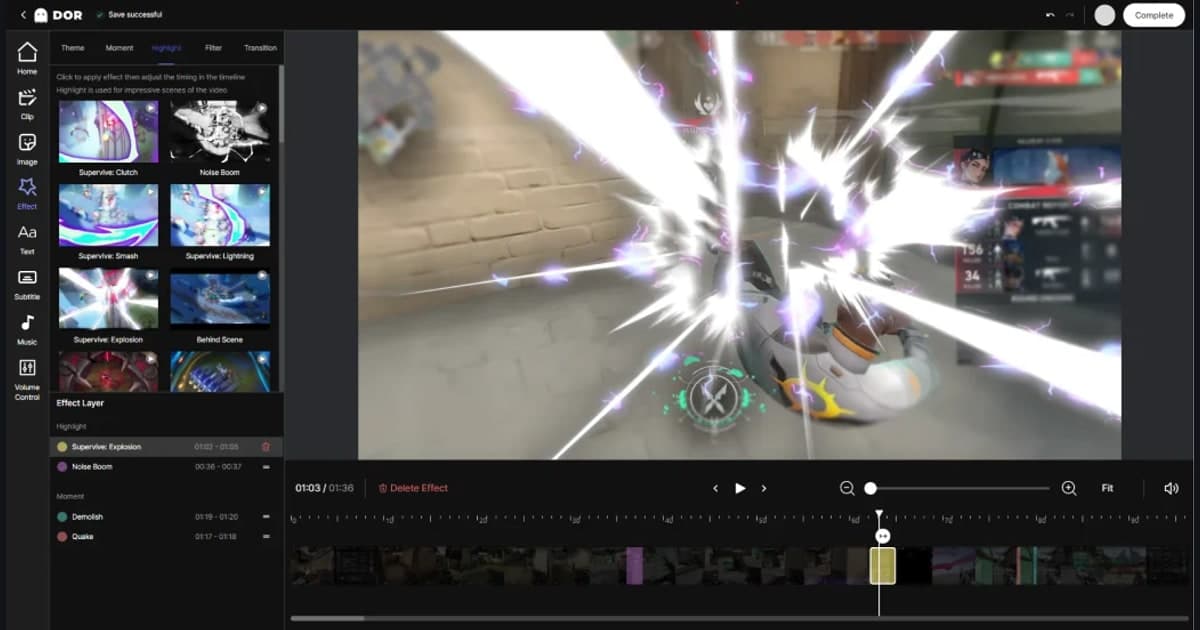
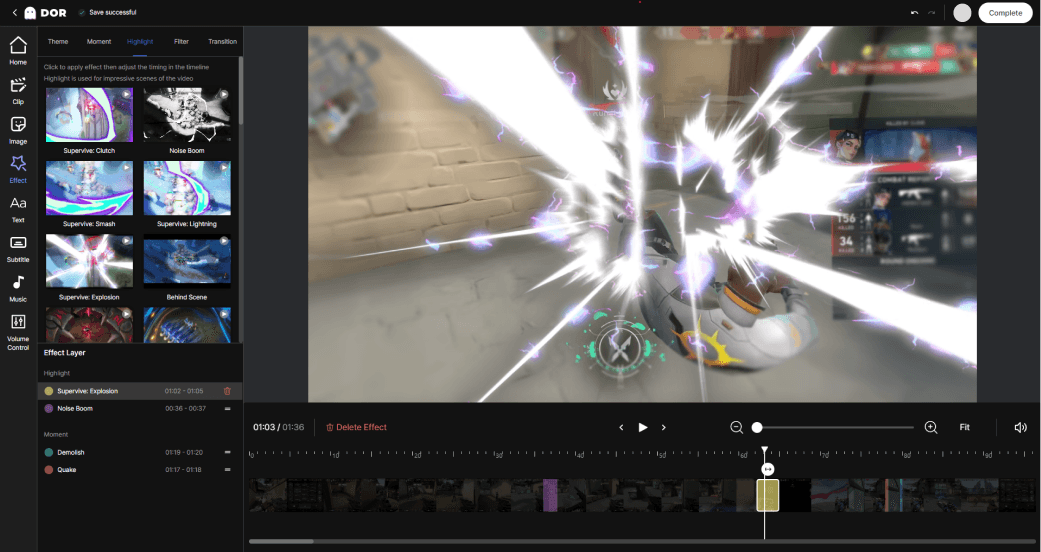
Normally, a lossless cut requires downloading and installing a separate editing program. DOR skips that step. DOR lets you trim and save only the sections you want from your recorded clips right in the browser, no install required. Because recording, trimming, and saving all flow together, there's no need to move files around or launch a separate program.
In the browser editor, you watch the timeline, set your start and end points, keep just the section you need, and save. You can cut and share a great moment the instant a game ends, which dramatically reduces the hassle of organizing clips. The longer a single match runs, as in Valorant or League of Legends, the more clearly you'll feel the difference this fast flow makes. If you play a highlight-heavy game, VALORANT auto clip saving can collect the segments for you before you even trim.
To sum up, keeping only the parts you need from your game footage comes down to three steps: selecting the section, making a lossless cut, and saving. Lossless cutting protects your quality and saves time, and you only add re-encoding for the moments that need precision. With DOR, you can handle this entire process directly in your browser with no install.