Let's start with the conclusion: if you're a beginner just starting out with game content, it's better to start with recording rather than live streaming. Recording lets you refine a single take through editing to raise quality, and there's no burden of having to juggle the game and chat in real time at the same time. Streaming is appealing too, but the barrier to entry is high, so overreaching early on tends to shake both your game skill and your content quality. In this article, we compare the two by barrier to entry, revenue, and growth, and lay out step by step where a beginner should begin.
What's the Difference Between Streaming and Recording?
Live streaming is broadcasting the very moment you're playing the game in real time. Because it encodes the screen and sends it out over the internet, the burden on your system and network is heavy, and during play you have to mind the game screen, chat window, and mic all at once. Recording, on the other hand, saves the game screen as a file that you edit and upload later, so there's no broadcasting burden, and you can cut out mistakes or re-shoot them. For beginners, this ability to 'fix it later' is the biggest advantage.
At a Glance: Barrier to Entry · Revenue · Growth
- Barrier to entry / Streaming: Requires a high-spec PC and a stable upload line, and you need to get used to real-time multitasking. Recording: You can start even on basic specs and only need to mind one thing at a time.
- Revenue / Streaming: There's a real-time support structure like donations and subscriptions, so the early monetization path can be faster. Recording: It's ad- and view-based so it needs to accumulate, but a single video stays visible for a long time and steadily piles up.
- Growth / Streaming: Relationships with regular viewers deepen, but viewers have to align with your broadcast time. Recording: New viewers keep flowing in through search and recommendations, so the channel spreads slowly but widely.
To sum up, streaming is closer to 'deep' and recording is closer to 'wide.' Both have value, but the one with less burden at the starting stage and more room to refine the result is recording.
Why We Recommend Beginners Start With Recording
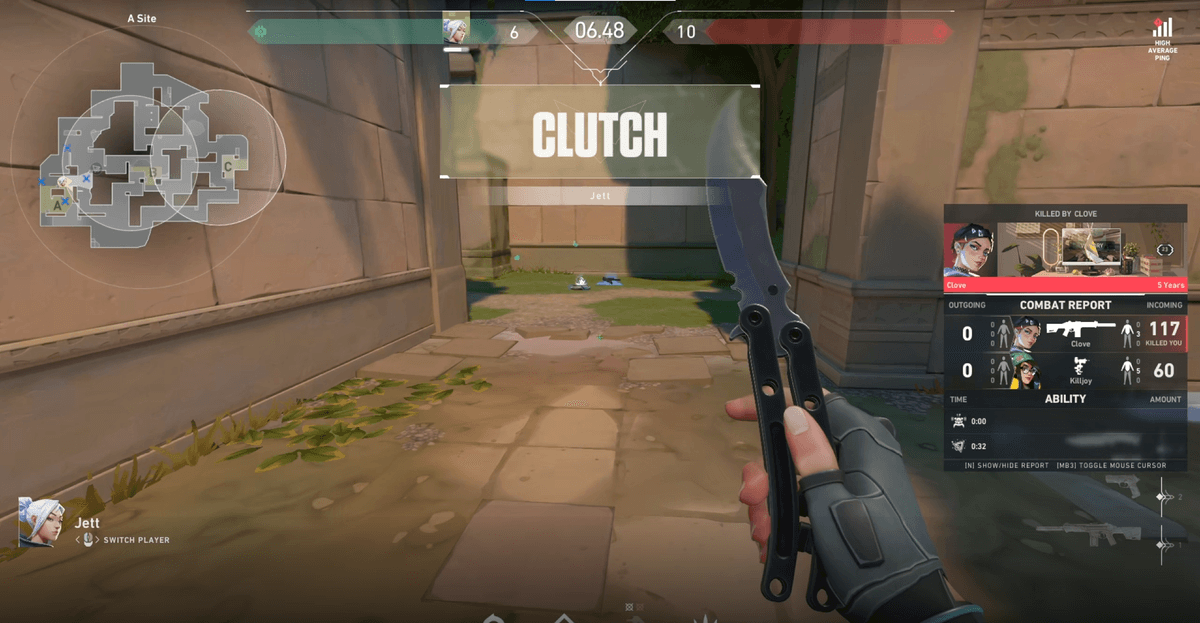
Once you broadcast live, that is the finished product. Even if you get nervous and stumble over your words, or the game doesn't go well, it goes out as is. Recording, on the other hand, lets you pick only the good scenes and edit them short, so even with the same skill you can make a far more polished video. There's also less time pressure. Streaming means turning on at a set time and filling several hours, but with recording you just pull the highlights from a day that went well. Even just collecting moments like an ace round in Valorant or a comeback teamfight in League of Legends is enough for one video.
The First Steps to Starting With Recording
You can start without grand equipment. You just need to set it up once in the order below.
- Decide on a recording tool. There's the approach of configuring scenes and encoders yourself, like OBS, and the approach that automatically gathers highlights when left on, like DOR.
- Narrow down the games you play often to one or two. Early on, you need to focus on one game to lock in your video tone and audience.
- Record a match that went well, and cut out just the impactful 30-second to 1-minute section from it.
- Add captions and a thumbnail and upload it as a YouTube Short or video.
- Watch the views and reactions to see which scenes land, and reflect that in your next video.
Of course, recording has its downsides too. It takes editing time. Going through a one- or two-hour recording from the start to find the good sections yourself is more tiring than you'd think. Highlights are only a few percent of the whole, yet you have to rewatch the entire video to find them. The most common reason beginners give up on recording partway is exactly this 'finding the sections' fatigue.
Why Starting With Recording Gets Easier With DOR
DOR, just by leaving it on, automatically recognizes highlights like kills, aces, and comebacks while you play the game and gathers them as clips. There's no need to go through a long recording to find the good sections yourself. When the game ends, usable scenes are already organized, so editing and uploading become much faster. There's no need to build scenes and sources or pick an encoder like with OBS. Install it and run it once, and every time you launch Valorant or League of Legends recording starts automatically, skipping the 'finding the sections' part that beginners struggle with most right from the start.
Summary: Get a Feel With Recording, Widen With Streaming
If you're a beginner, it's better to start with recording, which has less burden and lets you refine the result. Getting a feel for 'which scenes land' through recording, then widening to live streaming once you've built up some confidence and an audience, is the safest order. If you want to make that first step light, start with recording using DOR and gather highlights automatically. You can check the recommended settings and actual auto-clip examples on the pages for the games you play often, Valorant, League of Legends.