
If you are checking whether your PC can run AION 2, the Steam listing gives you the short answer: a GTX 1050 Ti 4GB and 8GB of RAM at minimum, an RTX 2070 8GB and 16GB of RAM recommended, and 100GB of free space with an SSD recommended. What most spec roundups skip is the note under each tier.
NC ties both tiers to a graphics preset at 1080p: the minimum spec is meant for the Very Low preset, and the recommended spec for Low. In other words, matching the recommended hardware gets you a stable 1080p game on modest settings, not maxed out visuals.
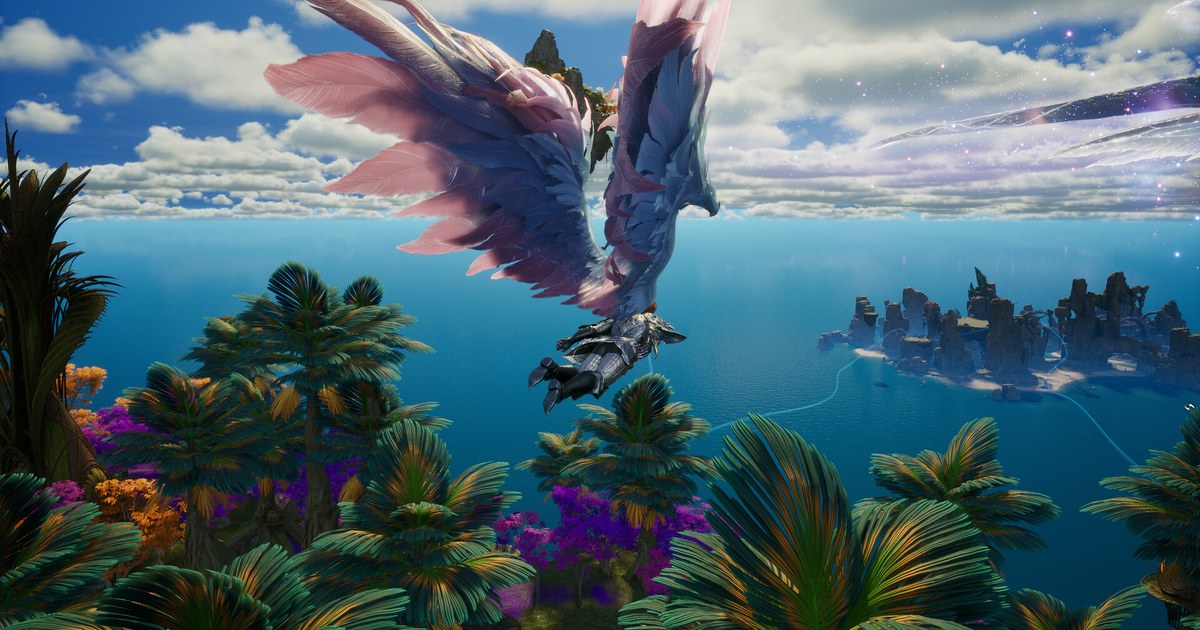
AION 2 is NC's Unreal Engine 5 MMORPG and the sequel to the original AION, built around flight and aerial combat.
It launched in Korea and Taiwan on November 19, 2025, then reached the rest of the world on Steam and NC's PURPLE launcher, with Founder's Pack early access on September 30, 2026 and the full release on October 5, 2026. The global version is PC only.
Every number below was checked on the Steam store page and NC's official download pages on November 10, 2026. Requirements can change with updates, so take another look right before you install.
AION 2 PC requirements at a glance (as of November 10, 2026)
| Component | Minimum | Recommended |
|---|---|---|
| CPU | AMD Ryzen 5 2600 or Intel Core i5-10500 | AMD Ryzen 7 3700X or Intel Core i7-11700 |
| Memory | 8GB RAM | 16GB RAM |
| Graphics | NVIDIA GTX 1050 Ti 4GB (AMD Radeon RX 470 4GB on the Japanese Steam page and NC's Korean page) | NVIDIA RTX 2070 8GB (AMD Radeon RX 5700 XT 8GB on the same pages) |
| OS and DirectX | Windows 10/11 64-bit, DirectX 12 | Windows 10/11 64-bit, DirectX 12 |
| Storage | 100GB available, SSD recommended | 100GB available, SSD recommended |
| 1080p preset target | Very Low | Low on Steam, Medium on NC's Korean page |
| Network | Broadband internet connection | Broadband internet connection |
| Korean and Taiwanese page CPU | Ryzen 5 2600X or Core i5-10500F (6 cores, 12 threads) | Ryzen 7 3700X or Core i7-11700 (8 cores, 16 threads) |
Steam global vs the Korean version: same hardware, different preset and launcher
On paper the two versions ask for almost the same PC. The RAM, GPU, storage and OS lines match. The CPU names differ slightly: NC's Korean and Taiwanese download pages list the Ryzen 5 2600X and Core i5 10500F, while Steam lists the Ryzen 5 2600 and Core i5 10500.
The English Steam page only names NVIDIA cards, but the Japanese Steam page and NC's Korean page add AMD equivalents, the Radeon RX 470 4GB for minimum and the RX 5700 XT 8GB for recommended. If you run an AMD card, those are your reference points. The real differences are elsewhere.
First, the recommended tier targets Low at 1080p on Steam but Medium on the Korean page.
Second, the launcher and servers: the Korean and Taiwanese service installs through PURPLE and is cross platform with phones and tablets, while the global version installs through Steam or PURPLE, is PC only, and runs regional servers in North America, South America, Europe and Asia (Japan).
Third, NVIDIA announced on September 22 that the global version supports DLSS 4.5 Super Resolution and Multi Frame Generation; Multi Frame Generation is an RTX 50 series feature.
NC's tables list nothing for 1440p, 4K or high presets, so treat the recommended tier as a starting point and raise settings one step at a time in game.
On price, as of November 10, 2026 the global version is free to play: Steam lists it as Free to Play with in app purchases on the US and Japanese storefronts, while the paid Founder's Pack was the route into early access from September 30.
The Korean service is also free to install, with memberships and cosmetic items such as wings and pets sold in game. For another Korean game whose local and Steam requirements we compared the same way, see our MapleStory system requirements guide.
Before you install: what to check, in order
- 1Find out which tier your PC is inLook up your CPU, RAM and graphics card and compare them with the table. Our guide on how to check your PC specs in Windows 11 shows where each one is. Check the VRAM too: 4GB for minimum, 8GB for recommended.
- 2Confirm 64 bit Windows and DirectX 12Both tiers require 64 bit Windows 10 or 11 and DirectX 12. You can see your version on the System tab of dxdiag; here is how to check your DirectX version.
- 3Pick Steam or PURPLEYou can install the global version from the Steam store or from NC's PURPLE launcher. Steam lists eight languages: English, French, German, Spanish (Spain), Japanese, Portuguese (Brazil), Russian and Korean, with full audio in English, Japanese and Korean.
- 4Clear 100GB on an SSDThe 100GB storage line comes with an SSD recommendation on every official page. NC's client notes put the first install at about 70GB or more, so keep the rest free for patches and temporary files instead of filling the drive right after installing.
- 5Update drivers and runtimesNC's download page lists DirectX 12 or later, Visual Studio Redistributable 2015 to 2022, .NET Framework 4.6.2 or later, and current NVIDIA GeForce or AMD Radeon drivers. NVIDIA released Game Ready driver 617.14 for the global launch on September 22, so update first if yours is older.
- 6Start from the official presetAfter the first launch, set the graphics preset to match your tier at 1080p: Very Low on minimum spec hardware, Low on recommended spec hardware. If crowded towns or large faction battles stutter, lower one setting at a time and compare in the same spot.
Can my PC run AION 2? Quick checklist
- Your GPU is a GTX 1050 Ti 4GB, an RX 470 4GB or better.
- You have at least 8GB of RAM, and 16GB for the recommended experience.
- There is 100GB free on an SSD, not counting other games.
- You are on Windows 10 or 11 64 bit and dxdiag shows DirectX 12.
- You know whether you will install through Steam or PURPLE.
Want your AION 2 sessions recorded automatically?
DOR is a free Windows app that detects AION 2 when you launch it and records the whole session from start to exit. Recordings land in My Clips in the app, where you trim just the dungeon boss kill or Abyss fight you want and save it as 16:9, 9:16 or 1:1.
Our AION 2 video sharing guide covers finding moments in a multi hour recording, recommended specs for game recording explains what recording adds on top of the game, and recording long sessions without stutter helps with marathon MMO nights.
The free plan records at 720p or 1080p and 30 or 60fps (1080p at 30fps by default); if your PC sits near the minimum tier, 720p at 30fps keeps the load lighter. On supported NVIDIA graphics cards such as the RTX series, DOR records with NVENC hardware encoding.
And since AION 2 already takes 100GB, it helps that recordings are only cleaned up, oldest first, once full gameplay videos go over their share (5GB by default), while recent and liked videos are kept.