
How Apex Sensitivity Differs From Other Shooters
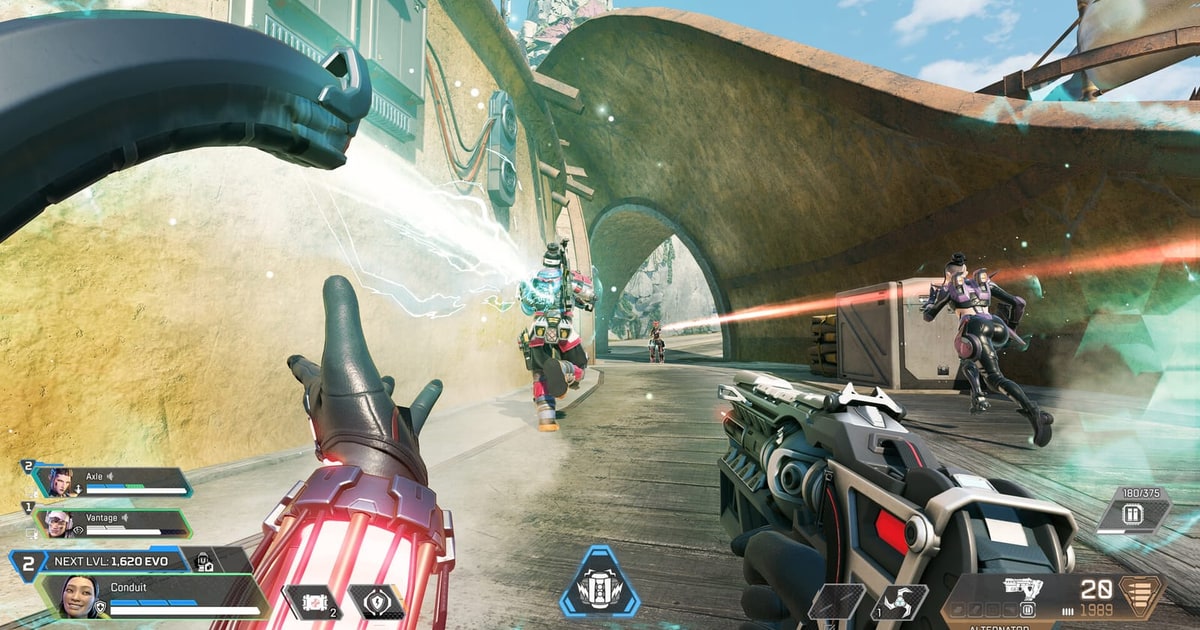
Moments where your aim keeps flying past the target, or where you simply cannot keep up with an enemy, usually come down to sensitivity not fitting your hand and desk setup rather than a lack of skill. Apex in particular has fast character movement, with sliding, jumping, wall climbing, and ziplining happening constantly, which means you need to swing your view widely far more often. At the same time, weapon recoil patterns are pronounced and sustained fire lasts a long time, so the fine control of manually pulling down against recoil matters just as much. Because the ability to turn wide and the ability to make small corrections push sensitivity in opposite directions, the job is finding the middle ground that suits your hand rather than any extreme.
The short answer: a few days at 800 DPI × 1.5–2.0 (eDPI 1200–1600), judged from fight footage
The answer first: if you do not know where to start, the least extreme starting point is 800 DPI with 1.5–2.0 in-game sensitivity (eDPI 1200–1600); lower it about 10 percent if you keep overshooting, raise it about 10 percent if you keep undershooting, and keep any change for at least two or three days. Published pro settings spread from eDPI 800 to 2400, so copying one player's number means little. In Apex a single fight mixes big view swings from slides and wall runs with fine recoil control, so rewatching real fights judges a sensitivity better than the firing range does. With DOR running, it detects Apex Legends and saves the whole match as an mp4 (Apex gets full-match recording, not automatic highlight clips), so trim the fights from a match on the new sensitivity in the browser editor and put them next to fights on the old one: whether your crosshair swings past or lags behind is visible. Below we go through eDPI, cm/360 and ADS multipliers in order.
Recording Your Sensitivity in eDPI and cm/360
The in-game sensitivity number alone cannot be compared with anyone else's. Two players both running 2.0 will turn at completely different speeds if one is on 400 DPI and the other on 1600. That is why eDPI exists, and the math is nothing more than mouse DPI times in-game sensitivity. At 800 DPI with 1.5 sensitivity your eDPI is 1200, and someone at 400 DPI with 3.0 also lands at 1200, so their hand feel is nearly identical. Write this number down and you can restore the sensitivity you need instantly after a new mouse or a settings reset, simply by dividing your eDPI by the new DPI. cm/360 is the standard you feel physically. It means how many centimeters you must move the mouse across your desk to turn 360 degrees on the spot, and the smaller the value, the higher the sensitivity. Mark a starting point on your pad, look at a fixed point ahead of you, and measure the distance until your view returns exactly to it. This value exposes your physical constraints. Run a low sensitivity on a narrow pad and you will have to lift the mouse multiple times to complete a turn, with your crosshair wobbling in between. Checking your pad width and your grip style comes before picking a sensitivity.
Raw sensitivity numbers are not comparable on their own. With a different DPI, the same "0.4" feels different. eDPI multiplies the two into a single number for real hand sensitivity.
Sensitivity calculator
Match real 360° mouse travel instead of relying on eDPI alone.
Input environment calibrationLock mouse software and PC settings, then correct the model with a real measurement.0/3 manually checked
Enter the mouse travel for exactly one in-game turn to use it instead of the theoretical distance.
Observed effective DPI is a diagnostic value that also includes measurement error and the input path, not a sensor specification.
A web page cannot read G Hub, Synapse, or Windows mouse settings automatically. Verify the items above manually.
Polling rate changes latency and smoothness; FOV and resolution change perception. None of them belongs in the physical cm/360 formula.
Matching cm/360 preserves hipfire turn distance only. FOV, ADS, zoom, and acceleration can still change perceived aim.
ADS Sensitivity Is a Multiplier, Not an Absolute Value
This is the most misunderstood part. Apex's aim-down-sights sensitivity is not an independent value but a multiplier applied on top of your base hipfire sensitivity. Leave it at 1.0 and you move at the same rate while aiming as you do from the hip; drop it to 0.8 and you turn more slowly while scoped in. On top of that, you can set it separately for every scope magnification from 1x through 8x, which lets you split the handling requirements of close-range weapons and sniper rifles.
- 1Enter the range with your converted sensitivityType in the value from the calculator and jump into a firing range or practice mode.
- 2Record 60 seconds with DOR while testing recoil and flicksRepeat recoil control and quick flicks while capturing the screen.
- 3Compare side by side with your old clipIf it feels too fast or slow next to the old clip, adjust eDPI by 5–10% and test again.
- Low magnification (1x to 2x): you need to handle close-quarters chaos, so keeping it close to your hipfire value is the safe default.
- Mid magnification (3x to 4x): recoil control and tracking matter more here, so many players go slightly lower than their low-magnification setting.
- High magnification (6x to 8x): mostly long-range micro-adjustment, so it goes low, but push it too low and you cannot respond to a close-range ambush.
- Start with every magnification at the same value and adjust them one at a time only after weapon swaps feel natural.
What Range Do Pro Sensitivities Usually Fall In?
Look broadly across published pro settings and you find not one right answer but a genuinely wide distribution. As a trend, mouse DPI commonly sits between 400 and 1600, eDPI is scattered across a broad band of roughly 800 to 2400, and converted to cm/360 you frequently see values in the 20s through the 40s. Even among top-tier players it is common to see sensitivities differing by more than a factor of two, because grip style, whether they aim with the arm or the wrist, preferred weapons, and typical engagement ranges all vary. Rather than copying one player's numbers, pick a starting point inside this range and tune from there. If you have no idea where to begin, playing a few days at 800 DPI with 1.5 to 2.0 in-game (1200 to 1600 eDPI) is a starting point that is not extreme for most people.
Steps for Finding Your Sensitivity
- Step 1: Lock your DPI to a single value. 800 works well, and from there adjust only the in-game sensitivity.
- Step 2: In the firing range, repeat 180- and 360-degree turns to confirm your arm and pad space can handle it comfortably.
- Step 3: Empty a full magazine from an automatic weapon into a static target and see whether you can control the recoil.
- Step 4: Track a moving target and note whether your crosshair keeps sailing past it (overshooting) or cannot keep up (undershooting).
- Step 5: If you overshoot often, lower the sensitivity about 10 percent; if you undershoot often, raise it about 10 percent.
- Step 6: Keep any new value for at least two or three days. Change it every match and your hand never gets the chance to adapt.
Converting Sensitivity From Another Game to Apex
Move to Apex Legends from another shooter and typing your sensitivity number in directly will produce a completely different turn speed, because every game defines a different amount of rotation per unit of sensitivity. The most reliable approach is to use cm/360 as your standard. Measure cm/360 in the game you came from, then adjust Apex's in-game sensitivity until you get the same distance, and it works every time without memorizing any formula. That said, even at a matched cm/360 the different default field of view and faster movement speed can make Apex feel quicker, so plan on a few days of play and minor adjustments after the move. If you are coming from PUBG, our PUBG sensitivity settings guide shows how to measure your existing cm/360.
Comparing Clips Across Sensitivities With DOR
The hardest part of tuning sensitivity is judgment. Once a fight ends, your memory of how the crosshair actually moved is hazy, leaving you with little more than a sense of good or bad, and changing values from that state means swinging back and forth with no basis. DOR is a free game recording and clipping tool that records in the background while you play so you can save just the fight that happened. Collect clips over a few days on setting A, switch to setting B and collect again, then watch them side by side and the difference becomes visible. In close-range brawls, watch how long it takes your crosshair to land after spotting an enemy; at mid range, watch how far your crosshair climbs while emptying a magazine; in tracking sequences, watch whether you lead ahead of a sliding enemy or trail behind. Writing the eDPI you were using into the clip folder or file name saves you confusion later.
Wrapping Up
There is no universal answer for Apex sensitivity, but there are standards. Record your setup numerically with eDPI, confirm the physical feel on your desk with cm/360, understand ADS sensitivity as a multiplier, and treat pro ranges as a starting point rather than a solution. After that it is iterative work: change things slightly every few days and verify with saved gunfight footage. Adjust based on records rather than feel and you will arrive at your sensitivity far faster.