ARC Raiders has no official install size: as of September 28, 2026, the Steam store's minimum and recommended specs don't include a Storage line at all. What Steam does list is a minimum of a GTX 1050 Ti with 12 GB RAM and a recommended RTX 2070 with 16 GB RAM. Developed and published by Embark Studios, the game launched on October 30, 2025 on Steam, Epic Games Store, PlayStation 5, and Xbox Series X|S. This guide copies the PC specs exactly as Steam shows them and answers the storage question the honest way, by showing you where to read the real number once the game is installed. If you are weighing specs for gaming and recording at the same time, our recommended specs for game recording guide covers that separately.
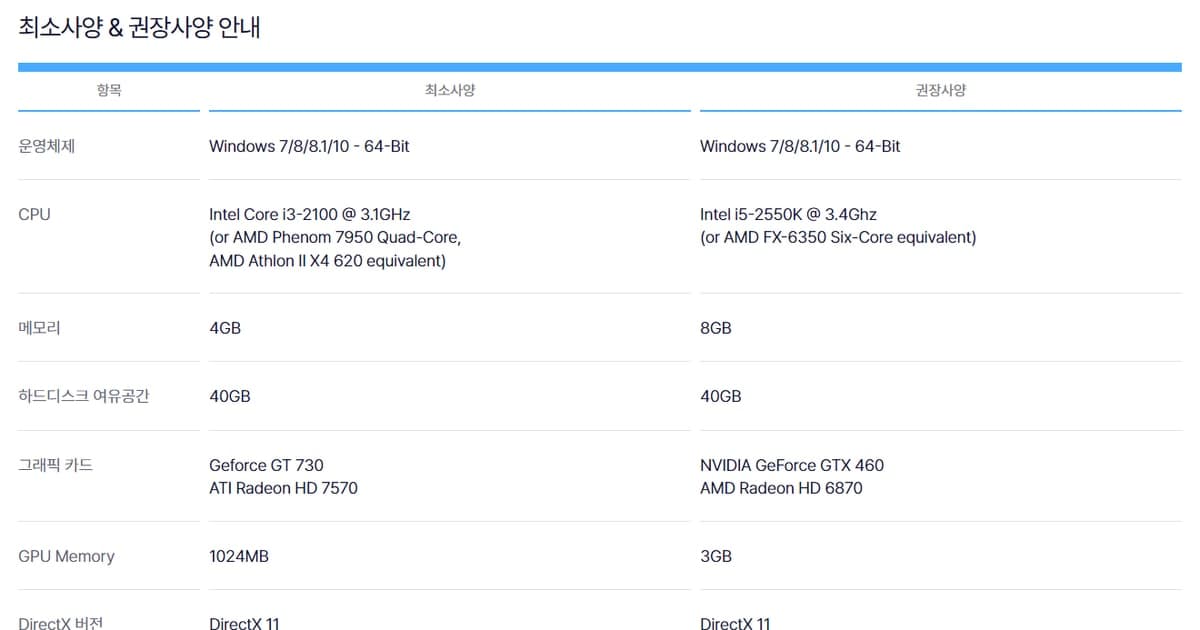
ARC Raiders Official Steam Specs (Checked September 28, 2026)
| Item | Minimum | Recommended |
|---|---|---|
| OS | Windows 10 or later 64-bit (latest update) | Windows 10 or later 64-bit (latest update) |
| Processor | Intel Core i5-6600K or AMD Ryzen R5 1600 processor | Intel Core i5-9600K or AMD Ryzen 5 3600 processor |
| Memory | 12 GB RAM | 16 GB RAM |
| Graphics | NVIDIA GeForce GTX 1050 Ti or AMD Radeon RX 580 or Intel Arc A380 | NVIDIA GeForce RTX 2070 or AMD Radeon RX 5700 XT or Intel Arc B570 |
| DirectX | Version 12 | Version 12 |
| Network | Broadband Internet connection | Broadband Internet connection |
| Storage | Not listed on the spec sheet (size not published) | Not listed on the spec sheet (size not published) |
The Short Answer: No Official GB Figure, Clear Spec Lines
The official store does not publish a storage figure (checked September 28, 2026). So the truthful answer to "how many GB?" is a method rather than a number: after installing, open Steam Settings > Storage and look at how much space ARC Raiders actually takes. We don't repeat GB figures whose source and date can't be verified. The spec lines, on the other hand, are clear. With 12 GB RAM and a GTX 1050 Ti, RX 580, or Arc A380, you meet the minimum. With 16 GB RAM and an RTX 2070, RX 5700 XT, or Arc B570, you meet the recommended tier. You also need Windows 10 or later 64-bit with the latest update and DirectX 12, and Steam lists no Mac or Linux version. If Steam's own Game Recording (background recording) is filling the same drive with clips, our Steam game recording low disk space fix shows how to adjust the recording storage limit and save location first.
Checking Your PC and Your Install Drive
- 1Open dxdiag — Type dxdiag in the taskbar search box and select dxdiag from the results. You can also press the Windows logo key + R, type dxdiag, and select OK. Once the DirectX Diagnostic Tool window opens, you are ready.
- 2Match OS, CPU, memory, and DirectX on the System tab — Under System Information on the System tab, note your operating system, processor, memory, and DirectX version. Less than 12 GB of memory falls below the minimum; 16 GB or more meets the recommended tier. Put your processor name side by side with the i5-6600K or Ryzen R5 1600 (minimum) and the i5-9600K or Ryzen 5 3600 (recommended).
- 3Find your graphics card on the Display tab — Compare the device name on the Display tab with the GTX 1050 Ti, RX 580, or Arc A380 (minimum) and the RTX 2070, RX 5700 XT, or Arc B570 (recommended). If you want to look again later or ask someone about your setup, use Save All Information to keep a text file.
- 4Pick an install drive in Steam Storage — In Steam Settings > Storage, check your default install drive and how much of each drive is in use. To install on another drive, create a new library folder with the + button at the top. If space is tight, select another installed game and use Move to shift it to a roomier drive.
- 5Read the real size after installing — When the install finishes, go back to Storage, select the drive that holds ARC Raiders, and read how much space the game uses. Since there is no official figure, this number is the most accurate answer for your PC. If an update or install error stops the game from launching, free up space and then run Steam's Verify Integrity of Game Files.
Conditions to Confirm Before You Install
- You run Windows 10 or later 64-bit with the latest update (Steam lists no Mac or Linux version).
- You have at least 12 GB of RAM, or 16 GB for the recommended tier.
- Your GPU is at least GTX 1050 Ti, RX 580, or Arc A380 class and supports DirectX 12.
- You have a broadband connection, an Embark ID account (13+), and are ready to accept the Terms of Service and EULA.
- You have read the Steam notices that the game uses kernel-level anti-cheat and that Denuvo requires manual removal after uninstalling.
- You know the language setup: full audio is English only, while the interface and subtitles are available in 13 languages.
Running the Game and a Recorder Together
Once your specs check out, the next question is whether you have room to keep a record of your matches. DOR, a free Windows app, automatically detects ARC Raiders, records the full match as an mp4, and keeps it in the in-app library. NVIDIA NVENC hardware encoding is the default, so on an NVIDIA graphics card the encoding work goes to its dedicated encoder, and game audio and your mic are captured together. ARC Raiders is not one of the games with automatic kill or highlight clips, so you pick the moments yourself: trim them with Trim in the library (16:9, 9:16, or 1:1) or in DOR Studio, a browser editor with nothing to install, then share a dor.gg link. Full-match recordings take up drive space too, so plan your game drive and your recording storage together. For a side-by-side look at recording and clipping tools, continue with our ARC Raiders clipping software comparison.
Official Sources and Check Date
The spec table, the missing Storage line, the anti-cheat notices, Windows-only support, and supported languages were checked on September 28, 2026 on the ARC Raiders Steam store page. How the Storage tab works follows Steam Support's library folder guide, and play requirements such as an internet connection and an Embark ID follow the official ARC Raiders site. The dxdiag steps come from Microsoft Support, and DLSS and GeForce NOW support from NVIDIA's official GeForce news of October 30, 2025. Specs and policies can change with updates, so check the store page once more right before you install.