A similar FACEIT level will not fix a conflicting veto pool or two players claiming the same role. In the trial, agree on three playable maps, two basic grenades, and pistol or eco calls, then check whether dead players deliver concise information without constant back-seat calling.
Publish conditions that both sides can verify
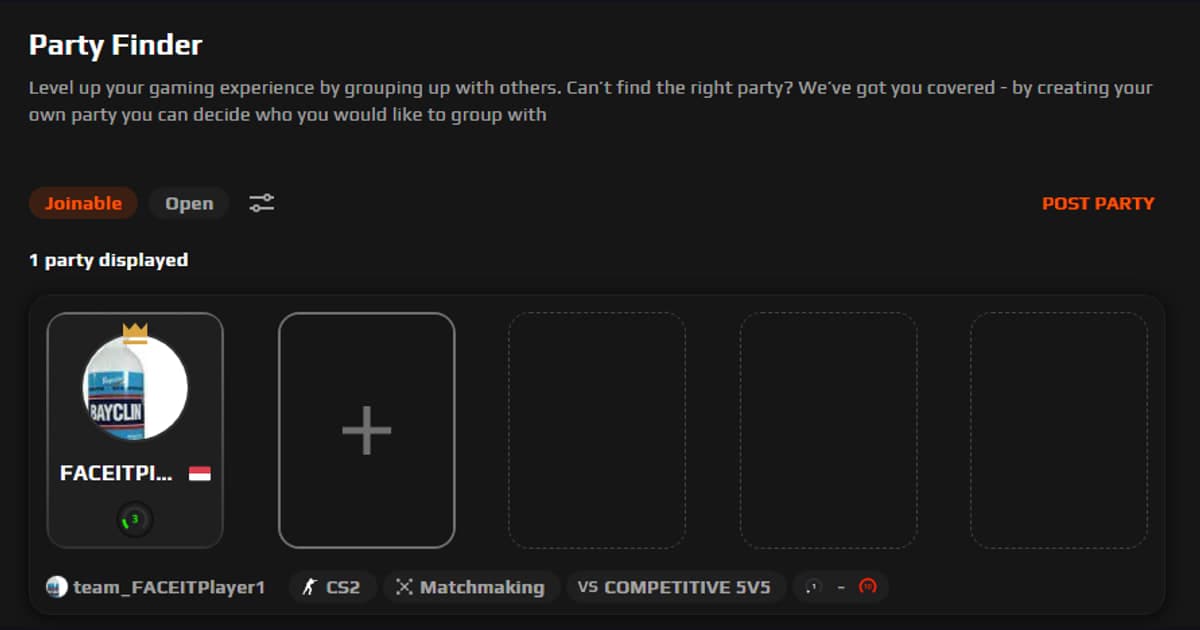
For FACEIT matchmaking and Clubs, agree on IGL, entry, support, lurk, AWPer, and the shared map pool before queueing and use fifteen minutes of utility practice plus two FACEIT matches to observe the actual role swaps and calls. The current official boundary is that Party Finder can advertise or discover public parties, and CS2 or OW2 must be registered to create one.
Safety checklist before opening an invitation
- The post names a server region and platform, not a physical location
- Rank or experience and the actual goal are separated and honestly stated
- Primary role, flex role, voice language, time zone, and end time are clear
- The trial has a small scope, an end point, and behavior-based criteria
- Everyone consents before a demo, clip, voice recording, or statistic is shared
- There is no password, code, document, payment, gift, account-loan, or unknown installer request
- Minors can use parental controls, block/report tools, and limits on off-platform contact
Five fields for a useful CS2 FACEIT recruitment post
| Field | Put in the post | Verify in the first trial |
|---|---|---|
| Region | Server, platform, and playable ping | Latency and connection quality on one shared server |
| Rank and goal | Current range, mode, and casual/climb/event goal | Honest difficulty and feedback expectations |
| Role | IGL, entry, support, lurk, AWPer, and the shared map pool plus a realistic flex option | Overlap, call ownership, and willingness to rotate |
| Voice | Language, microphone, and listen-only option | Audio quality, respect, and no intrusive questions |
| Schedule | Days, time zone, start/end, and frequency | Punctuality and respect for the agreed finish |
A safe sequence from post to invitation
- 1Write one scannable profile — Lead with region, rank range, primary and flex roles, voice language, days, time zone, and session length. Do not promise wins, rewards, or guaranteed promotion.
- 2Ask every candidate the same questions — Compare availability, preferred and fallback role, desired atmosphere, feedback style, and how they handle a missed session or disagreement.
- 3Keep verification inside the game — Review public profiles and consensual gameplay only. Refuse passwords, one-time codes, documents, payments, account sharing, remote control, and unknown downloads.
- 4Run a bounded trial — Use fifteen minutes of utility practice plus two FACEIT matches to observe calls, role execution, response to mistakes, and punctuality. Nobody should demand permanent membership or a separate installer on day one.
- 5Agree before scheduling again — Confirm the next session, absence notice, boundaries for clips and voice, moderation route, and the right for either side to leave without pressure.
Use DOR to inspect public play context, not to assume trust
Use the DOR CS2 FACEIT page only as optional public-play context. Structure the recruitment conditions with the game friends and party finder, then apply the link and moderation checks from the gaming Discord server finder to any external voice server.
Recheck live features and restrictions at the official source
Official CS2 FACEIT guidance explains that Party Finder can advertise or discover public parties, and CS2 or OW2 must be registered to create one. Recheck the current season and client rules on the day of recruitment.