Why Sensitivity Matters So Much in CS2
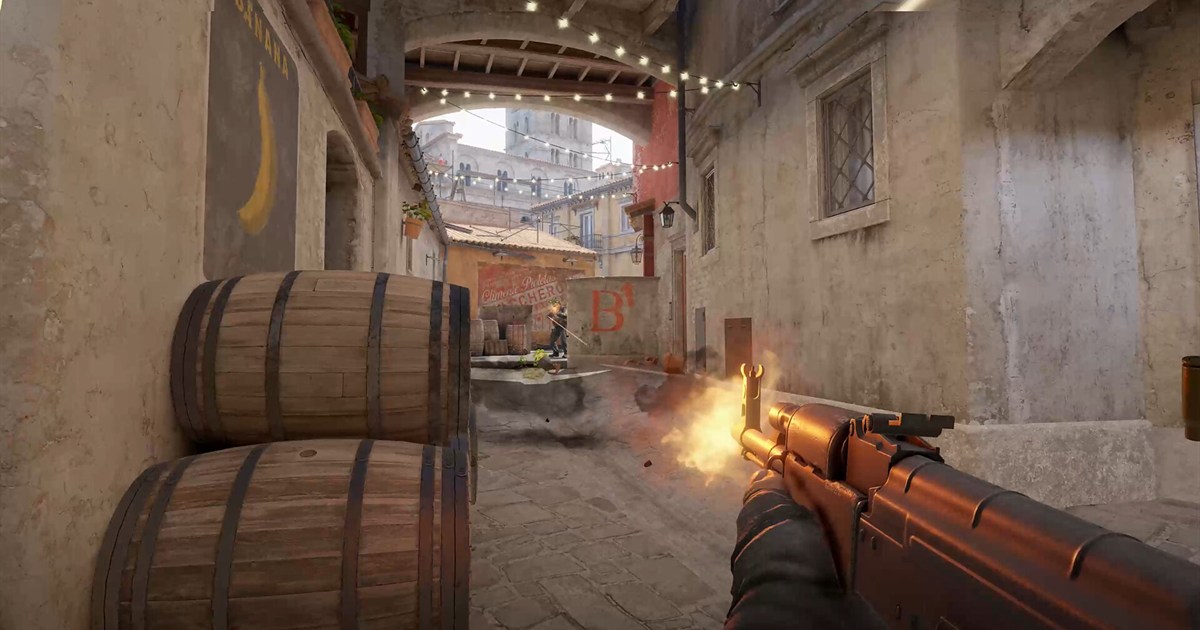
CS2 fights break down into two broad motions: spray control, where you pull down against recoil during sustained fire, and flicking, where you throw your crosshair onto an enemy who appears suddenly. Spraying is a fine motor task that your wrist and arm have to memorize, so high sensitivity leads to overcorrection. Flicking requires turning large angles quickly, so a sensitivity that is too low runs you into the edge of your pad. A good sensitivity is the compromise between those two that fits your grip and your desk space. You can read more about how the game plays on the Counter-Strike 2 page.
eDPI: The Common Unit for Comparing Sensitivity
- eDPI is your mouse DPI multiplied by your in-game sensitivity
- Example 1: 400 DPI times 2.0 gives 800 eDPI
- Example 2: 800 DPI times 1.0 gives 800 eDPI
- Example 3: 1600 DPI times 0.5 gives 800 eDPI
- All three setups rotate effectively the same amount, and the only difference is the precision of the sensor's reporting units
- Asking a friend for their in-game number alone tells you nothing. Always get their DPI too
cm/360: The Distance Your Hand Actually Travels
If eDPI is for comparing numbers, cm/360 is the unit you feel in your body. It means how many centimeters you must move the mouse to spin your view a full 360 degrees, and the smaller the value, the higher the sensitivity. Measuring is simple: mark a starting point on your pad, push sideways until your view completes exactly one rotation, then measure the distance with a ruler, adding up the passes if you had to split the movement. This value matters because it ties directly to your pad size. If one full turn requires 40cm and you are on a 30cm-wide pad, you will be lifting your mouse every time you check behind you.
Why Pro Sensitivities Skew Low, and the Usual Range
Competitive players often run lower sensitivity than in other shooters because fine recoil corrections are more repeatable at low sensitivity and long-range duels often demand pixel-level adjustments. Using CS2's 0.022 rotation coefficient, 600–1200 eDPI equals about 69.3–34.6cm/360, and 800 eDPI is about 52.0cm/360. If you are starting out, begin around 800 DPI with 1.0 in-game, then adjust for your pad size and aiming results.
Raw sensitivity numbers are not comparable on their own. With a different DPI, the same "0.4" feels different. eDPI multiplies the two into a single number for real hand sensitivity.
Sensitivity calculator
Match real 360° mouse travel instead of relying on eDPI alone.
Input environment calibrationLock mouse software and PC settings, then correct the model with a real measurement.0/3 manually checked
Enter the mouse travel for exactly one in-game turn to use it instead of the theoretical distance.
Observed effective DPI is a diagnostic value that also includes measurement error and the input path, not a sensor specification.
A web page cannot read G Hub, Synapse, or Windows mouse settings automatically. Verify the items above manually.
Polling rate changes latency and smoothness; FOV and resolution change perception. None of them belongs in the physical cm/360 formula.
Matching cm/360 preserves hipfire turn distance only. FOV, ADS, zoom, and acceleration can still change perceived aim.
Five Steps to Find Your Sensitivity
- Step 1: Lock the 800 DPI profile in your mouse software and disable DPI Shift, per-game profile switching, and mouse-software acceleration. CS2's raw-input path normally bypasses Windows pointer speed and EPP
- Step 2: Start your in-game sensitivity around 1.0 to land at 800 eDPI
- Step 3: Spray repeatedly for about 10 minutes on an aim map or in a bot match and watch whether your recoil control is overcorrecting or falling short
- Step 4: Check whether you can turn around fully without lifting the mouse, and bump the sensitivity up slightly if you cannot
- Step 5: Never change by more than 10 percent at once, and play the same value for at least a few days after any adjustment
Bringing Sensitivity From Another FPS Into CS2
- Do not copy the in-game number directly. Every game rotates a different angle at 1.0 sensitivity
- cm/360 is the standard. Measure it in your original game and work backwards to the CS2 sensitivity that produces the same value. If you are moving over from PUBG, start by measuring your old cm/360 with the method in our PUBG sensitivity settings guide
- If you are not changing DPI, you only need to adjust the in-game sensitivity
- At the same DPI, Valorant 0.4 converts to about 1.2727 in CS2. Do not copy the number; use the calculator
- Even results from converter sites are worth confirming by spinning a full circle in game and measuring the real distance
- After converting, check your scoped and magnified sensitivity separately
Why You Should Not Change Sensitivity Often
Aim leans heavily on muscle memory. Change your sensitivity and the distance intuition you have built resets, with adaptation typically taking one to two weeks. Yet many players lose a few games, blame the sensitivity, change it again, and end up never adapting to anything. Your criterion should be a specific mechanical failure, not your win-loss record. If your crosshair always drifts below the target while you control recoil, the sensitivity is on the low side; if it keeps sailing past the enemy in close-range fights, it is on the high side.
- 1Enter the range with your converted sensitivityType in the value from the calculator and jump into a firing range or practice mode.
- 2Record 60 seconds with DOR while testing recoil and flicksRepeat recoil control and quick flicks while capturing the screen.
- 3Compare side by side with your old clipIf it feels too fast or slow next to the old clip, adjust eDPI by 5–10% and test again.
Comparing Clips Across Sensitivities With DOR
Fights are over in under a second, so memory alone cannot tell you whether you lost because of sensitivity or positioning. DOR is a free game recording and clipping tool that runs in the background while you play and lets you save only the moments you need. If you are in the middle of tuning your sensitivity, gather clips from before and after the change and compare them side by side: how much your crosshair oscillates during sprays, whether your first flick overshoots or falls short, and whether you have to lift the mouse when you turn.
Wrapping Up
There is no correct number for CS2 sensitivity. What there is, once you can describe your setup in the shared units of eDPI and cm/360, is the ability to tune a value that fits your own hand and desk instead of copying someone else's. Start somewhere between 600 and 1200 eDPI, hold whatever you pick for at least two weeks, and when you do change it, confirm your reasoning with clips. Following just those three rules cuts down enormously on the time you lose second-guessing your sensitivity.