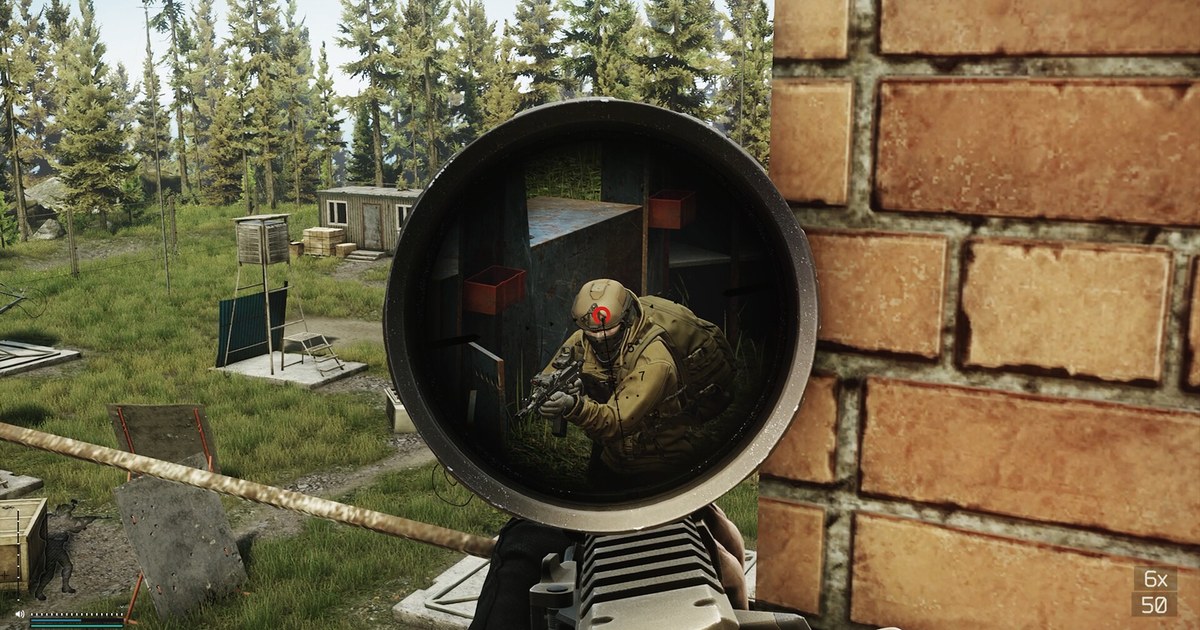

The short answer: the only way to see how you died in Tarkov is to have recording switched on before the raid starts. As of November 29, 2026, Escape from Tarkov has no replay feature for playing back a finished raid, and no killcam or death cam that shows your killer's view or your final seconds.
After you die, the raid end screen shows details such as your killer's nickname and the body part that took the fatal hit, but where you were shot from and at what angle only shows up on video.
This guide covers the official answer from the developers, how much the game itself tells you, and the steps to make sure your next death is on video.
The answer: stop waiting for a death cam and keep your raids as video
It comes down to three points. First, in a Wccftech interview published right before the 1.0 launch on November 15, 2025, game director Nikita Buyanov said a heat map and a death cam would not be in the 1.0 release but are still planned for the future.
Second, through Patch 1.3.5.0 on November 24, 2026, the official patch notes have added no killcam, death cam, or replay feature. Third, Patch 1.1.0.0 in August 2026 added a spectator camera, but it lets you watch surviving squadmates after your PMC dies; it does not replay your own death.
So to review a death or show it to a friend, recording has to be on before the raid starts, not after it ends. Replay options vary a lot from game to game, so for a comparison with other titles see how long game replays are saved, game by game.
How to make sure your next death is on video
- 1Check the death screen for clues firstWhen you die in a raid, note your killer's nickname and the body part that took the fatal hit on the raid end screen. These details tell you which fight to look for in the footage later.
- 2Install DOR and start it before TarkovDOR is a free Windows app, so installing it is all it takes. If DOR is already running when you launch Tarkov, it detects the game automatically.
- 3Play your raids as usualOnce Tarkov is running, the whole session is recorded automatically. There is no record button to press, so a sudden firefight after a long, quiet loot run is still caught.
- 4Find the moments before your death in My ClipsAfter the raid, open the video in My Clips and jump to the part just before the raid end screen. Check where the shots came from, where your killer was standing, and how long you stayed still.
- 5Trim only the part you want to keepSet a start and end point and save just that section. You can choose 16:9, 9:16, or 1:1. For where to cut inside a raid, see how to record Tarkov automatically and trim the moments you want.
- 6Share a link or polish it in the studioIn DOR Studio (dor.gg/studio) you can join several videos and add text, BGM, and effect templates, then export an mp4 or send a dor.gg link. The result has no watermark.
What each option lets you look back at in Tarkov
| Option | What you learn | Limits |
|---|---|---|
| In game replay | No feature for replaying a finished raid (as of November 29, 2026) | This can change with updates, so check the official patch notes |
| Killcam or death cam | At 1.0 the devs said a death cam is not in 1.0 and is planned for the future | No release date has been announced |
| Raid end screen after death | Your killer's nickname, the fatal body part, raid stats | You cannot see where or how you were hit |
| Spectator camera (Patch 1.1.0.0) | The view of surviving squadmates after you die | Nobody to watch in a solo raid, and your own death is not shown again |
| Instant replay tools (NVIDIA, AMD) | The last few minutes before you press the save key (the buffer length) | You have to press save within the buffer window, and the full raid is not kept |
| DOR automatic recording | The whole session while it is running | Lands in My Clips, and you trim the moments you need yourself |
Check before your next raid
- Is DOR running before you launch Tarkov
- Did you note your killer's nickname and the fatal body part on the death screen
- Did the video land in My Clips after the raid
- Did you trim and save the moments right before your death
- Did you like the raids you want to keep
With DOR running, your Tarkov raids are kept automatically
DOR is a free Windows game recording app. When you launch a supported game like Tarkov, it detects the game automatically and records the whole session, and the recordings collect in My Clips.
Even though the game has no replay or death cam, the video already exists when the raid ends, so you can use the nickname from the death screen as a clue, find the moments before you died, and save them with the trim tool (16:9, 9:16, 1:1).
In DOR Studio (dor.gg/studio) you can join videos, change the aspect ratio, and add text, BGM, and effect templates such as Shake Zoom and Punch Zoom, then export an mp4 or share a dor.gg link, and nothing DOR produces carries a watermark. Free recording goes up to 1080p at 60fps. For saving killcam moments in other games, continue with how to save killcams and deathcams.