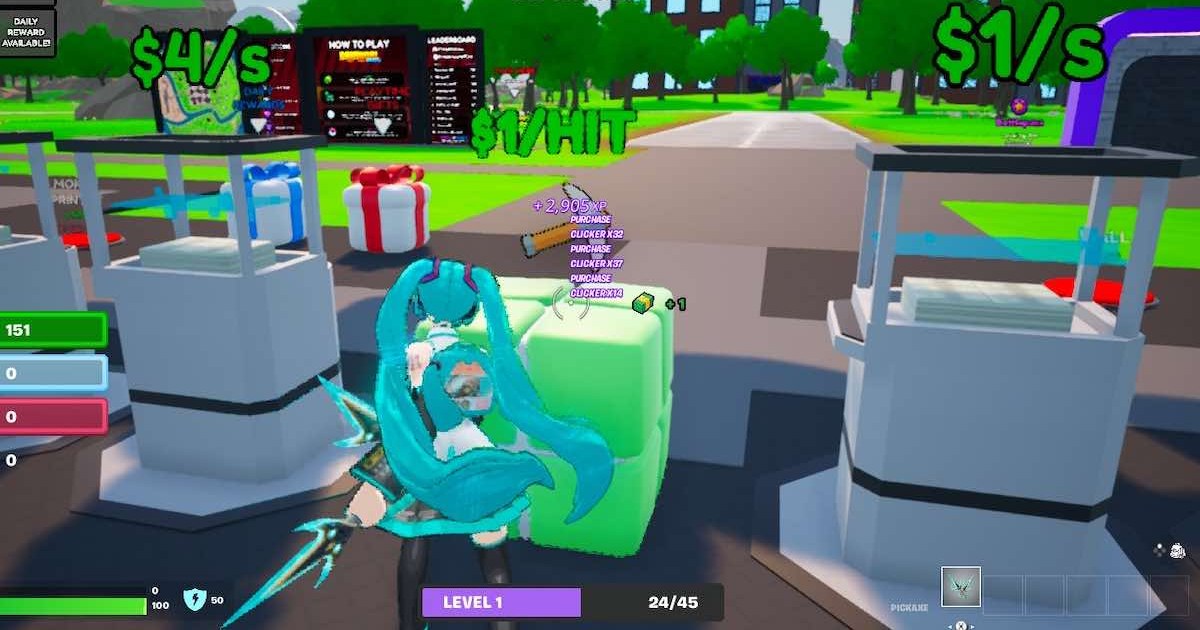
The short answer: do not stick to one Fortnite XP map. Rotate three types. Start with a map that pays a lot on the first run, move to an AFK style or clicker box map when payouts shrink, and switch map types again when those slow down.
As of November 24, 2026, several guide sites name FortM (first run payout), Prison Escape (AFK style), and Squid Game Tycoon (clicker boxes) as the representative picks.
Map codes often change or stop paying after a season update, so this article lists no codes and shows you how to find maps by name instead. Epic has not shared exact numbers for how XP is earned or for the weekly cap, so guides differ a little.
We split what several sources agree on from what remains an estimate. If you want to keep a recording of your own matches, see how to clip Fortnite for a simple setup.
Bottom line: mix three types and switch when payouts drop
XP map rewards tend to shrink the more you repeat the same map. Epic itself says that once your total Creative XP passes a certain line, the XP per accolade goes down. That is why rotating four or five maps gives a better average speed than hunting for one perfect map.
A first run payout map can give a lot once and almost nothing on the second run, so use it only as your first map of the day. Many AFK maps require you to move every few minutes to stay connected, so fully leaving the game may kick you out.
If XP popups keep appearing on every map but your level does not rise, you have probably reached the weekly cap. Guides disagree on the reset day, so the most accurate method is to note the day your rewards return to their early speed on your own account.
XP map types compared (as of November 24, 2026)
| Map type | Example map names | Use it when |
|---|---|---|
| First run payout | FortM | Once as your first map of the day; later runs may pay almost nothing |
| AFK style | Prison Escape, Lyadoll Party | When you step away briefly; move every few minutes to stay connected |
| Clicker boxes | Squid Game Tycoon, Island Tycoon | Light play at the screen; private sessions are recommended |
| Active tycoons | Gym Tycoon, TikToker Tycoon, Ice Cream Tycoon | Swap in when your usual map slows down |
| Parkour and coins | Winter Trick Shot Parkour | When you want to play actively between a coin room and a grind rail |
| Quests | Daily and weekly quests | Some guides treat them separately from the Creative cap, so do them alongside |
Check before you start an XP map
- You wrote down the map name as well as the code
- You picked a first run payout map as today's first map
- You are ready to move every few minutes on AFK maps
- You decided to switch map types after about 30 minutes
- You know to rest or switch to quests if every map suddenly pays less
Steps to level up with XP maps
- 1Search by name before using a codeType the map name into the Discover search bar so you can still find the same map after its code changes. Pasting a code stops working the moment a map is deleted, so keep both the name and the code in a note.
- 2Start the day with a first run payout mapA map like FortM that pays a lot on the first run is worth one visit per day. A second run may pay almost nothing, so moving straight to the next type saves time.
- 3Alternate AFK and clicker box mapsStaying on one map too long blurs the payout, so change maps about every 30 minutes. On AFK maps, move your character every few minutes, and many players say clicker box maps pay better in a private session than in a crowded one.
- 4Treat a drop on every map as the weekly capIf all maps show popups but your level stays flat, it is most likely the cap. Epic does not publish the number, and guides estimate roughly 4 to 4.8 million XP, about 50 to 60 levels. When that happens, finish your quests first.
- 5Skip automation toolsMacros, bots, and outside automation can lead to penalties, so do not use them. Only brief manual movement is recommended. To measure your real speed, record one session and compare levels gained per hour.
Record XP map sessions with DOR and compare them
DOR is a free Windows game recorder. When you launch Fortnite, a supported game, it is detected automatically and the whole session is recorded, and recordings gather in My Clips inside the app. You can record, edit, and share without a watermark.
Recording one XP map session lets you check your starting and ending level on video, and compare how much each map gave in a few minutes before you decide what to play next. For moments you like, trim a section in the app and save it as 16:9, 9:16, or 1:1.
In DOR Studio you can combine videos, add text and BGM, and export an mp4 or send a link. To send clips to friends, see how to share Fortnite clips with friends. Install it, launch Fortnite, and recording starts by itself.