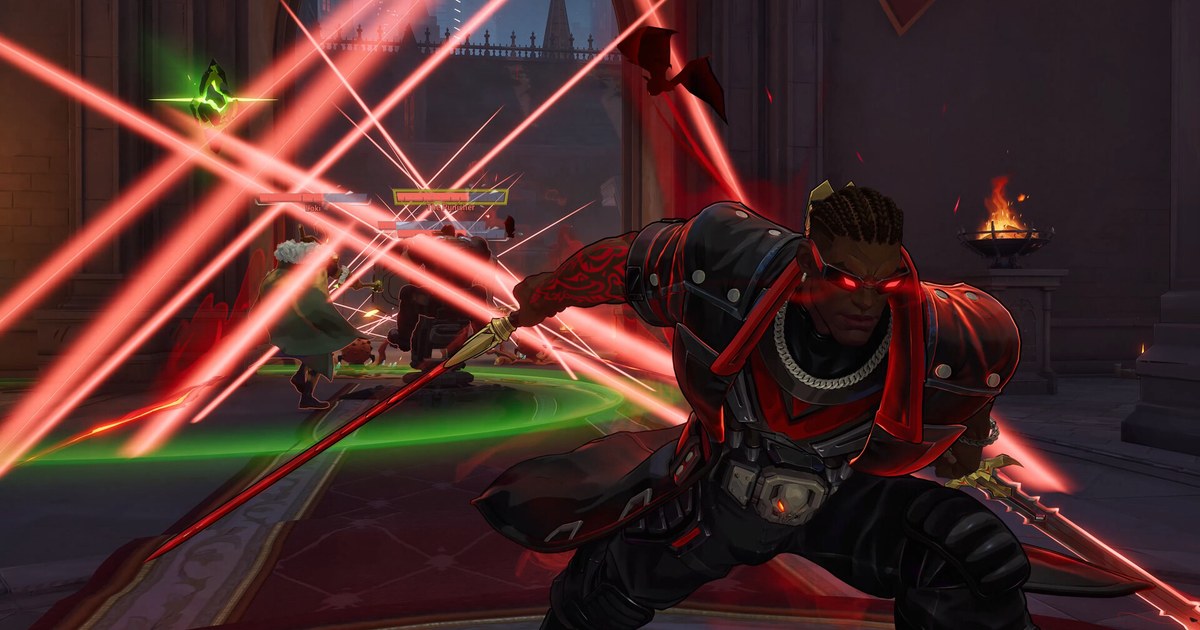
The short answer: you counter heroes in Marvel Rivals fastest by rewatching one fight you just lost and naming the single ability that beat you. Is it a deployable, a crowd control effect, bombardment from the air, or a long range beam?
Once you know that, you can choose a hero who attacks that specific ability safely. Counter picks differ between guides and change with patches, so this article keeps the principles that several guides agree on, plus a few well documented examples as of November 24, 2026.
For the general habit of finding weaknesses by replaying your own matches, see how to VOD review yourself. Here we focus on what to change when an enemy hero is the problem. One thing to accept first: a counter is not an automatic win.
Maps, Team-Ups, bans, personal skill and team communication all shape the result. That is why the safest rule is to choose a hero you already play well who can also hit the problem ability.
What the enemy is doing and how to respond
| What the enemy does | How to respond | Example and caution |
|---|---|---|
| Controls space with a deployable | Destroy the deployable from range first and do not walk inside it | Peni Parker's Spider-Nest. Ranged damage removes it, and pressure from two angles splits her attention |
| Splits your team with crowd control | Have one player bait it, punish the miss, and shoot the illusion to wake a sleeping teammate | Mantis and Spore Slumber. Chasing her alone leaves you outside her team's healing |
| Turns damage into survivability | Hold crowd control and focus fire until her escape charges are spent, and avoid feeding free damage to a Vanguard | Magik and her two Stepping Disc charges. Track the charges and strike after they are used |
| Pressures from the air | Fight from cover at different angles and spread out before the ultimate. Hitscan heroes hit flyers more easily | Storm and Omega Hurricane. Distance and line of sight matter more than a hard counter |
| Closes distance with movement abilities | Wait for the movement to end and hit before the next one. Do not group in an ultimate path | Ultron with Dynamic Flight and Rage of Ultron. Force the movement before you burst |
| Blocks approach with a long range beam | Avoid a range fight and dive with two heroes from different angles | Cyclops. Many guides call Captain America or Hulk easier to execute than flashier picks |
Counter the ability that beat you, not the hero name
The same enemy hero can beat you in different ways, so the answer changes too. Before you swap, write one line about what actually went wrong in the fight.
Most of the time it is one of four things: you got trapped inside a deployable, your team was split by crowd control like sleep, you had nowhere to hide from air attacks, or you were shot by a long range beam and could not close the gap. The fix follows from the cause.
Break deployables from range first, bait the crowd control and punish the miss, take cover and spread out against flyers, and approach long range beams from two angles. This works because you are not trying to beat a whole hero, only one ability.
If you play with a squad, share the reason for the swap in one sentence so everyone moves the same way. If you need regular teammates, finding a Marvel Rivals ranked party has options.
How to switch to a counter
- 1Rewatch just one lost fightDo not watch the whole match. Pick the fight you lost worst, look at the first player who went down and the seconds before, and write one line about which ability or position decided it.
- 2Sort the cause by ability typeDecide whether it was a deployable, crowd control, self sustain, air bombardment, a gap closer or a long range beam. Thinking in ability types lets you reuse the same answer when a similar hero shows up.
- 3Pick from heroes you play wellA familiar hero beats a statistically strong one you cannot play. In a July 2026 Season 9 snapshot of high rank results, Peni Parker did well against several popular heroes, but that guide itself notes the data does not prove the pick caused the wins.
- 4Tell your team in one lineWhat to break, what to avoid and what to force first is enough, for example break the nest first, I will bait the sleep. If your own aim feels off rather than your decisions, check Marvel Rivals sensitivity settings.
- 5Give it one or two fightsDo not swap again after a single loss. If the same problem returns after one or two organized fights, check timing and focus fire before changing heroes again.
Before you swap heroes
- I rewatched one lost fight and wrote down the ability that beat me
- I sorted it as deployable, crowd control, air bombardment, gap closer or beam
- The hero I am switching to is one I already play reasonably well
- I told my team what to break, avoid and force first in one line
- If the problem repeats after one or two fights, I will check timing and focus fire
Find the ability that beat you with DOR
DOR is a free Windows game recording app. When you launch a supported game, it detects it automatically and records the whole match, and recordings collect in My Clips.
The hard part of countering is that memory alone rarely tells you exactly what beat you, but with the full match saved you can jump to the lost fight and see the enemy ability directly.
Trim that moment in the app, join several moments in DOR Studio (dor.gg/studio), then export an mp4 or share a dor.gg link so your team can discuss the same scene. DOR output has no watermark. Recording is free at 720p and 1080p, 30 and 60 fps, with 1080p at 30 fps as the default.