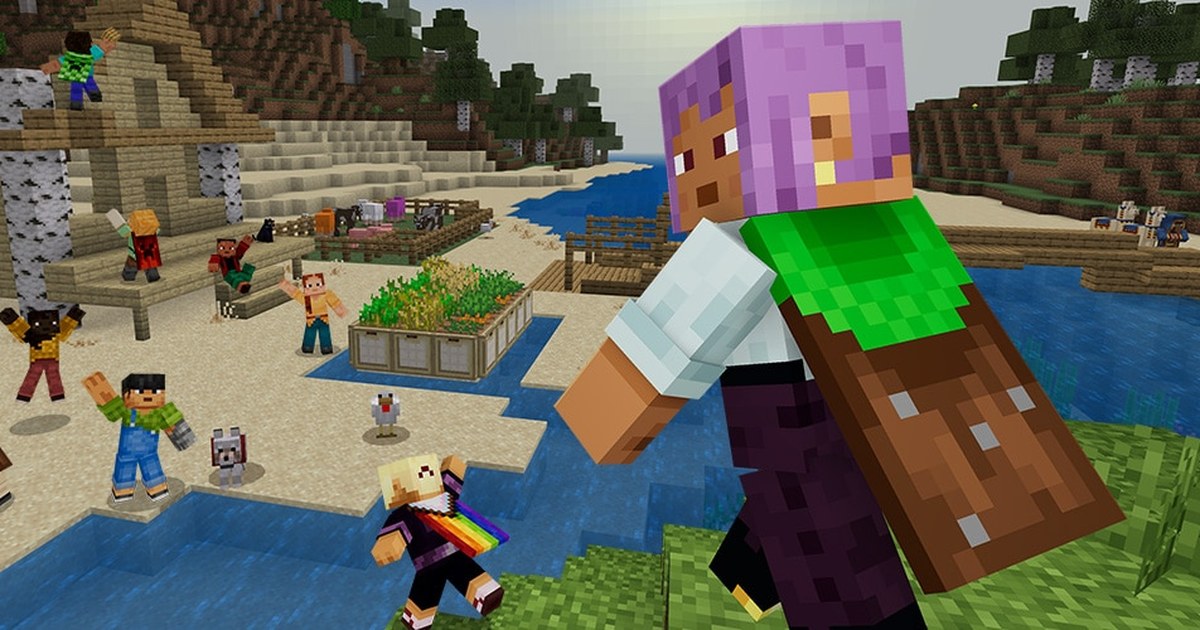
The short answer: the only free Minecraft cape you can still claim is the Hero Cape, and the deadline is December 31, 2026 (as of November 24, 2026). The method is simple.
Log into Minecraft Dungeons II with the Microsoft account you used to play the original Minecraft Dungeons, and the cape unlocks for Minecraft Java and Bedrock. Mojang's official page says the same Microsoft account has to be linked across Dungeons, Dungeons II, and Minecraft.
Searching for a free cape brings up the Aurora Cape, the Common Cape, and the Twisted Cape all at once, but only the Hero Cape is free and open right now. This guide puts the working method first and lists the ended events in a table afterward. A cape is purely cosmetic and does not change gameplay.
The answer: log into Dungeons II on the same account before December 31
The most reliable order for the Hero Cape is to check your account, log into Dungeons II, and equip the cape. First work out which Microsoft account you used to play Minecraft Dungeons, and compare it with the account you play Minecraft on.
If the two accounts differ, the cape will not show up in Minecraft. Then log into Dungeons II with that account before December 31, 2026. If a cape code is shown, sign in at minecraft.net/redeem, enter it, and then pick the cape on the customization screen in Minecraft.
Deadlines can close the method for good, so do not leave it until the last week. If you plan to film the cape, choose your lighting first, because shaders change how the cape color looks; see the best Minecraft shaders for options.
How to get the Hero Cape
- 1Confirm the Microsoft account you played Dungeons onWork out which Microsoft account you used in the original Minecraft Dungeons. The official page says the same account must link Dungeons II and Minecraft. If you own several accounts, compare it with the one signed into the Minecraft launcher.
- 2Log into Dungeons II with that accountLog into Minecraft Dungeons II with that account before December 31, 2026. You need an internet connection, and the install and platform requirements are on the official Dungeons II page. The deadline is tied to this login, so do not wait until the end of the year.
- 3Check that the cape unlockedWhen the Hero Cape shows as yours in Dungeons II, it carries over to Minecraft. If you are given a code, it is usually 25 characters, so copy it somewhere safe. If nothing appears, check that the accounts match first.
- 4Enter the code at minecraft.net/redeem if you have oneIf you received a code, sign in at minecraft.net/redeem with your Minecraft account, enter the code, and press redeem. A code attaches to one account, so do not share it with anyone else.
- 5Equip it in Java or BedrockOpen Minecraft and choose the Hero Cape on the skins screen in the Java launcher or on the Bedrock character customization screen. The official guidance says one unlock covers both editions.
Minecraft capes and their status (as of November 24, 2026)
| Cape | Status now | How it worked |
|---|---|---|
| Hero Cape | Open until December 31, 2026 | Log into Dungeons II with the account that played Minecraft Dungeons |
| Aurora Cape | Ended (October 14, 2026) | A watch reward from Dungeons II livestreams that gave you a code |
| Common Cape | Ended (early May 2026) | A login or account link event |
| Twisted Cape | Not free | A Dungeons II preorder bonus that closed on September 28, 2026 |
| Free cape generators and code resale sites | Not recommended | Not an official route and may ask for account details |
| Equipping after you get it | Anytime | Pick it in the launcher skins screen or the Bedrock character customization screen |
Check before you claim
- The account that played Dungeons and your Minecraft account are the same Microsoft account
- You have a date set to log into Dungeons II before December 31, 2026
- You only use the official minecraft.net address
- You copied the cape code as soon as you received it
- You know the Aurora and Common Cape events have already ended
Record your cape moment with DOR
DOR is a free Windows game recording app. When you launch a supported game it detects it automatically and records the whole session, and your recordings collect in My Clips inside the app.
Leave Minecraft running the day you get the cape and the equip moment through your first session is captured, and you can trim any part in the app and save it as 16:9 or 9:16. Combine several scenes in DOR Studio (dor.gg/studio), add text or BGM, then export an mp4 or share a dor.gg link.
DOR output has no watermark. For quality and frame rate choices, see the best Minecraft recording settings. Free recording covers 720p and 1080p at 30 or 60 fps.