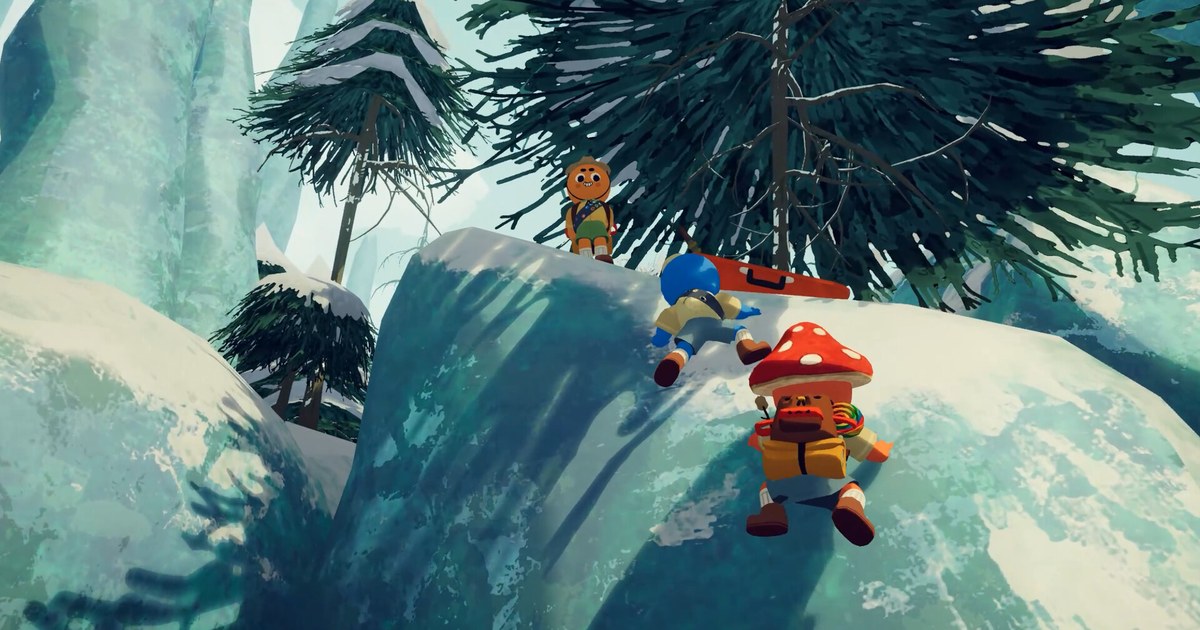

Is PEAK crossplay? Since October 22, 2026, yes. At 8 AM Pacific that day, PEAK launched on PlayStation 5, Xbox Series X|S and Nintendo Switch 2, and the same update opened crossplay so Steam players can climb with friends on all three consoles.
The way you connect is not new. Room codes arrived in patch 2.04.a back in September, and the developers said at the time that this was how cross-platform play would work once the console versions were out.
If you have only ever used Steam invites, though, a few things are easy to trip over: where the code lives, whether saves and badges carry over, whether you can keep your mods on, and what console players need on their side.
A bug that stopped room codes from working for lobbies in other regions was fixed by hotfix 3.0.1 the day after launch, and patch 3.1.0 on November 9 made the codes a little longer. This guide sticks to what the official Steam announcements and the developer FAQ say as of November 10, 2026.
It walks through getting PC and console friends into one lobby and what to check when someone cannot get in. For the basics on the game itself, see our PEAK game page.
Short answer: one room code gets everyone in, but saves and mods stay per platform
There is no crossplay toggle to hunt for in PEAK. It all runs through room codes. When the host opens the pause menu in the lobby, the room code is right there.
Copy it, drop it in your group chat or Discord, and friends enter it under JOIN GAME on the main menu. Steam friends can still invite each other the old way through Steam. A lobby holds up to four players including you, and there is no public matchmaking with strangers.
Three limits are worth knowing before you start. First, progress and badges earned on Steam do not move to PS5, Xbox or Switch 2. A friend starting on console begins from zero, so the veteran in the group gets to play tour guide.
Second, plan on playing without mods when console players are in the lobby. The developers say client side mods might work, but they cannot promise those mods will not cause problems with lobbies or games, and they left out Steam Workshop because it cannot be used across platforms.
Third, console players need their platform's paid online subscription to play online, while offline solo play needs none. If a friend is joining on PC, the price is easy to sell.
As of November 10, 2026, PEAK lists at US$7.99 on Steam and is 38% off at US$4.95, with the store showing the sale running through November 15. There is a single edition, and the Steam version supports 15 interface languages.
Console prices are set by each store, so check PlayStation Store, Microsoft Store or the Nintendo eShop. The download size changed too.
In the November 9 announcement, the team explained that instead of patching in new maps every two to three weeks, they added 208 maps that the game cycles through forever so crossplay works correctly, and that this caused the sudden jump in size.
The Steam store spec sheet lists 16 GB of storage; for the full numbers, see PEAK system requirements and install size. Controller players got a fix in 3.1.0 as well: sprint and climb are now held actions on a controller, matching keyboard and mouse, and a new setting lets you switch between hold and toggle.
How to play PEAK with friends on PC and console
- 1Get everyone on the latest updateOn Steam, make sure the update has finished in your library. On console, run a check for updates on the system. Right after launch, room codes failed for lobbies in other regions until hotfix 3.0.1 fixed it the next day. If one person is still on an old build, fixes like that will not help, so line everyone up before you start.
- 2Have console friends check their online subscriptionPS5 players need PlayStation Plus, Switch 2 players need Nintendo Switch Online, and Xbox players need Xbox Game Pass active to join online lobbies. The console connection troubleshooting in the developer FAQ starts with this exact check.
- 3Pick a host and turn off mods on PCLet the player with the most stable connection host. The developer FAQ suggests the same thing when connections act up. If the host is on PC, remove every mod before opening a lobby, since a modded lobby can cause problems on the console side.
- 4Copy the room code in the lobby and send itOnce the host starts the game and reaches the lobby, the room code appears in the pause menu. Copy it and paste it into your group chat or Discord. Codes got a little longer in 3.1.0, so pasting beats retyping. If you are streaming, there is a setting that hides the room code on screen.
- 5Friends enter the code under JOIN GAMEEach friend picks JOIN GAME on the main menu and types in the code. When all four of you are in, head out. If someone gets stuck on the loading screen after entering the code, work through the checklist below from the top.
PEAK crossplay at a glance (as of November 10, 2026)
| Item | What applies | What to check |
|---|---|---|
| Platforms | Steam (PC), PS5, Xbox Series X|S, Nintendo Switch 2 | Console versions launched October 22, 2026; Steam list price US$7.99 (US$4.95 at 38% off as of November 10) |
| How to join | Host shares the room code from the pause menu, friends enter it under JOIN GAME on the main menu | Steam friends can still use Steam invites |
| Player count | Up to 4 players including you | No public matchmaking |
| Progress and badges | No transfer between platforms | Badges are earned again on a new platform |
| Mods | Play without them when console players are in the lobby | If something breaks, remove all mods and retry |
| Console online play | PlayStation Plus, Nintendo Switch Online or Xbox Game Pass required | Offline solo play needs no subscription |
| Room codes | Made slightly longer in 3.1.0 (November 9) for more combinations | Copy a fresh code from the current lobby |
| Maps | 208 maps rotate forever, and the island changes every 24 hours | Set up this way so crossplay works correctly |
Checklist when a console friend cannot join
- The code was copied fresh from the current lobby after 3.1.0, with no look-alike characters mistyped
- The host and every friend have the latest update installed
- Every PC player has removed all mods
- The console friend's PlayStation Plus, Nintendo Switch Online or Xbox Game Pass subscription is active
- The console has been restarted, and the game reinstalled if that did not help
- The router has been restarted, and Multi-Link Operation (MLO) turned off if your router has that setting
Save your first crossplay climb from the PC side
Your first climb with console friends only happens once. The moment your Switch 2 friend slides off the very first cliff, or the rope you dropped that pulled them back up, will not play out the same way twice.
DOR is a free Windows app that detects PEAK when you launch it and records the whole session from launch to exit, keeping every recording in My Clips in the app. So whoever joins on PC can be the one recording.
Game sound and your mic are captured together on one track, so your reactions stay with the scene. After the climb, open My Clips, trim just the fall or the rescue, and save it in 16:9, 9:16 or 1:1.
To stitch moments from several runs together, use DOR Studio (dor.gg/studio) to merge clips and add text and music, then export an mp4 or share a dor.gg link. Send the link and your console friends can open it right away in their phone's browser.
Recordings pile up, but older ones are only cleared when the Full gameplay video allowance (5 GB by default) runs out, and recent recordings and videos you have liked are kept. For picking the best moments, see how to share PEAK gameplay videos. For watching on mobile, see viewing PC recorded clips on your phone, and for clean voice, see recording game sound and mic together.