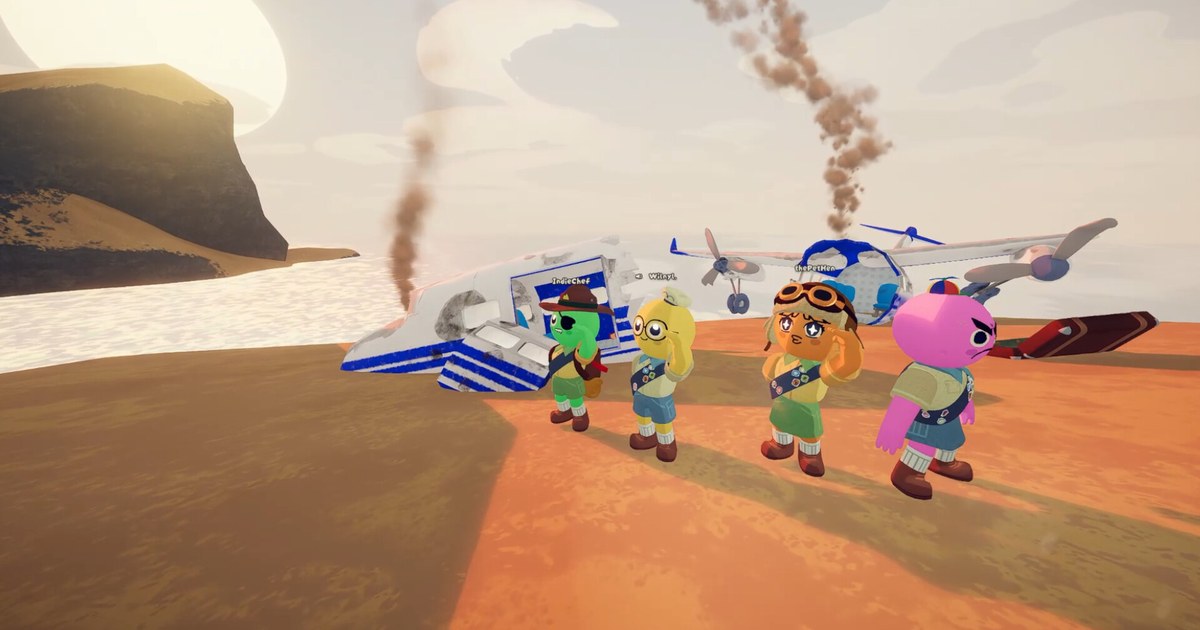

The short answer: PEAK does not have split screen. As of November 2026 the Steam store page lists the game as Single-player and Online Co-op, and multiplayer means up to 4 friends online. There is no local co-op or shared screen listing in the store.
So if you want to climb together, online co-op with everyone on their own PC is the default answer, and two players on one PC needs unofficial tools made by the community. Either way your PC has to keep up, so check the PEAK system requirements first.
Below you will find a single table that compares the options, plus a way to record each player's view and turn it into one video.
The answer: official is online co-op for 4, two on one PC is unofficial
There are three realistic options. First, the official one: online co-op. You and your Steam friends join from your own PCs, up to 4 players, and it is the most stable setup.
Second, the unofficial way to share one PC between two players. Community-made split screen tools and a fan-made mod exist, and setups with two controllers are what their guides describe. They are not features from the developer, so behavior can change after a game update.
Third, skip split screen and record each player's own view, then combine the clips into one video. Every friend sees the climb from a different angle, which often makes the footage richer. Consoles and Steam are covered separately in PEAK crossplay explained.
The table and steps here are as of November 2026, so check the game type labels on the Steam store page one last time before you set anything up.
How to play PEAK together
- 1Decide what you actually needFirst settle whether everyone can join from their own PC or whether you truly need one PC. If separate PCs work, official online co-op is the simplest and holds up to 4 players.
- 2Gather with online co-opLaunch PEAK on Steam and invite your friends. Multiplayer is described as playing with friends, so make sure you are on each other's Steam friends list before the session.
- 3If you need two on one PC, check the unofficial toolsCommunity tools run two copies of the game on one PC, which takes more performance. Read the tool author's guide and whether it supports the current game version, and use it knowing it is not an official feature.
- 4Sort out controllers and the screenOn one PC, guides describe using two controllers. If Steam input settings overlap, both players can receive the same input, so run a quick test before you commit to a long climb.
- 5Keep DOR running and record each viewIf DOR is running before you play, PEAK is recorded from launch to exit automatically. When your friends run DOR too, you collect clips from different angles and can combine them into one video in Studio. For posting, see how to share PEAK gameplay videos.
Ways to play PEAK together at a glance (as of November 2026)
| Option | Players | What to know |
|---|---|---|
| Online co-op (official) | Up to 4 | Everyone joins from their own PC, built around Steam friends |
| Single-player (official) | 1 | Solo climbing, listed on the Steam store page |
| Community tool, 2 players on one PC | 2 | Unofficial, two controllers recommended, Steam must be running |
| Fan-made split screen mod | Up to 4 | Unofficial, its page says everyone in the session needs the mod |
| Official split screen or local co-op | None | Not listed in the store game types as of November 2026 |
| Record each view, then combine | Any number | Each friend records with DOR, then edit one video in Studio |
Check before you play together
- Everyone is on each other's Steam friends list
- You confirmed that online co-op from separate PCs is possible first
- If you use two players on one PC, you read that it is unofficial and checked version support
- You checked that your PC can handle two game windows using the system requirements guide
- DOR is running and you tested that each view gets recorded in one match
Keep DOR running and PEAK records on its own
DOR is a free Windows game recording app. When you launch a supported game it is detected automatically and the whole session is recorded from launch to exit, and recordings collect in My Clips. PEAK is a supported game, so you only need to keep DOR running while you climb with friends.
Trim the scenes you want in the app (16:9, 9:16 or 1:1), then use DOR Studio (dor.gg/studio) to join your friends' clips, add text and BGM, and apply effect templates such as shake zoom. Export an mp4 or share a dor.gg link straight away, and DOR output carries no watermark.