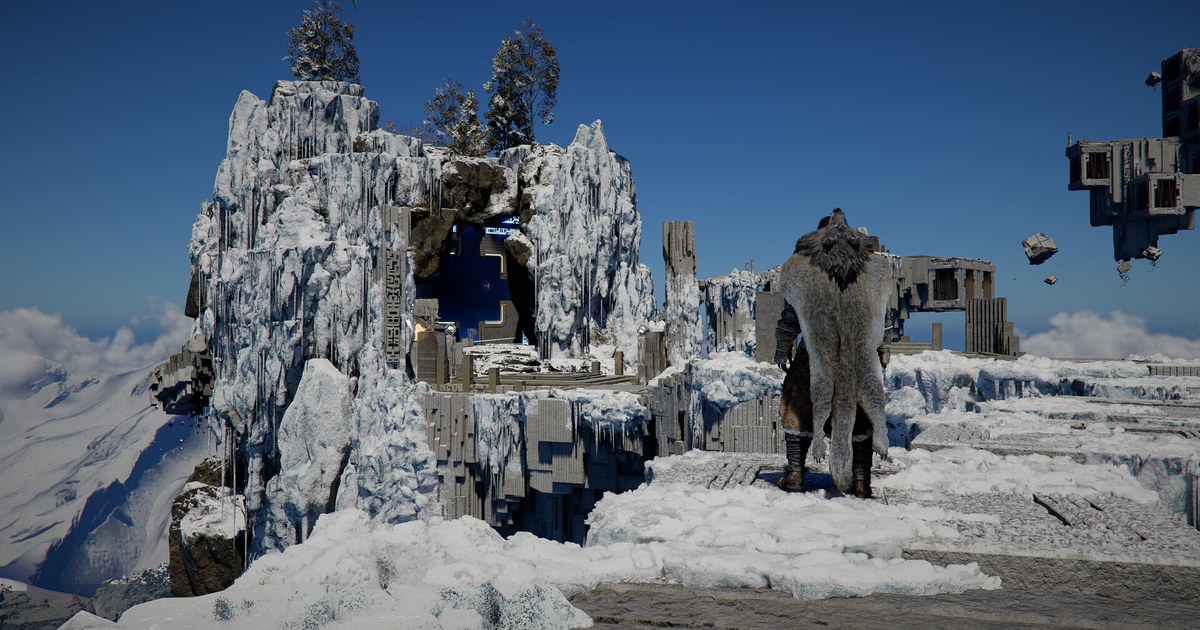
The short answer: Crimson Desert fast travel runs on two kinds of points. An Abyss Nexus unlocks when you stand in its center for a few seconds. An Abyss Cresset unlocks after you finish the puzzle or dungeon inside.
Once a point is unlocked, open the map, select its icon, and confirm. At the start the map shows almost no travel icons, so it can look like the game has no fast travel, but the system only lets you use points you have already opened.
That is why the fastest habit is to unlock every Abyss Nexus you spot on the way instead of leaving it for later. This guide covers how to unlock points, how to use them from the map, whether you can travel from a mount, and what to check when icons are missing or travel is blocked. Everything was checked on November 24, 2026, and parts that a patch can change carry that date.
Bottom line: stand on Nexus points, finish Cressets, then pick them on the map
An Abyss Nexus unlocks when you stand on its center plate for a few seconds. It has no puzzle and no extra condition, so unlock any you pass. An Abyss Cresset needs you to enter and finish its puzzle or dungeon first.
Some puzzles need abilities you get through the story, so if you are stuck, play further and come back. To travel, open the map, select an unlocked icon, and confirm; on a controller that is Y on Xbox or Triangle on PlayStation.
If icons are missing, switch the map filter to All or Environment, because Quest and Faction views hide them. Many older guides say you cannot fast travel while riding, but patch 1.03.00 (reported April 11, 2026) is reported to allow Abyss Nexus travel while mounted, falling, swimming, or climbing.
Some quests and scripted areas can still block travel, and finishing the current objective usually clears it. If you plan to build a route video from several clips, see how to merge game clips.
How to unlock and use fast travel in Crimson Desert
- 1Look for Abyss signs in a new areaWatch for Mysterious Energy circles and other Abyss markings. Not every circle is a travel point, but many are Abyss Nexus points.
- 2Stand in the center of an Abyss NexusStay on the center plate for a few seconds and the point unlocks. It stays unlocked, so do it whenever you pass one.
- 3Finish the puzzle inside an Abyss CressetInteract with the entrance and complete the puzzle or dungeon. If a missing ability blocks you, continue the story and return.
- 4Open the map and set the filter to AllIcons only appear under All or Environment. Select one and confirm; on a controller press Y or Triangle.
- 5If it fails, check the version and your questIf you are blocked on a mount, confirm the game is on 1.03.00 or later. Otherwise finish the current quest objective and try again.
Crimson Desert fast travel points and conditions (as of November 24, 2026)
| Item | How to unlock or use it | Good to know |
|---|---|---|
| Abyss Nexus | Stand on the center plate for a few seconds | No puzzle or extra condition, so it is the easiest point to add |
| Abyss Cresset | Enter and finish the puzzle or dungeon inside | It becomes a travel point only after you finish it |
| Sealed Abyss Artifact | A collectible, not a travel point | Do not confuse it with a Nexus or a Cresset |
| Map filter | Set it to All or Environment | Quest and Faction views hide the travel icons |
| While mounted | Abyss Nexus travel works since 1.03.00 | Older guides saying mounted travel is impossible are outdated |
| During quests | Some stages block travel | Finishing the current objective usually restores it |
Check before you travel
- The destination is an Abyss Nexus or an Abyss Cresset you finished
- The map filter is set to All or Environment
- The game is updated to 1.03.00 or later
- No active quest stage is blocking travel
- Any Abyss Nexus you passed in a new area is already unlocked
Keep your routes and puzzle solutions as video
DOR is a free Windows game recorder. When you launch a supported game it detects it automatically and records your play, and recordings collect in My Clips in the app. You can check supported features on the Crimson Desert hub.
Record yourself unlocking an Abyss Nexus or solving a Cresset puzzle once, and you can show a friend with the same problem on video. Cut only the part you need with how to trim game clips, and if you want vertical video, see vertical game clips and save at 9:16.
Free recording offers 720p and 1080p at 30 or 60 fps, with 1080p at 30 fps as the default. On supported NVIDIA graphics cards such as the RTX series, DOR records with NVENC hardware encoding. You can record, edit, and share without a watermark.