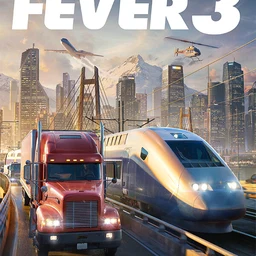
Transport Fever 3 is a transport tycoon game where you connect cities with more than a century of vehicles, starting from horse-drawn wagons and steam trains and working up to high-speed trains and jets. The moments you want to show friends come at the end of long builds: the first freight train pulling out, a tangled station finally running smoothly, or a small town that grew into a city because of your line. Starting with the October 2026 app update, DOR detects the game and records the whole session, so this guide focuses on finding those few dozen seconds in a recording that lasts hours and sending them.
Expect long recordings
Transport Fever 3 has no match to split on, so everything from launch to exit is saved as a single mp4. Most of that time is laying track, fixing signals, and buying vehicles, so if you don't mark the moments you want, you'll spend a long time scrubbing. For the PC-side checks that keep a long session recording smoothly, see Recording Long Gameplay Sessions Without Stutter.
Turning a long build session into a short clip
- 1Install DOR and launch Transport Fever 3Install the free DOR app on your Windows PC and launch Transport Fever 3. It's detected automatically and recording starts. Check that the game is on under full-play recording in settings. If you turn recording off for just this game, a confirmation prompt appears once.
- 2Spend 20 to 30 seconds just moving the cameraIn a building game the screen keeps switching between menus and construction, which is hard to watch as-is. When you finish a line or station, put the build tools down and either ride the camera close to a train or orbit the station slowly, giving yourself a clean 20 to 30 second stretch on purpose.
- 3Note the time and the modeSessions often run for hours, so jot down when the first line opened, when a station expansion wrapped up, and when you noticed a town had grown. Add whether it was Tycoon or Campaign and which climate zone the map uses, so you can pick the right file if you launched the game several times that day.
- 4Trim to the right length in the libraryUse the trim tool in the app library to keep only the camera stretch at the time you noted. About 30 seconds works for a single line, and roughly a minute with two or three trains coming and going works for a station overview. Wide maps suit 16:9, and following one train also looks good in 9:16.
- 5Show then and now side by sideTo show a small town becoming a city, trim a shot of the same area from an early session and a recent one. Merge the two in the DOR Studio in your browser and add text with the era or year, and the change is obvious at a glance.
- 6Send the link to friends who playAfter trimming or editing in the studio, you get a dor.gg link. Send friends who play the game the station overview so they can compare layouts, and send family who have never played a short shot of a train on the move. They open it in a browser with nothing to install.
Scenes worth sharing in each mode
| Mode or situation | Scene worth sharing | How to find it in the recording |
|---|---|---|
| Early Tycoon mode | Your first line opening and the first loaded freight train pulling out | The stretch right after completion where the camera follows the train |
| Mid Tycoon mode | A large station where several lines meet, with trains arriving one after another | The slow camera lap over the station |
| Campaign mode | The network view right after a history-inspired mission is done | Just before and after the moment you complete the mission goal |
| Sandbox mode | A station or diorama built with the economy switched off | The stretch where you stopped building and only moved the camera |
| Eras and weather | Steam trains running beside newer vehicles, or the map turning to a rainy afternoon or night | The spot you noted when day, night, or weather changed |
| City growth | Following a single citizen through a town that grew thanks to your line | The stretch where you switched to following a citizen |
Before a long session
- Transport Fever 3 is on under full-play recording in settings.
- The recording drive has comfortably more than 20GB of free space.
- If the game and your recordings share a drive, you've budgeted space for both.
- You've decided to leave a short camera-only moment whenever you finish something.
- You have a note ready for line opening and expansion times.
Recording Transport Fever 3 with DOR
DOR is a free Windows desktop app. When you launch Transport Fever 3, it detects the game and records it as full play. There are no automatic clips that pick out moments like a line opening, so you find the scene in the recording and trim it yourself. Long play fills the disk quickly, and as the app's settings also point out, recording stops automatically once free space drops below 20GB. On NVIDIA graphics cards, NVENC hardware encoding is the default, and game audio and your mic are recorded together, so you can narrate your network as you go. To combine scenes from several sessions into one video, see How to Merge Game Clips. In the DOR Studio you can adjust length, merge clips, switch between 16:9, 9:16, and 1:1, apply effect templates, add text, background music, and volume, then download an mp4 or share a link.