
Here is the short answer: the best clipping software for Space Marine 2 is the kind that records an entire operation automatically and lets you choose the moments afterward, because that is how you stop missing executions and parries.
DOR, a free Windows app, detects the game when you launch it and records the whole session from launch to exit, and the footage lands in My Clips inside the app. After that you only trim the moments you want to post and pick 16:9, 9:16 or 1:1.
Warhammer 40,000: Space Marine 2 is a third person action game from Saber Interactive released on September 9, 2024, with campaign and Operations co-op for up to three players and the 6v6 PvP mode Eternal War.
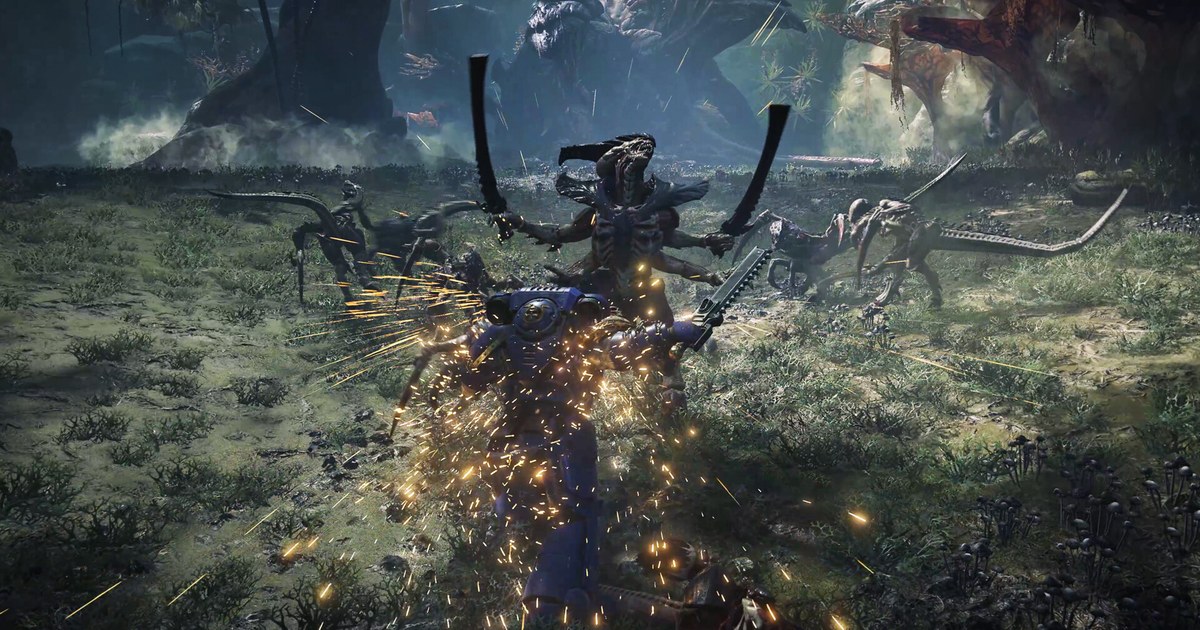
While Tyranid swarms keep pouring in, perfect parries, execution animations and squadmate revives come seconds apart, so any approach that asks you to remember a save hotkey after the moment has passed tends to miss the timing. Game specific support and tips live on the Space Marine 2 hub.
Verdict: auto record the whole operation first, keep a replay tool as backup
In Space Marine 2 the top priority is automatic recording that keeps an operation from start to finish.
The NVIDIA app's Instant Replay, the Windows Game Bar's background recording, Medal's clip hotkey and OBS's Replay Buffer all work by saving the stretch that just happened, so you have to press a save key every time something worth keeping occurs.
It is hard to take your hands off the controls in the middle of a wave, and you often only think about saving once the execution animation has already ended. When the full playthrough is recorded, you just scrub through the footage after the operation and pick your moments.
Replay tools still have a place. If you already run the NVIDIA app on an RTX card, or you trade clips with friends on Medal, you can keep them on as a backup. The differences between those two are covered in Medal vs ShadowPlay.
Space Marine 2 requires an SSD even at minimum spec on Steam and is demanding on the GPU, so whichever tool you choose, start at the default 1080p quality and check your frame rate during wave fights.
Space Marine 2 clipping tools compared
| Tool | How it keeps a moment | Using it in Space Marine 2 |
|---|---|---|
| NVIDIA app | Instant Replay saves the last stretch, Highlights auto capture in supported games | Needs a GeForce RTX 20 to 50 Series card, and you still press a save key mid wave |
| Xbox Game Bar | Built into Windows, background recording saves the last stretch | Nothing to install, though Microsoft notes background recording can affect game performance |
| Medal | Clip hotkey saves the last stretch (15 seconds up to 20 minutes), plus a full session recording mode | Hotkey saving is the default, so turn on session recording in settings to keep a whole operation |
| OBS Studio | Replay Buffer saves the last stretch, plus manual recording | Very flexible, but you set up scenes, encoder and buffer length yourself |
| DOR | Detects the game on launch and records the whole session from launch to exit | A free app that records on its own while it runs, so you just trim moments after the operation |
Check these before you pick a clipping tool
- Does it keep the whole session so you can choose moments after the operation
- Does it work with your graphics card (the NVIDIA app needs an RTX 20 to 50 Series)
- Does your frame rate hold up during waves with recording on
- Can you trim straight to 9:16 for Shorts
- Do you have enough free storage for recordings
How to turn a Space Marine 2 operation into clips
- 1Install DOR and launch Space Marine 2Install DOR, then start Space Marine 2 from Steam as usual. The game is detected and recording begins. There is no button to press during the operation, so play your first run without touching any settings.
- 2Start with default quality and check your frame rateFree quality options are 720p and 1080p at 30 or 60fps, and the default is 1080p at 30fps. Check that your frame rate holds up when the waves pile in, then adjust if you need to. On supported NVIDIA cards such as the RTX series, DOR records with NVENC hardware encoding.
- 3Find your moments in My Clips after the operationWhen the operation ends, open My Clips and the run you just played is there as a video. Scrub through it and note the perfect parries, execution animations, squadmate revives and the final wave clear. Two or three moments per operation is usually plenty.
- 4Trim to 9:16 for ShortsSet the start and end of the moment, trim it in the app and choose a ratio: 16:9 for landscape video, 9:16 for Shorts and Reels, 1:1 for square. Because the camera is third person, moments with your character centered still read well in vertical. More vertical tips are in how to make vertical game videos.
- 5Combine several moments in Studio and shareIf you have several moments, merge them into one video in DOR Studio (dor.gg/studio). Drop an effect template such as Shake Zoom or Punch Zoom on the execution, set text, music and volume, then export an mp4 or share a dor.gg link. The merge workflow is in how to merge game clips.
Make Space Marine 2 operation clips with DOR
DOR is a free Windows game recording app. When you launch Space Marine 2, a supported game, it is detected automatically and the whole play session is recorded from launch to exit, with recordings collected in My Clips inside the app.
For Space Marine 2, the workflow is to pick the moments you want from the recording and trim them yourself.
You can trim in the app and choose 16:9, 9:16 or 1:1, and in DOR Studio (dor.gg/studio) you can merge several videos, change the ratio, add effect templates such as Shake Zoom, Punch Zoom and Glitch Transition, add text and music, adjust volume, then export an mp4 or share a dor.gg link.
Recordings capture game audio and your mic together on one track, and DOR output carries no watermark. Free quality is 720p and 1080p at 30 or 60fps, while 1440p, 4K, 120fps and 144fps come with DOR Pro. To send trimmed moments to your squad, continue with how to share Space Marine 2 gameplay clips.