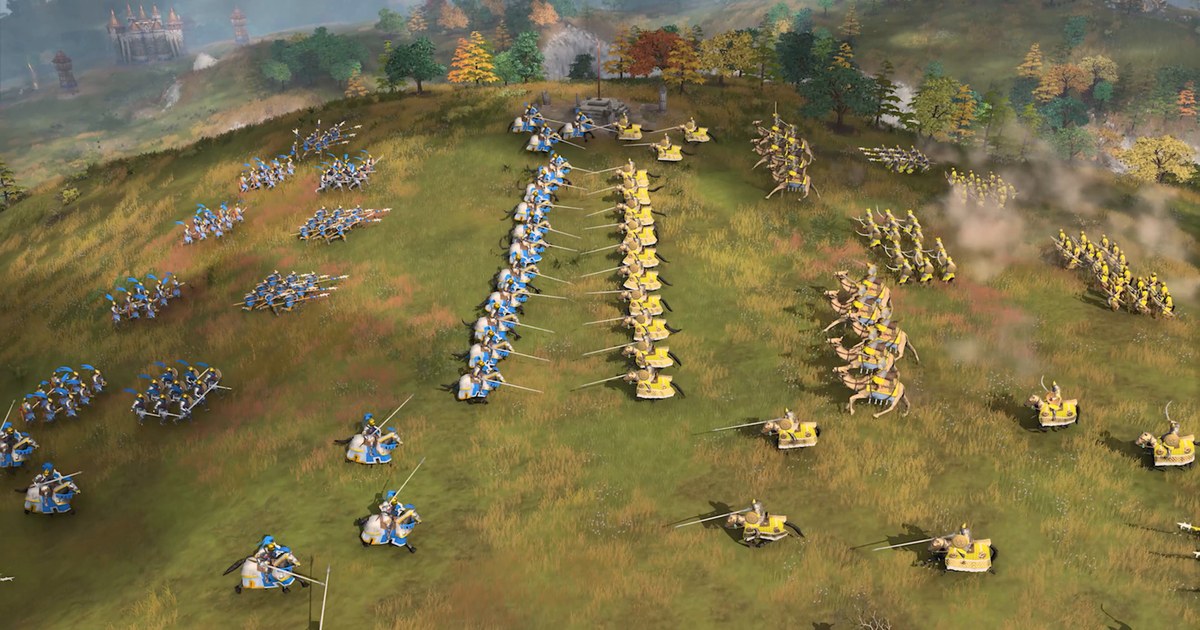
Here is how to watch Age of Empires IV (AoE4) replays. Click your portrait in the lower left corner of the main menu, go to Match History on the left side of the window that opens, and press the video icon next to a match to start playback right away.
You can also click into the match details and choose View Replay. The catch is that, as of November 29, 2026, Match History and replays only cover your last 10 matches, so even the game you won today drops off the list after ten more.
If you want to watch a friend's or a top player's match, the Steam version lets you download the replay file from the official stats page, place it in the playback folder and open it with a Steam launch option.
This guide follows the official Age of Empires support articles and walks through watching replays in game, where downloaded files go, how to get other players' replays, and what to do when an update blocks playback. If you want to know how long replays last in other games, see replay retention by game.
Save matches you care about as video before they fall out of the last 10
It is safer to treat AoE4 replays as a quick rewatch feature rather than an archive. According to the official support article, Match History and replays are limited to the last 10 matches you played. Play a few ranked games a day and last week's comeback is gone within days.
Game updates are the other risk.
If a replay file can no longer be played after a patch, you see the message "Due to a recent update, the replay is no longer available." The developers say they do their best to minimize the impact on replays, so not every update affects them, and that any patch that does will be highlighted in the blog article.
The official documentation does not describe a way to reopen a replay once it is blocked, though. So the most reliable move is to play back the matches you want to review or show friends while they are still on the list, record the screen, and keep them as mp4 videos.
A video opens anytime regardless of the game version, and you can cut out just the fights that matter. Tips for sending an old RTS match to friends are in sending an Age of Empires 2 comeback video.
How to download and watch a friend's or another player's replay (Steam version)
- 1Find the player on the stats pageGo to the Age of Empires IV Leaderboards or My Stats page on ageofempires.com. If you have never played with that person, search their username under Global Stats > Leaderboards and open their profile.
- 2Open the match and download the replayUnder Game Stats near the bottom of the profile, click the match you want and a window listing the participants pops up. Click the film strip play button next to a username to download the replay file. If the button is missing, the player most likely has Share History turned off in game.
- 3Unzip and copy it to the playback folderUnzip the download and you get a file named AgeIV_Replay_ followed by the match ID number. Copy that file to %USERPROFILE%\Documents\My Games\Age of Empires IV\playback.
- 4Add the Steam launch optionIn your Steam Library, right click Age of Empires IV, open Properties, and in Launch Options on the General tab enter -dev -replay playback:AgeIV_Replay_ with the match ID. The file name and number must match exactly.
- 5Launch the game and watchClose Properties and start the game, and it takes you straight into the replay you downloaded. If an Account Authentication error appears while it loads, press OK to dismiss it.
- 6Clear the launch option afterwardWhen you finish watching, open Properties again and delete the -dev -replay text from Launch Options. If you leave it there, every launch drops you into the same replay.
AoE4 replay essentials (as of 2026-11-29)
| Item | How or where | What to know |
|---|---|---|
| Watch your own replay | Main menu portrait (lower left) > Match History > video icon, or View Replay in match details | Plays right inside the game |
| Matches kept | Match History and replays both cover the last 10 matches | Older matches drop off the list |
| Share History | Share History toggle in Match History | Others can only view and download matches from players who turn it on |
| Download other players' replays | ageofempires.com Leaderboards or My Stats > player profile > match under Game Stats > film strip play button | Works with the Steam version only |
| Where downloaded files go | %USERPROFILE%\Documents\My Games\Age of Empires IV\playback | File name is AgeIV_Replay_ followed by the match ID |
| Launch option for playback | Steam Properties > General > Launch Options: -dev -replay playback:AgeIV_Replay_matchID | Clear it when you are done |
| After an update | "Due to a recent update, the replay is no longer available" message | A replay may not load if the game version differs |
| Finding why playback fails | warnings.log in %USERPROFILE%\Documents\My Games\Age of Empires IV | Look for replay related error messages |
Check these before a replay drops off or gets blocked
- The match you want to keep is still within the last 10 in Match History
- Share History is on in Match History so you and your friends can watch each other's matches
- The downloaded file name (AgeIV_Replay_matchID) matches the number in the launch option
- Before updating, you checked the official patch blog post for any replay notice
- Important matches are already recorded as video while the replay played
How to keep AoE4 replays as video for good
To get around the 10 match limit and replays blocked by updates, record the screen while the replay plays and turn it into a video. DOR is a free Windows app that detects supported games when you launch them and records the whole match.
For Age of Empires IV replays, start screen recording yourself (default hotkey F7), and the recording lands in My Clips. From there, trim just the decisive fight or your age up timing and save it in 16:9, 9:16 or 1:1.
To combine moments from several matches into one video, open DOR Studio (dor.gg/studio) to merge videos, add effect templates such as shake zoom and punch zoom, text and BGM, then export an mp4 or share a dor.gg link. The results carry no watermark.
The steps for stitching clips are in turning clips into a highlight reel, and tips for cutting RTS ladder games one match at a time are in sharing StarCraft 2 ladder videos. The free plan records at 720p or 1080p and 30 or 60 FPS, with 1080p at 30 FPS by default, and on supported NVIDIA cards such as the RTX series DOR records with NVENC hardware encoding.