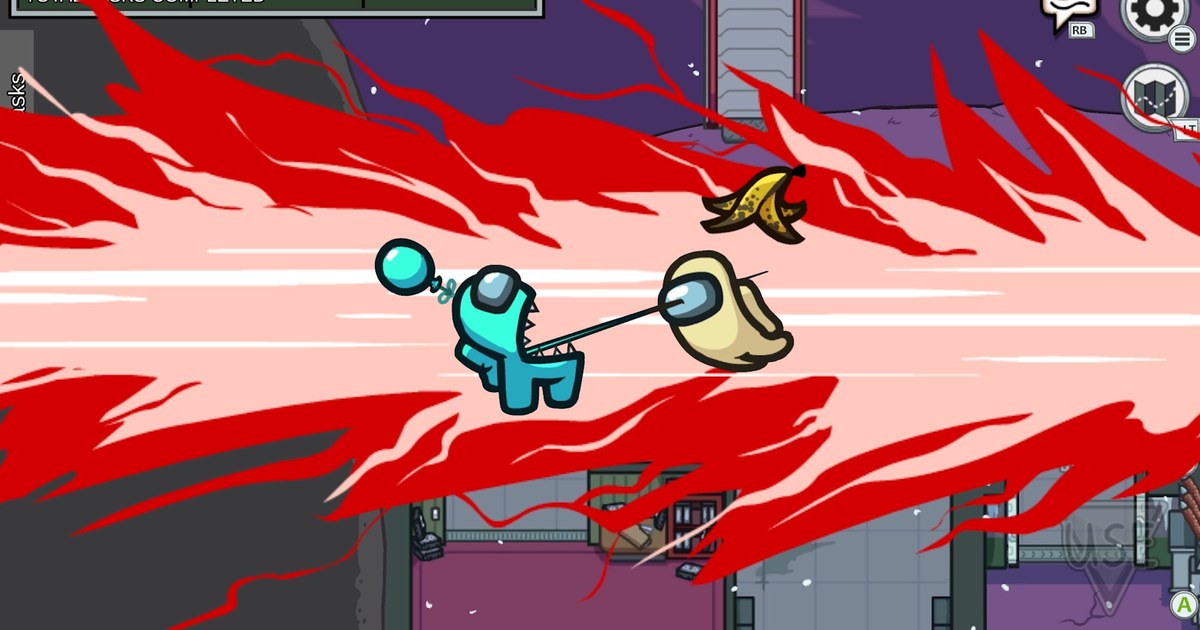

Here is the short answer: the easiest Among Us clipping software is an app that records every round on its own once it is running. The moments people replay in Among Us are rarely a single impostor kill.
They are meetings that start with a body report or an emergency button, turn into an argument where everyone suspects everyone, flip when an alibi falls apart, and end on the vote result screen.
Tools that save the last few seconds (NVIDIA app Instant Replay, Xbox Game Bar, the Medal clip hotkey, the OBS replay buffer) tend to cut off the start of the meeting if you only press the hotkey after seeing the result.
With session recording, you pick the clip after you finish playing and keep as much context before and after as you like. DOR is a free Windows app that detects Among Us when you launch it and records from launch to exit, so a run of short rounds needs no extra attention.
Below, a table compares how each tool saves a moment and what to know for Among Us, followed by the steps to turn a meeting into a clip. Everything here is current as of November 2026.
The verdict: session recording for meetings, a last moments save for single kills
The deciding factor is how long the moment you want to keep is. A quick impostor kill or a vent escape is over in seconds, and a last moments save handles that fine.
A meeting is different: it is only funny if you see everything from the first line after the report to the vote result, and the bigger the twist, the more the opening conversation matters. If you keep meetings often, DOR, which records the whole session automatically, is the better fit.
If you only want short moments and want to save disk space, a last moments tool fits. How last moments saving works is covered in how to clip the last few seconds, and the difference between Medal and NVIDIA app is in Medal vs ShadowPlay. Audio matters too.
Among Us is played by 4 to 15 players, and its Steam store page recommends playing online with friends using voice chat. Discord voice comes from a different app than the game, so whether it lands in a recording depends on the tool and its settings.
Medal records game, mic and Discord audio on separate tracks, while DOR records game audio and your mic on one track. Whatever you use, record a first round and check that your friends can be heard. Because rounds are short and back to back, storage matters as well.
DOR only clears the oldest videos when the full gameplay share (5GB by default) is exceeded, and it keeps recent recordings and videos you liked.
Among Us clipping tools compared (as of November 2026)
| Tool | How it saves a moment | What to know for Among Us |
|---|---|---|
| NVIDIA app Instant Replay | Keeps the latest stretch in memory; you press a hotkey to save it | An app for GeForce graphics cards; raise the replay length if you want whole meetings |
| Xbox Game Bar | With background recording on, saves the last 30 seconds by default via a hotkey | Built into Windows with nothing to install; change the length in Settings > Gaming > Captures |
| Steam Game Recording | Background recording keeps overwriting within the disk space you set | Works with Among Us on Steam; turn moments into clips and export to mp4 to keep them |
| Medal | A clip hotkey saves the recent stretch (set from 15 seconds to 10 minutes) | Records game, mic and Discord audio on separate tracks and creates a share link |
| OBS Studio replay buffer | Keep the replay buffer on and save the last stretch with a hotkey | Free and open source; you set the replay buffer length and audio sources yourself |
| DOR | Detects Among Us and records every round from launch to exit automatically | A free app that records on its own once running; cut meetings in My Clips and save without a watermark |
What to check before you pick an Among Us clipping tool
- I decided whether I want a few seconds of a kill or a whole meeting
- I checked in the first round that my friends on Discord are in the recording
- I checked there is enough disk space to record several rounds in a row
- I will start meeting clips just before the report and end on the vote result
- I decided in advance whether I also want 9:16 vertical clips for Shorts
How to turn an Among Us meeting into a clip
- 1Start DOR before you launch Among UsInstall DOR and keep it running, then launch Among Us. DOR detects the game and starts recording automatically. Even if you play round after round in the same lobby, the whole session is recorded as one video, so there is no record button to press for each round and no hotkey to remember.
- 2Check Discord voices after the first roundWhen the first round ends, open the video in My Clips and check that you can hear the game, your mic and your friends on Discord. If their voices are quiet or missing, go through how to record Discord audio with gameplay to check the audio path.
- 3Start meeting clips just before the reportFind the point in My Clips where the meeting screen appears, then set the range from a few seconds before the report to the vote result screen. If the twist is the point, make sure the first accusation is in, or the result screen will not land.
- 4Pick an aspect ratio, cut and saveCut the clip in the app at 16:9, 9:16 or 1:1 and save it. For YouTube Shorts or TikTok, choose 9:16, and see turning gameplay into YouTube Shorts for vertical framing tips.
- 5Stitch moments from several rounds and shareIn DOR Studio (dor.gg/studio), merge several clips, add text, music and effect templates such as shake zoom, then export to mp4 or share a dor.gg link. Ways to pass it around to the people you played with are in how to share Among Us clips.
Keep DOR running and Among Us records itself
DOR is a free Windows game recording app. When you launch Among Us, it detects the game and records the whole session, every round included, from launch to exit, and the recordings collect in My Clips.
You never have to press a hotkey, so a meeting you only realize you want after the vote result is already on video from the start. Cut the moments you want in the app at 16:9, 9:16 or 1:1, then merge several moments or add text, music and effect templates in DOR Studio.
You can record for free at 720p or 1080p and 30 or 60fps, and on supported NVIDIA graphics cards such as the RTX series, DOR records with NVENC hardware encoding. Export to mp4 or share a dor.gg link, and record, edit and share without a watermark.