Neither tool wins outright: OBS Studio is the fit if you want free recording with no time limit, and Bandicam is the fit if you like its automatic game-detection recording mode and are willing to buy a license to remove the 5-minute cap. As of the September 30, 2026 check, Bandicam's free version caps each recording at 5 minutes and leaves no watermark on recordings but does watermark edited exports, while OBS Studio is free and open source. Everything below comes from the two official sites, and if you want to look beyond these two tools, start with our Bandicam alternatives list.
The short answer: who should pick which
If you want short clips with a mode that detects the running game on its own, Bandicam's free version is an easy place to start. If you need recordings longer than 5 minutes, several scenes, or live streaming in the same program, OBS Studio fits better. On the watermark question, Bandicam's issue is edited exports rather than the recording itself, and the full set of watermark-free options is covered in our watermark-free recorder guide. This is a choice by situation, not a verdict, and performance is left unranked because neither vendor publishes numbers you can compare.
Bandicam vs OBS Studio on official pages (checked September 30, 2026)
| Item | Bandicam | OBS Studio |
|---|---|---|
| Price structure | Free version plus paid licenses. As displayed in the store on September 30, 2026 (USD, promotional prices can change): Personal Annual 1-PC $33.26 per year, Personal Perpetual 1-PC $53.90 (shown as marked down from $77.00), Business and Education Annual 1-PC $49.46 | Presented as free and open source software on the official homepage |
| Free-version limits and recording time | The free version limits video and audio-only recordings to 5 minutes each; the full version has no time limit | The official pages we checked mention no recording time limit |
| Watermark | None on free-version recordings, present on videos edited and exported from the free version, none in the full version | The official pages we checked mention no watermark |
| Supported OS | Bandicam 2027 supports Windows 11/10 64-bit; Windows 8/7 is supported only up to Bandicam 2025. A separate Mac version exists, but we did not verify its details | Windows 10 and 11, macOS, and Linux |
| Hardware encoders | NVIDIA NVENC (H.264 on GTX 600 series or higher), Intel Quick Sync Video, and AMD VCE/VCN | NVIDIA NVENC (GeForce 750 Ti, 900 series or higher), AMD AMF, Intel Quick Sync Video, and Apple VideoToolbox |
| Game capture method | Game Recording mode automatically detects the running game and advertises DirectX, OpenGL, and Vulkan capture; a Screen Recording mode exists, and webcams and external devices can also be captured | The Game Capture source captures DirectX or OpenGL games directly (Windows only); some games need OBS run as administrator, and Window Capture and Display Capture are available too |
| Scenes, plugins, streaming | Records webcams and external devices; streaming is outside the scope of this recording-focused comparison | Unlimited scenes, an audio mixer with filters and VST plugin support, hotkeys, Studio Mode, plugins and scripts (Lua, Python), and live streaming |
| Official statements on performance | Its lag guide recommends a hardware-accelerated H.264 encoder, lowering resolution, FPS, or quality, switching between Game and Screen recording modes, and closing other programs, and says performance depends on CPU, GPU, RAM, and storage speed | Says hardware encoders are generally recommended because they take load off the CPU, and describes Game Capture as capturing hardware-accelerated games with high performance; that is OBS describing itself, not a comparison with Bandicam |
Checklist before you choose
- Will you ever record more than 5 minutes in one take? Bandicam's free version stops at 5 minutes per recording, while the full version has no limit.
- Does a watermark on edited exports matter to you? Bandicam's free version adds one when you export an edited video.
- Which Windows version do you run? Bandicam 2027 needs Windows 11/10 64-bit, and Windows 8/7 stopped at Bandicam 2025.
- Do you prefer an annual or a perpetual license? A 1-PC license covers one computer only, so two computers need a 2-PC license.
- Is your use personal or commercial, educational, or institutional? Business use falls under a separate license, so read the official license page first.
- Do you need multiple scenes, plugins, or live streaming? Those features are listed in OBS's own overview.
- Do you know your fallback if a game is not captured? OBS documents administrator mode plus Window and Display Capture; Bandicam documents switching between Game and Screen recording modes.
What to set up again when switching to OBS
- 1Assume nothing carries over — None of the official pages we checked describe importing Bandicam settings into OBS. Treat resolution, frame rate, and save folder as values you will choose again in OBS.
- 2Start from the Auto-Configuration Wizard — The OBS Quick Start Guide describes the Auto-Configuration Wizard as optimizing OBS for streaming or recording. Pick recording as the purpose, accept the starting values, and only adjust what you need afterwards.
- 3Check recording format and encoder — Open the Output tab in Settings and look at Output Mode (Simple or Advanced), Recording Format, and Video Encoder. The official guide recommends MKV because it will not corrupt the whole file if recording stops ungracefully, and suggests File > Remux Recordings, or the automatic remux option, when you need MP4. Hardware encoders are generally recommended because they take work off the CPU.
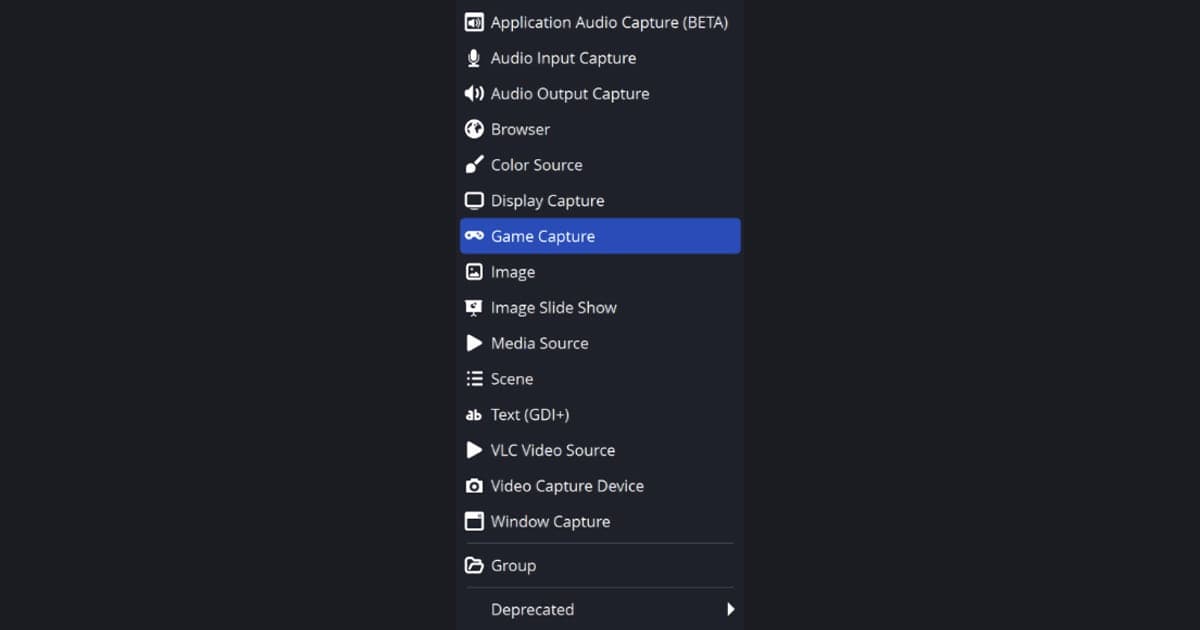
- 4Add Game Capture in the Sources dock — Use the + in the Sources dock to add Game Capture, which offers three modes: any fullscreen game on the primary monitor, a specific window, or a hotkey. There is also a Use anti-cheat compatibility hook option. If a game is not captured, run OBS as administrator, make sure OBS and the game use the same high-performance GPU on a laptop, or fall back to Window Capture or Display Capture.
- 5Test with a short recording and set hotkeys — Press Start Recording in the Controls dock, record a short test, check picture and sound, then press Stop Recording. Set your hotkeys again in Settings, because no official source confirms that Bandicam key bindings transfer.
If you would rather not configure recording at all
If your real problem is the setup work rather than the price, DOR is a third option: it is a free Windows desktop app that notices a supported game when it starts and saves the whole match as an mp4 without a scene or source to build. Automatic clips of moments like kills exist only for some of the supported games, while the rest get full-match recording alone. A machine with an NVIDIA graphics card gets NVENC hardware encoding by default, and game audio and your mic can go into the same recording. Games outside the supported list are not recorded, and this is not a claim that DOR beats Bandicam or OBS Studio. Step-by-step basics are in how to record gameplay for free, and if OBS is where you stalled, when OBS feels too complicated covers that case.
Official sources and versions checked
Every value was checked on the official pages below on September 30, 2026, when the versions were Bandicam 27.0.6.2686 (released September 9, 2026 per its downloads page) and OBS Studio 32.2.2 (shown as released August 14). Versions, prices, and policies can change, so confirm the latest on the Bandicam Free vs. Full Version page, the Bandicam store, and the OBS Studio system requirements.