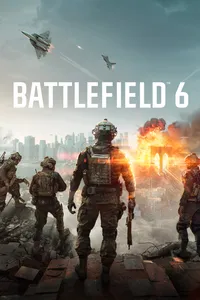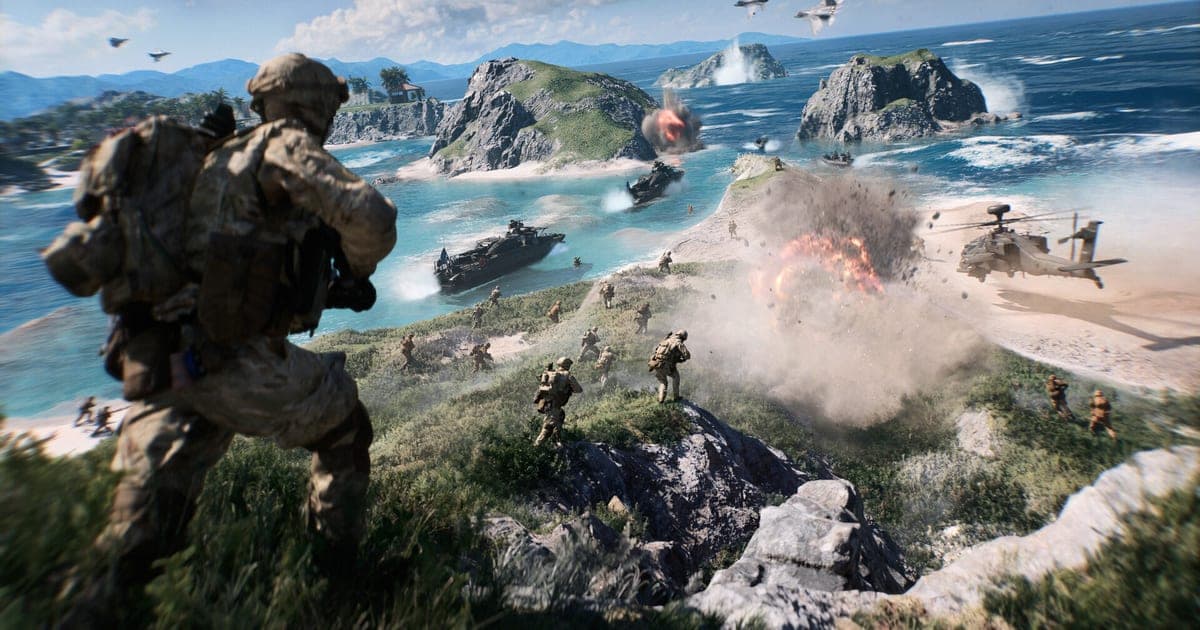
Battlefield 6 takes 55GiB of HDD space at minimum and 80GiB of SSD space for the recommended setup, according to EA's official system requirements page, and the Steam store lists the same two tiers as 55 GB and 80 GB (verified September 28, 2026). On the hardware side, even the minimum spec needs 16GB of RAM and a GPU with 6GB of VRAM, and no tier will run unless TPM 2.0 and UEFI Secure Boot are turned on. This guide copies the numbers exactly as EA's requirements page, EA's pre-launch news post from October 7, 2025, and the Steam store page print them, lines them up in one tier-by-tier table, and then walks through checking your own PC against them. The sources disagree slightly on storage and on units (GiB versus GB), so every figure below names where it came from. If you plan to record your matches as well as play them, our guide to recommended specs for game recording helps you size the extra headroom.
Official specs by tier (verified September 28, 2026)
| Tier and target | CPU / GPU (VRAM) | RAM, storage, OS |
|---|---|---|
| Minimum · 1080p 30 FPS, Low settings | Intel Core i5-8400 / AMD Ryzen 5 2600 · Nvidia RTX 2060 / AMD Radeon RX 5600 XT / Intel Arc A380 (6GB VRAM) | 16GB (dual channel 2133MHz) · HDD 55GiB (Steam: 55 GB) · Windows 10 (Hardware Accelerated GPU Scheduling recommended) |
| Recommended · 1440p 60 FPS High / 1080p 80 FPS+ Low | Intel Core i7-10700 / AMD Ryzen 7 3700X · NVIDIA GeForce RTX 3060Ti / AMD Radeon RX 6700 XT / Intel Arc B580 (8GB VRAM) | 16GB (dual channel 3200MHz) · SSD 80GiB (Steam: 80 GB; EA news 2025-10-07: 90GB SSD) · Windows 11 64-bit |
| Ultra (EA news, 2025-10-07) · 4K 60 fps Ultra / 1440p 144 fps Medium | Intel Core i9-12900 / AMD Ryzen 7 7800X3D · NVIDIA GeForce RTX 4080 / AMD Radeon RX 7900 XTX (16GB VRAM) | 32GB (dual channel 4800MHz) · 90GB SSD · Windows 11 64-bit |
| Ultra++ (EA news, 2025-10-07) · 4K 144 fps High / 4K 240 fps+ Ultra, DLSS Super Resolution / Multiframe Generation | Intel Core Ultra 9 285K (printed as 'Intel Core 9 Ultra 285k') / AMD Ryzen 7 9800X3D · NVIDIA GeForce RTX 5080 (16GB VRAM) | 32GB (dual channel 4800MHz) · 90GB SSD · Windows 11 64-bit |
| All tiers | DirectX 12 · online connection required · kernel-level anti-cheat EA Javelin Anticheat (per Steam) | Additional notes: TPM 2.0 Enabled, UEFI SECURE BOOT Enabled, HVCI Capable, VBS Capable |
Bottom line: free 80GB+ on an SSD, and check your RAM first
Going by the official labels, Battlefield 6 needs 55GB on an HDD at minimum and 80GB on an SSD for Recommended. EA's news post from October 7, 2025, just before launch, went higher and listed '90GB SSD' for the Recommended, Ultra and Ultra++ tiers, while tagging the 55GB minimum as 'Estimated Disk Space Required at Launch'. The Steam store adds that content updates may be downloaded automatically and require additional storage. So rather than freeing the exact number on the label, leave your SSD some room beyond the recommended figure. There is no official number for the current, fully patched install size, so this guide does not quote one. On hardware, RAM is the first wall: the minimum spec already asks for 16GB in dual channel, which means an 8GB PC falls short of the official minimum no matter how strong its GPU is. The second wall is security. EA states plainly that you must enable Secure Boot to play Battlefield 6 on PC. If your drive is tight because game recordings and games are sharing it, the cleanup order in our fix for Steam Game Recording low disk space is a good place to start.
Check your PC against the specs and prepare the install
- 1Pick a target tier that matches your monitor — EA published a performance target for each tier. Minimum aims at 1080p 30 FPS on Low, Recommended at 1440p 60 FPS on High or 1080p 80 FPS and up on Low, and Ultra at 4K 60 fps on Ultra or 1440p 144 fps on Medium. EA notes that it adjusted the 1440p 144 fps target from High to Medium settings. If you want high frame rates on a 144Hz monitor, read the Ultra row, not the Recommended row. Keep in mind that Ultra and Ultra++ appear only in the October 7, 2025 news post, not on the current requirements page or Steam.
- 2Read your CPU, RAM and DirectX in dxdiag — Search for dxdiag in the Start menu and run it. The System tab shows your processor, memory and DirectX version. Use 'Save All Information' to keep a text copy so you can compare model names against the table line by line. If you have less than 16GB of RAM, you miss even the minimum, so a memory upgrade comes before any graphics card upgrade.
- 3Confirm UEFI and Secure Boot in msinfo32 — Press Win+R, type msinfo32 and open System Summary. Check that BIOS Mode reads 'UEFI' and Secure Boot State reads 'On'. According to EA Help, Secure Boot requires TPM 2.0 turned on, a Windows disk using GPT and a BIOS in UEFI mode. If you need to change BIOS settings, EA recommends following your motherboard or PC maker's documentation.
- 4Check TPM 2.0 in tpm.msc — Press Win+R and type tpm.msc to open TPM Management, where you can see whether a TPM is ready for use. EA Help explains that Secure Boot is used for cheat detection in games that support EA Javelin Anticheat. The HVCI and VBS entries are listed as 'Capable', which means your hardware has to support those features.
- 5Free generous space on the install drive — Clear at least 55GB on the install drive, or 80GB or more on an SSD if you are aiming for Recommended. The pre-launch announcement said 90GB SSD, and Steam warns that content updates may need additional storage, so leave more than the label asks for. If game recordings pile up on the same drive, clearing the oldest ones or pointing recordings at another drive lowers the chance of an update stalling on low space.
- 6Set up your platform and EA account — Battlefield 6 requires an EA account and an internet connection. Steam players do not need the EA app but still need an EA account, and Steam's notice says your EA and Steam accounts must be linked. If you bought the game on the Epic Games Store or play through EA Play Pro, you need the EA app. EA Help also lists GeForce Now support, which requires owning the game on the EA app or Steam.
Final pre-install checklist
- 16GB of RAM or more (required from Minimum up, listed as dual channel)
- GPU with 6GB of VRAM or more (8GB for Recommended, 16GB for Ultra and above)
- Windows 10 or later, 64-bit (Windows 11 for Recommended)
- DirectX 12 confirmed on the dxdiag System tab
- msinfo32 shows BIOS Mode UEFI and Secure Boot State On
- tpm.msc shows TPM 2.0 ready, on HVCI and VBS capable hardware
- Free space on the install drive: 55GB+ on HDD, 80GB+ on SSD for Recommended, plus room for updates
- EA account and internet connection ready (verified September 28, 2026)
Playing and recording at once: headroom and space for clips
The table above covers running the game alone. If you also want to record, you have to budget for encoding load and for the drive space your recordings will take. DOR is a free Windows game recording app that automatically detects Battlefield 6 as a supported game and records the full match to mp4. It uses NVIDIA NVENC hardware encoding by default and captures game audio and your microphone together. Be aware that for Battlefield 6, DOR records full matches only; it does not create automatic highlight or kill clips for this game. To keep a moment, use Trim in the app library to set a start and end point and export at 16:9, 9:16 or 1:1, or polish it in DOR Studio, the browser editor that needs no install. Recordings live on a drive too, so keep space for them separate from the game install. There are no published figures for recording file size or performance impact, so we do not state any here. See what is supported on the Battlefield 6 game page, and compare recording tools and methods in Battlefield 6 clipping software compared.
Official sources and verification date
Every spec, storage figure and security requirement in this guide was verified on September 28, 2026. The Minimum and Recommended specs and the 'HDD - 55GiB' and 'SSD - 80GiB' labels come from the EA Battlefield 6 system requirements page. The Ultra and Ultra++ tiers and the 90GB SSD figure come from EA's news post Get Ready for Battlefield 6, published October 7, 2025. The 55 GB and 80 GB storage lines, EA Javelin Anticheat and the content update notice come from the Battlefield 6 Steam store page. The Secure Boot and TPM checks follow EA Help's Secure Boot article and its Battlefield 6 PC requirements article, and the dxdiag steps follow Microsoft Support. Specs can change with patches or announcements, so recheck the EA page before you install.