Once you have cleared Crimson Desert's story bosses, it is natural to want another go, especially at the ones you only beat by burning through food and healing items while you were still learning their patterns. Pearl Abyss answered that with the Rematch content, added alongside Re-blockade in patch 1.05.00 on May 2, 2026. On October 16, 2026 we re-read the official patch notes on Steam, up to the latest version 2.03.02, to pin down what unlocks a rematch, how to find the right spot, how the Reminisce and Resonate modes differ and what you get for winning. After that, this guide shows how to use rematches as a practice room and how to keep the clean, no-damage kill you finally pull off as a video. If you are warming up for the DLC due on October 29 (22:00 UTC, 15:00 PT), see the Charting the Unknown DLC release date and prep guide as well. Rematches are a game feature on every platform, but the recording steps below assume you play on a Windows PC.
Bottom line: if you have beaten the boss, light your lantern where you fought it and pick Reminisce or Resonate for what you want to practise
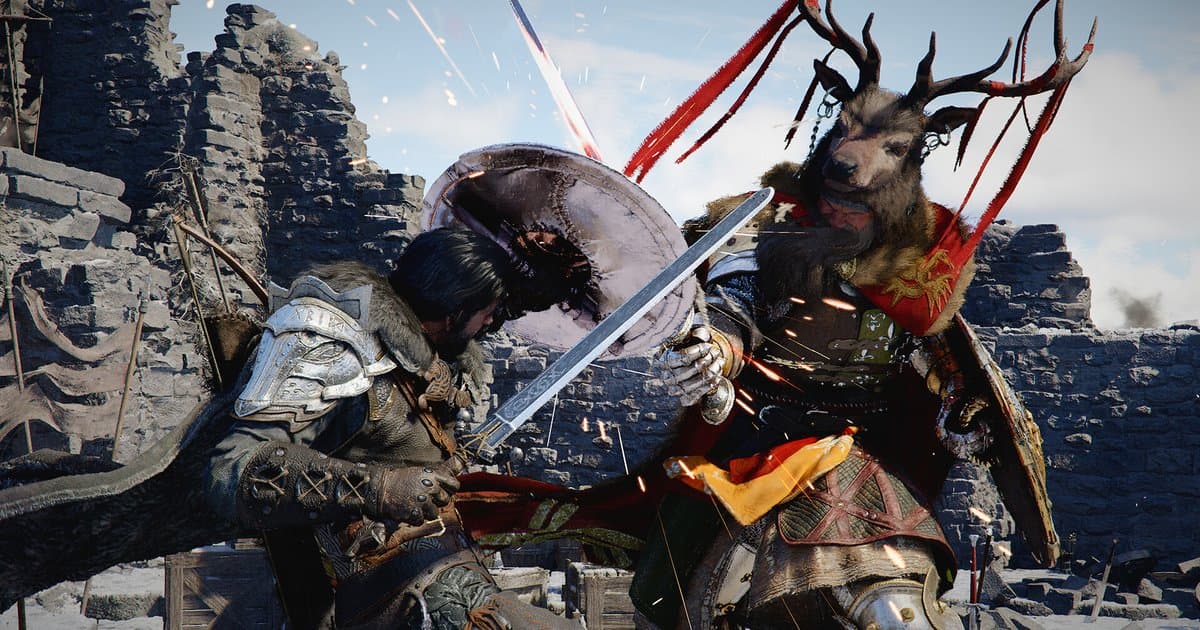
A rematch is not a menu that is open from the start. The official patch notes say a boss's Memory Fragment becomes active only after you defeat that boss, so a boss you have never beaten cannot be rematched. For a boss you have beaten, travel to where you fought it, light your lantern and read the Memory Fragment to start the fight again. Choose the mode by goal. Pick Reminisce if you want to relearn the boss exactly as it was when you first met it. Pick Resonate if your current gear makes the original fight too easy and you want it to feel tense again; Resonate only raises the boss's stats when your progression is higher than the boss's original stats. Do not go in expecting loot. When a rematch ends, every consumable you used is restored, but no separate loot can be obtained, and Pearl Abyss has only said this may change in a future update. That makes rematches a better fit for practice and recording than for farming. If you want to keep the clean kill you practise for, the key is to set up recording before you launch the game. DOR starts recording the moment Crimson Desert launches and saves the last 30 seconds with one press of F8; you can see how it records this game on DOR's Crimson Desert recording page.
How to do a boss rematch and save the kill
- 1Update the game and pick a bossRematches launched with 69 bosses in patch 1.05.00, and patch 1.07.00 (May 15, 2026) added five more. Later patches fixed rematch problems one by one, including an occasional crash during boss rematches and progress reverting to an earlier state after winning a rematch, so update to the latest version first. As of October 16, 2026, the newest patch notes on Steam are for 2.03.02, released September 23. Then pick the boss you want to fight again. Its Memory Fragment is only active if you have beaten it at least once.
- 2Find the Memory Fragment in your JournalMemory Fragments that open a rematch are marked on the World Map and minimap. If you cannot remember where you fought a boss, open Journal > Knowledge > Memory Fragments > Bosses, choose the boss and select Open Map to see exactly where the fight took place. Since 1.07.00, rematches for bosses originally fought in the Abyss take place on land instead, and 1.13.00 moved the Memory Fragments of some rematchable bosses again, so trust the in-game map over locations in older guides.
- 3Light your lantern at that spotWhen you reach the marked spot, light your lantern and read the Memory Fragment to start the rematch. You can attempt a rematch with any character, Kliff, Oongka or Damiane, so taking the same boss on with each character is a good way to learn it from different angles. Since 1.12.00, rematches also work at a stronghold that is undergoing reconstruction.
- 4Pick Reminisce or ResonateReminisce lets you fight the boss exactly as you first encountered it. It suits relearning a pattern that stopped you the first time, or checking how much cleaner your kill is now under the same conditions. In Resonate, the boss's stats scale to match your progression, which only applies when your stats are higher than the boss's original stats. If your current gear melts the Reminisce version in a few hits and you are not learning anything, switch to Resonate.
- 5Practise one pattern at a timeConsumables you use in a rematch are restored when the fight ends, so there is no reason to save food or healing items during practice. Rather than chasing a no-hit run on every attempt, set one small goal per try, such as dodging one specific attack cleanly. Jot down what you changed on each attempt, such as your weapon or your dodge timing, so that when you watch the recording later you can tell which change actually helped.
- 6Set DOR's clip length before you launchDOR records Crimson Desert for the whole time the game is running, and you cannot change clip length, resolution, frame rate or the hotkey while it is recording. Set the clip length (15, 30, 45 or 60 seconds; 30 by default) in DOR under Settings > Highlight > Clip Length before you launch the game. Fifteen to thirty seconds is enough for the finishing blow; 45 to 60 seconds is safer if you want the whole final phase. If the game is already running, there is no need to quit just to change the length; you can cut the part you need from the full recording later.
- 7Press F8 right after the kill and Like the clipWhen you land a clean kill, press F8 on your keyboard right away. The last 30 seconds, or whatever length you set, are saved as a separate clip while the full recording keeps going. F8 is pressed on the keyboard even if you play with a controller. After closing the game, check the clip in My Clips in DOR, and Like (bookmark) any attempt you want to keep right away, or trim and share it. With Automatic File Management on, the full gameplay video from an earlier session can be cleaned up automatically after your next session ends, and any F8 clips from that session you have not Liked go with it.
Boss rematch rules at a glance (checked October 16, 2026, patch 2.03.02)
| Item | What the official patch notes say | What it means for practice and recording |
|---|---|---|
| Unlock condition | A boss's Memory Fragment becomes active after you defeat that boss (1.05.00). | You cannot rematch a boss you have not beaten. Recording your first win gives you something to compare later attempts against. |
| How to start | Light your lantern at the site of a previous boss encounter to read the Memory Fragment and start the rematch. | Find the spot on the World Map, the minimap, or Journal > Knowledge > Memory Fragments > Bosses with Open Map. |
| Reminisce | Fight the boss exactly as you first encountered it. | Same conditions as your first clear, so it suits pattern review and before-and-after comparisons. |
| Resonate | The boss's stats scale to match your progression, only if your stats are higher than the boss's original stats. | Pick it when you want a tense fight with your current gear; a good final step for no-hit practice. |
| Rewards | Consumables used are restored when the battle ends and no separate loot can be obtained. Pearl Abyss notes this may change in future updates. | No patch notes up to 2.03.02 change this. Treat rematches as practice and recording, not farming. |
| Characters | You can attempt a rematch with any character: Kliff, Oongka or Damiane. | Beat the same boss with each character and compare the clips. |
| Boss count and locations | 69 bosses at launch in 1.05.00, five more added in 1.07.00. Rematch spots for Abyss bosses moved to land, and 1.13.00 moved some Memory Fragments again. | If an older guide's location does not match, go by Open Map in the game. |
Before you record your rematch practice
- You have beaten the boss at least once, and the game is updated to the latest version (2.03.02 as of October 16, 2026).
- You checked the rematch spot with Open Map under Journal > Knowledge > Memory Fragments > Bosses.
- DOR's clip length, resolution, frame rate and hotkey were set before launching Crimson Desert (defaults: 1080p at 30 fps, 30-second clips, F8).
- The recording drive has at least 30GB free (below 20GB, DOR will not start recording, or it stops).
- If you want Discord or music out of the recording, you turned off Audio > Record All Sounds so only the game window's sound and your mic are captured.
- You checked that F8 is not bound to anything in Crimson Desert's control settings.
- You are ready to Like any clip worth keeping as soon as you have checked it.
Recording Crimson Desert rematches with DOR: full automatic recording plus the last 30 seconds on F8
DOR is a free Windows PC app. When you launch Crimson Desert (CrimsonDesert.exe), DOR detects it and records everything from launch to exit as one video. On a personal PC this Full gameplay recording is on by default, and you can turn it off or on for Crimson Desert alone under Settings > Game. Press F8 while recording and the last 30 seconds are saved as a separate clip; you can choose 15, 30, 45 or 60 seconds. Because Crimson Desert is being recorded the whole time it runs, change clip length, resolution, frame rate and the hotkey before you launch the game. The default quality is 1080p at 30 fps; 1440p and above or 120 fps and above require Pro. Mic recording and Record All Sounds are on by default, so game audio, your mic and PC sounds such as Discord are mixed into one track. In My Clips you can play a saved clip, use Trim Section to cut it to 16:9, 9:16 or 1:1, or take it out with Export File; exporting with the Original preset copies the file as it is. To put failed and successful attempts into one video, open DOR Studio (dor.gg/studio) in your browser, merge several clips, add text and background music, then download an mp4 or share a dor.gg link. There are limits to know. Crimson Desert is not an event-detection game for DOR, so DOR does not notice boss kills, make clips automatically or pick highlights for you; you save moments with F8 or cut them from the full recording. With Automatic File Management on (30GB by default), older sessions are cleared once full gameplay videos go over their share (5GB by default), so Like the clips you want to keep. DOR warns you when the drive has less than 30GB free and stops recording below 20GB; if you need to free up space, see the game recording low disk space fix guide. If a rematch crashes or bugs out, you can capture that the same way. The crash itself is not caught by F8 but sits at the end of that session's video, so carry on with how to report a Crimson Desert bug with video.