
Crimson Desert AI Game Recording & Highlights
Every hour Kliff of the Greymanes spends crossing Pywel ends up on video. Rewatch the giant boss that took ten tries and the legendary horse you finally tamed.
About the game: Crimson Desert
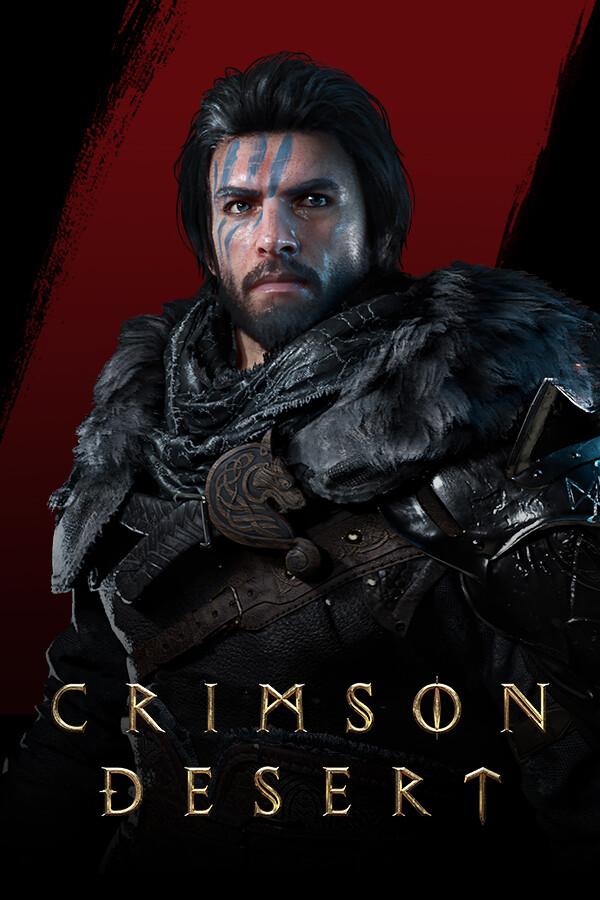
Crimson Desert is an open-world action-adventure set on the continent of Pywel. Join Kliff on his journey to rebuild the Greymane faction and to save the land from a looming threat. From vast wilderness and cities to ruins and the mysterious Abyss, forge your path through battles and discovery.
- Developer
- Pearl Abyss
- Released
- 2026
Recording, editing and sharing Crimson Desert, just leave DOR on
Your whole Pywel journey, recorded
Start Crimson Desert and DOR is recording before you leave the first camp, so wandering off quest into a great view costs you nothing. When you finally read a boss's pattern, save that run as a clip the moment it ends.
More on game recording →- One minute install, no sign up
- No record button, no settings
- Light enough for low end PCs
Install once, DOR handles the rest
Setup takes about a minute and you can start without an account. Launch Crimson Desert and recording just runs, quietly in the background so it never gets in the way of your game.
Your muttered boss notes
AI Voice Notes writes what you say while playing onto the recording timeline. That 'roll right after the grab' you muttered becomes a strategy note you can scroll back to.
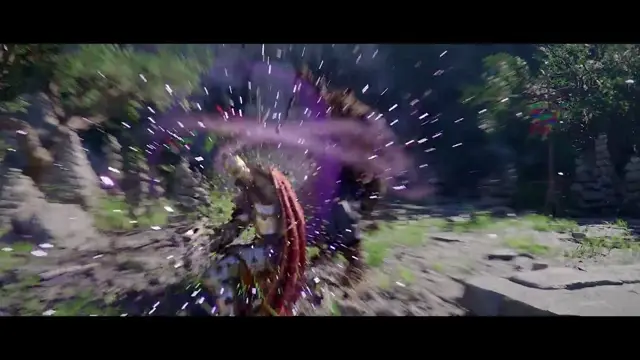
Boss wars and vistas in one cut
Tick a few clips from boss fights, combat and sightseeing, hit AI Highlight, and they come back as one video. Ideal for squeezing a campaign this long into a recap you will actually rewatch.
How highlight clips work →Punch zoom the finisher, score the ride
Open DOR Studio in your browser, punch zoom the frame where the last hit lands on the boss, and lay a calm track under the horseback ride. Export a 16:9 cut for YouTube and a 9:16 one for Shorts from the same edit.
How to trim game clips →Answer boss questions with a link
When a friend asks how you beat a boss, send one link in Discord and they watch your exact fight. Upload it to YouTube, TikTok or Instagram with no watermark, and even marathon sessions record to the end.
Crimson Desert gameplay videos
Your next Crimson Desert session records itself
Installs in a minute, no sign up needed.
Crimson Desert guides
How to record Crimson Desert
Install DOR for free
Setup takes a minute. No sign-up required to start.
Play Crimson Desert
DOR detects the game and records the whole session in the background.
Save the moments you want to keep
Save a clip right after a highlight and the previous 30 seconds are kept. Pick any save key you like in settings.
DOR is a free game recorder optimized for Crimson Desert. It records your whole session automatically from launch to exit and saves the previous 30 seconds of Crimson Desert as a clip whenever you want to keep a moment, with high-quality, low-overhead background capture. No OBS-style setup, just install and launch the game.
Recording more than Crimson Desert? See every supported game and how recording works on the DOR game recorder page.
Keep these moments as clips
Crimson Desert recording specs, settings and troubleshooting
Crimson Desert recording features
Clip the moments you want to keep
Save a clip right after a great play and the previous 30 seconds are kept for you.
Full gameplay recording
Record your whole Crimson Desert session from launch to exit and trim out what you need.
Lag-free background capture
GPU hardware encoding keeps the hit to in-game FPS minimal, stable even on low-spec PCs.
Crimson Desert recording: minimum & recommended specs
| Component | Minimum | Recommended |
|---|---|---|
| OS | Windows 10 (64bit) | Windows 11 (64bit) |
| CPU | Intel Core i5-8400 (8th-gen) / AMD Ryzen 5 2600 | Intel Core i5-12400 (12th-gen) / AMD Ryzen 5 5600+ |
| RAM | 8GB | 16GB |
| GPU | NVIDIA GeForce GTX 1050+ (NVENC) | NVIDIA GeForce GTX 1660 · RTX 2060+ |
| Storage | 5GB free + clip space | SSD, 20GB+ free |
Crimson Desert is GPU-heavy, so the recommended spec keeps both in-game FPS and recording stable.
Recommended Crimson Desert recording settings
| Item | Recommended | Note |
|---|---|---|
| Resolution | 1080p default | 720p selectable, 1440/2160p on Pro |
| Frame rate | 30fps default | 60fps selectable even in big battles |
| Bitrate | Auto | Set from resolution, frame rate and codec |
| File size | ~30MB per clip | For a 30s 1080p clip, higher at 60fps |
* In heavy fights, 720p/30fps mode reduces GPU load further.
Crimson Desert recording troubleshooting
Crimson Desert recording causes lag or FPS drops
DOR uses GPU hardware encoding for low-overhead capture, so the impact is small. If it still struggles, switch to 720p/30fps mode in settings.
Crimson Desert records as a black screen in fullscreen
DOR captures fullscreen, windowed and borderless modes alike, and switches to monitor capture on games that block game capture, so you don't get a black screen.
Will a recorder get my Crimson Desert account banned?
DOR has no cheat features and never modifies game files or your gameplay data, it only captures video. Where anti-cheat blocks the capture hook, DOR switches to monitor capture to record your Crimson Desert session.
Crimson Desert recording FAQ
Can I replay Crimson Desert boss fights?
DOR keeps your whole session, so you can cut out any boss fight and rewatch it, or save just the pattern for later.
Can I record Crimson Desert cutscenes?
Yes. Gameplay and cutscenes record together as one video, so story scenes are there whenever you want them again.
How do I capture a Crimson Desert clipping bug?
Save the glitch as a clip and share a single link on Reddit or in a bug report channel.
Will recording hurt performance in such a demanding game?
DOR is built to record lightly in the background, and you can lower recording quality in settings for extra headroom.
How should I record Crimson Desert for YouTube?
Trim the recording in DOR Studio, add text and music, and export in 16:9. It uploads with no watermark.
Can I clip Crimson Desert boss fights?
Yes. Tap once right after the kill and the moment is saved as a clip.
It's a demanding game, is recording OK?
Low-overhead capture keeps the FPS impact minimal, and you can drop to 720p/30fps mode in settings if needed.
Can I record a whole exploration or story stretch?
Full-match recording keeps long sessions in one piece so you can trim the scenes you want.
Is it free? Is there a watermark?
DOR is free and adds no watermark.
Will it drop frames while playing Crimson Desert?
DOR uses low-overhead background capture, so the impact on in-game FPS is negligible.
What specs do I need?
Windows 10 or later runs DOR on most machines. Low-spec PCs can use 720p/30fps mode.
Can I change the Crimson Desert recording key?
You can remap the clip-save and manual-record keys to any key in DOR settings.
Where are my recorded clips saved?
Clips are organized in the DOR app library and can be shared to the DOR community or via link.
Is there a limit on recording time or clip count?
No time or count limits. Full gameplay recordings are managed inside a 5GB allowance by default, and once it fills up the oldest recordings you have not liked are cleared first. Recording will not start when disk space runs low, so keep at least 30GB free.
Record these with DOR too


Find your other games
 League of LegendsRecording guide
 PUBG: BattlegroundsRecording guide
 OverwatchRecording guide
 Teamfight TacticsRecording guide
 FC OnlineRecording guide
 FortniteRecording guide
 Counter-StrikeRecording guide
 RobloxRecording guide
 MinecraftRecording guide
 Sudden AttackRecording guide
 Apex LegendsRecording guide
 Rainbow Six SiegeRecording guide
Crimson Desert, just leave DOR on
Recording happens on its own, highlights and sharing take one click.