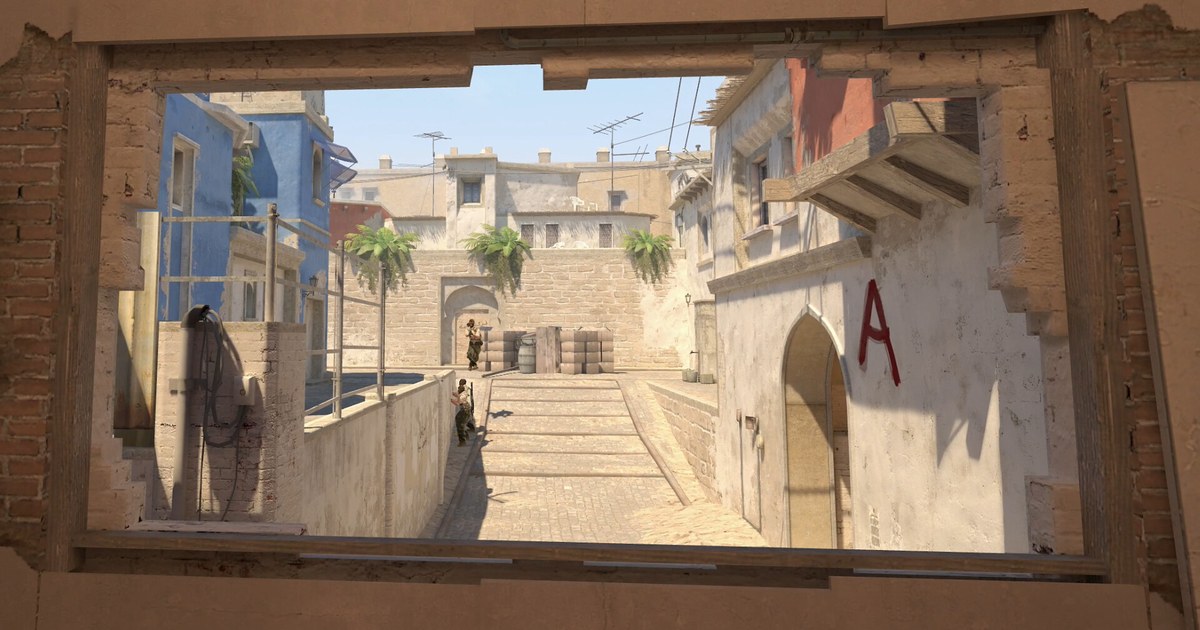

The next Counter-Strike 2 Major is heading to Singapore. PGL Major Singapore 2026 is the second CS2 Major of the year, the first CS2 Major in Southeast Asia, and only the second Counter-Strike Major ever played in Asia after Shanghai in 2024.
The short answer to “when is the CS2 Major” is November 24 to December 13, 2026, with the playoffs on December 10 to 13.
The longer answer depends on which stage your team starts in and where you watch from, because Singapore runs on UTC+8 and the stadium sessions land overnight across the Americas and in the morning in Europe.
This guide sticks to what PGL, the venue and major esports outlets had published as of November 3, 2026: the overall dates, the stage structure, the 32 teams that were locked in on November 2, local start times for the stadium days, and the parts that are still unannounced.
At the end there is a practical section for players. Major weeks are when a lot of people watch a pro map and then queue straight into Premier, which makes it a good time to record your own matches and compare them with what the pros just did.
Bottom line: November 24 to December 13, playoffs December 10 to 13 at the Singapore Indoor Stadium
Mark three dates. Stage 1 opens on November 24, the start date on PGL's official event page, and major esports outlets report the same day. The playoffs begin on Thursday, December 10, when the event moves to the Singapore Indoor Stadium, an arena PGL describes as holding over 12,000 spectators.
The grand final is on Sunday, December 13, and it is a best of five. A third-place decider is played earlier that same day, right before the grand final, and esports outlets have described it as the first third-place decider in Counter-Strike Major history.
The prize pool is US$1.25 million according to the venue's official event page. If you saw November 25 somewhere, that is the start date on the venue page and in some outlet schedules; PGL, which runs the event, uses November 24, so plan around the 24th.
What is not official yet: as of November 3, PGL had not published the dates of each Swiss stage, the match-by-match schedule or the daily start times. The only fixed clock times are the stadium sessions, which the venue lists as 5PM Singapore time on December 10, 11 and 12 and 2PM on December 13. For most of North America that means the playoffs run overnight, so plan on a VOD or an early alarm.
CS2 Major Singapore 2026 at a glance (checked November 3, 2026)
| Part | Dates and format | Local time and teams |
|---|---|---|
| Whole event | November 24 to December 13, 2026, 32 teams, US$1.25 million prize pool (venue page) | Singapore is UTC+8: 13 hours ahead of ET, 16 ahead of PT, 8 ahead of GMT, 3 behind AEDT |
| Stage 1 | Starts with the event on November 24. 16 teams, Swiss format, 8 advance | Starts here: FaZe, Liquid, Ninjas in Pyjamas, HEROIC, 100 Thieves, Lynn Vision, FlyQuest and 9 more |
| Stage 2 | After Stage 1. 8 Stage 1 qualifiers plus 8 invited teams | Starts here: NAVI, G2, Astralis, MIBR, The MongolZ, FUT, Nemiga, 1win |
| Stage 3 | After Stage 2, before the December 10 playoffs. 8 qualifiers plus the 8 highest seeded teams | Starts here: Vitality, MOUZ, Spirit, FURIA, Falcons, Aurora, BetBoom, Legacy |
| Playoffs, December 10 to 12 | Singapore Indoor Stadium. Top 8, single elimination, quarterfinals and semifinals best of three | Venue start 5PM SGT: 4AM ET, 1AM PT, 9AM GMT, 10AM CET, 8PM AEDT |
| Final day, December 13 | Third-place decider, then the grand final (best of five) | Venue start 2PM SGT: 1AM ET, 10PM PT on December 12, 6AM GMT, 7AM CET, 5PM AEDT |
| Not announced yet | Dates of each stage, match-by-match schedule and daily start times for Stages 1 to 3 | Check PGL's official schedule a few days before each stage |
Before the Major starts: quick checklist
- Use November 24 as the start date, the date on PGL's event page as of November 3.
- Note your team's starting stage: Stage 1 teams play from November 24, Stage 3 seeds appear in early December.
- Save the stadium session times for December 10 to 13 in your own time zone.
- Recheck PGL's official schedule a few days before each stage, since stage dates and daily start times were not out as of November 3.
- If CS2 will not start after an update, work through CS2 not launching or crashing before your next match.
How to follow the Major and use it for your own CS2 games
- 1Convert the stadium days to your time zonePut December 10 to 13 in your calendar in local time. On the US East Coast the playoff sessions start at 4AM and the final day starts at 1AM on Sunday, so many fans will catch the grand final as a VOD. In the UK they fall at 9AM and 6AM, and in Australia they land in the late afternoon or evening. These are venue times, so confirm the first match on PGL's schedule.
- 2Find your team's starting stageA Stage 1 team can play from November 24, while the eight Stage 3 seeds only appear in early December. Find your team in the table above and follow that stage's schedule rather than the whole event.
- 3Use the official channels for the bracketMatchups and match times for each stage show up first on PGL's official channels. As of November 3, even the start date differs by a day between PGL's page and the venue's page, so trust PGL's announcement over reposted schedule graphics.
- 4Record your own matches during Major seasonLeave DOR running while you queue Premier or Competitive. It records the whole CS2 match and saves kills, deaths and assists as separate clips, so you never have to remember which round was worth keeping. How it stacks up against other tools is covered in best CS2 clipping software.
- 5Compare one situation with the prosPick one thing you saw in a Major game, such as the order a team throws utility on a retake or where the AWPer holds early in the round, and find the same situation in your own clips. The method is laid out in how to VOD review yourself: one question per session, not the whole match.
- 6Share the round with your teamTrim that round in DOR and send it as a dor.gg link, which teammates can open straight in a phone browser. The full walkthrough is in how to share CS2 clips with friends.
Where DOR fits during Major season
DOR is a free Windows app for recording the games you play. Launch Counter-Strike 2 with DOR running and it detects the game, records the whole match and keeps kills, deaths and assists as separate highlight clips, all collected in My Clips. Free recording covers 720p and 1080p at 30 or 60fps.
You can trim a round in the app in 16:9, 9:16 or 1:1, then combine rounds, add text or BGM and apply effect templates in DOR Studio before exporting an mp4 or sharing a dor.gg link. Watch the pros on PGL's official channels and use DOR for your own Premier and Competitive matches. If you want a regular five-stack to review with, see the CS2 Premier team finder.