
Here is the short answer: Diablo 4 Season 16 most likely starts on Tuesday, December 1 at 10 AM Pacific, which is 1 PM Eastern, 6 PM in the UK, and 3 AM on Wednesday, December 2 in Korea and Japan.
As of November 24, Blizzard has not officially announced the Season 16 date or time, so treat all of this as an expectation, not a confirmation. There are three reasons December 1 is the favorite. Reports say the in game Season 15 timer runs out on December 1.
Season 15 began on September 15, and adding the same 77 days that Season 14 lasted (June 30 to September 15) lands on December 1. And the last two seasons both started on a Tuesday.
The time comes from Season 15 going live around 10 AM Pacific; in December the US is on standard time, so that is 18:00 UTC. This guide gives the regional conversion and the order in which to check for the official post, so you can update your plan as soon as Blizzard publishes the date.
Expected Season 16 start by region (based on December 1, 10:00 PST)
| Region | Local time | Offset from 18:00 UTC |
|---|---|---|
| US West (Los Angeles) | Dec 1, 10:00 AM | 8 hours behind UTC |
| US East (New York) | Dec 1, 1:00 PM | 5 hours behind UTC |
| UK (London) | Dec 1, 6:00 PM | Same as UTC |
| Germany (Berlin) | Dec 1, 7:00 PM | 1 hour ahead of UTC |
| Korea and Japan | Dec 2, 3:00 AM | 9 hours ahead of UTC |
| China and Taiwan | Dec 2, 2:00 AM | 8 hours ahead of UTC |
| Vietnam | Dec 2, 1:00 AM | 7 hours ahead of UTC |
The answer: December 1 at 10 AM Pacific, 3 AM December 2 in Korea
In one line, the expected Season 16 start is December 1 at 10:00 PST, which is 18:00 UTC. Korea and Japan (UTC+9) see December 2 at 03:00, China and Taiwan 02:00, and Vietnam 01:00. This is the Season 15 launch slot carried forward, so three things are worth checking.
First, a few countdown sites use 17:00 UTC, which would mean a 9 AM Pacific start and is likely a daylight time calculation. Second, the date itself could slip to December 8.
Third, a maintenance window may come first on launch day, so the moment you can actually log in may be later than the listed time.
The safest approach is to watch Blizzard's official news on Battle.net and its official X account for the date post, then use the table below to convert it to your local time.
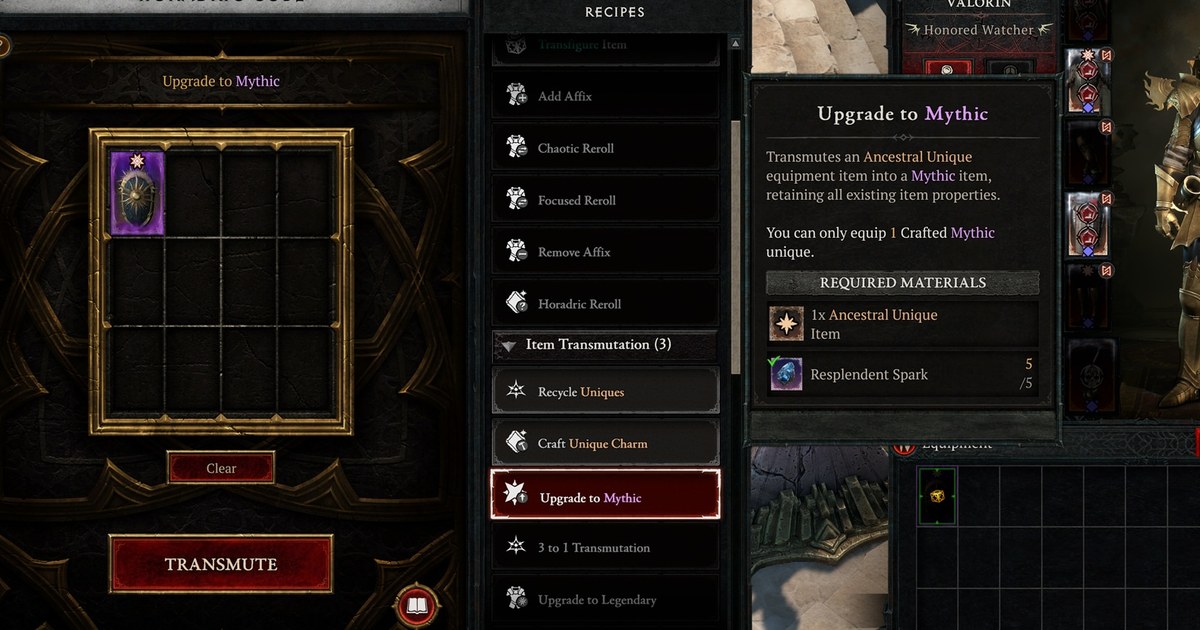
What Season 16 brings was previewed on the 3.3.0 PTR, which ran from October 27 to November 3: a seasonal Tyrael's Boons tree, War Plans Tactics, and Horadric Items are the headline additions.
What to do before the season starts
- 1Check the official post firstLook at Blizzard's official news and its official X account for a Season 16 date and time. If a post exists, it overrides the estimate in this guide. Blizzard has often announced recent season dates only 2 to 6 days ahead, so late November is the most likely window.
- 2Convert it to your local timeIf the post lists Pacific time, start from 18:00 UTC in December (PST) and add or subtract your offset as in the table above. Korea is +9 hours, so it falls in the early hours of December 2. Just remember that after daylight saving time ends there is a one hour shift compared with summer launches.
- 3Check the Battle.net update the day beforeThe day before the season, open the Battle.net launcher and see whether a Diablo 4 update is waiting; if so, download it early. Starting the download at launch time delays your first login by exactly that long.
- 4Expect queues and maintenance at launchOn launch day, maintenance may come first or logins may get crowded. If you cannot get in right at the listed time, check Blizzard's official server status notice.
- 5Have recording ready for the first loginYour first login, first boss, and first Mythic drop of the season cannot be replayed. If recording is ready before you log in, you can trim only the moments you want later. The steps are in how to trim game clips.
Season launch checklist
- Blizzard's official news has a Season 16 date and time post
- The start time for your region is saved as an alarm (Korea: expected 3 AM on December 2)
- The Diablo 4 update is already downloaded in Battle.net
- There is enough free disk space for your recordings
- Friends and teammates know the start time may still change
Keep your first login of the season with DOR
DOR is a free Windows game recording app. When you launch Diablo 4, a supported game, it detects it automatically and records the whole session from launch to exit, and recordings collect in My Clips in the app.
From the login at the end of the countdown to your first character build and your first Mythic drop, one setup keeps all of it. It records without a watermark, and in the app you can trim only the moments you want and export them in 16:9, 9:16, or 1:1.
To combine several moments into one video, use DOR Studio (dor.gg/studio) following how to merge game clips, then export an mp4 or share a dor.gg link. Free recording quality is 720p and 1080p at 30 or 60fps.