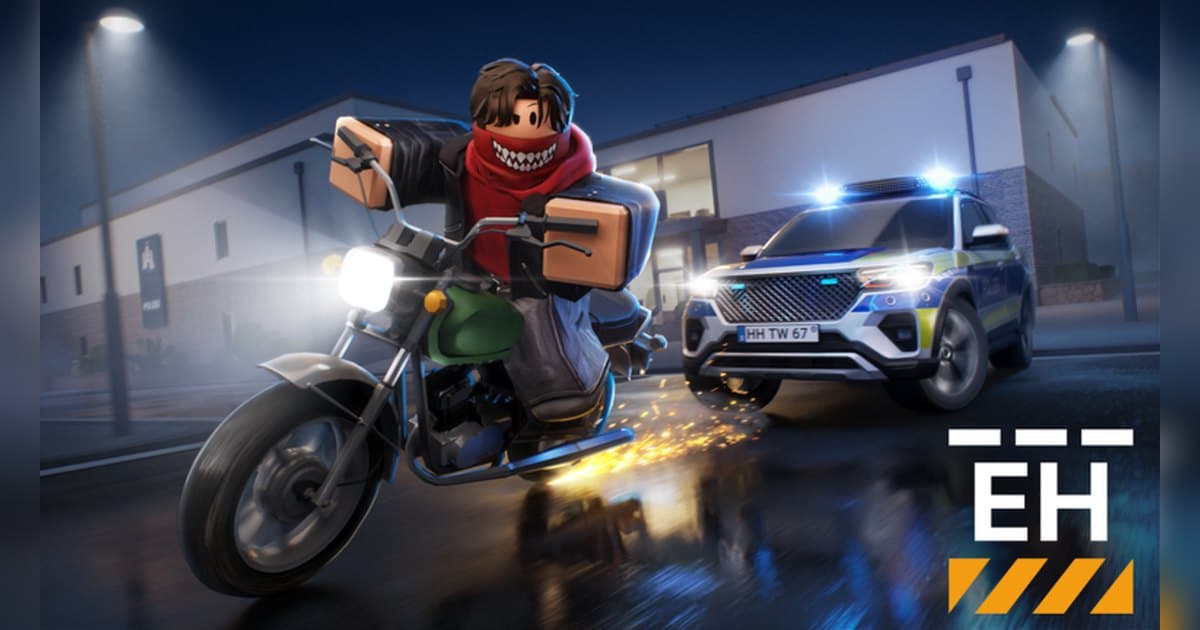
Emergency Hamburg is, in its own words, an emergency services roleplay game set in the German city of Hamburg. On the official Roblox charts for October 20, 2026 it was number one in Top Trending for Germany and fourth for France, while it sat 27th in worldwide Top Trending, so it is clearly a German and European favorite. Its update posts are published in both German, under the name Notruf Hamburg, and English. The experience was created on October 11, 2021. On the same day it showed about 1.45 billion visits, about 1.09 million favorites and roughly 34,000 people playing at that moment, 37th in Top Playing Now. A server holds up to 50 players and the last update was on October 19. The Welcome to Hamburg badge for first time visitors has gone to about 90 million players. It was not in the US top ten, but how much the number one spot varies by country is laid out in popular Roblox games right now. This guide sticks to the official description, badges and event posts. Vehicle tier lists and income math from outside the official page are left out.
The short version: learn the city as a civilian or a callout job first, then follow the badges into other jobs
The official description gives every job a line. Police enforce the law, respond to calls and arrest criminals, and can unlock Traffic Police, Undercover and SEK. Criminals rob the bank, the jeweler and harbor containers, escape the police and get rich. Firefighters put out fires and medics revive downed players. Car mechanics tow broken vehicles and repair traffic lights, truck drivers deliver cargo, and bus drivers run city and rural routes. Civilians explore Hamburg and write their own story. Everyone earns money to buy a dream car and tune it. The badges set the goals. Earning 1,000 experience points as a police officer gives Great Officer, held by about 2 million players; as a firefighter, Life Saver, about 1.83 million; as a truck driver, Truck Veteran, about 590,000; as a car mechanic, Master Mechanic, about 390,000; and as a bus driver, Bus Buddy, about 350,000. Reaching the highest wanted level of five stars gives Career Criminal, about 3.18 million, and having a million euros in the bank gives Millionaire, about 200,000. The update posts show V3.15 on July 10 adding day and night jeweler heists with a security guard and vaults, AI police roadblocks and a reworked radio and incident system, and the V3.16 Community Update on October 17 adding a modular building system to build your own house, a reworked police station, the return of shooting while jumping, new car materials and several new vehicles. As a new player, read the beginner's guide the description points to, and learn the map as a civilian or in a job with clear callouts like firefighter or medic. Chases and callouts never replay, so keep them on video. If you have not recorded Roblox before, start with how to record Roblox gameplay.
Starting Emergency Hamburg: do it in this order
- 1Join Hamburg with the PC version of RobloxOpen the experience in the PC version of Roblox from roblox.com. With DOR installed, recording starts with nothing to press, so your first callout is on video.
- 2Read the beginner's guide and pick a jobThe description tells new players to read its beginner's guide first. While you learn the map, a civilian or a job with clear tasks such as firefighter or medic is the easiest start.
- 3Aim for your first job badge at 1,000 XPPolice, fire, truck, mechanic and bus jobs each have a badge at 1,000 experience points. After your first badge in one job, switching jobs makes the city feel new.
- 4Save up for a car and tune itAs the description says, spend what you earn on a dream car and customize it in the tuning garage. If you need friends for callouts or heists, try the Roblox group finder.
- 5Tour the latest updateV3.16 on October 17 added house building and a reworked police station. A session spent touring what changed right after an update makes a good before and after video later.
Emergency Hamburg moments worth keeping, and what officially backs them
| Moment | What the official sources confirm | How to keep it |
|---|---|---|
| A police and criminal chase | Criminals escape the police and police arrest criminals. | Chases run long, so trim the start and end from the full recording. |
| A night jeweler heist | Day and night jeweler heists arrived in V3.15 in July. | The planning talk is the best part, so keep the mic on the same track. |
| A callout where you put out a fire or saved someone | Firefighters extinguish fires and medics revive downed players. | Press the clip hotkey right after the callout to save it separately. |
| Reaching a five star wanted level | Career Criminal requires the highest wanted level, five stars. | Leave the wanted display on screen a few extra seconds before saving. |
| A tour of the house you built | The modular building system arrived in V3.16 on October 17. | A walk around the finished house cut to 9:16 makes an easy Short. |
Before you join Emergency Hamburg
- You are using the PC version of Roblox from roblox.com.
- You read the beginner's guide the description points to.
- Servers hold 50 players, so you know how your friends will join the same one.
- There is enough free space for long chases and callouts.
- You will ask before posting videos with other players' voices.
Keep every Emergency Hamburg callout and chase with sound using DOR
All you do is launch Roblox. There is no button to press and nothing to set up: DOR, a free Windows PC app, recognizes the PC version of Roblox and starts AI auto recording the moment you join Emergency Hamburg. When you leave to the home screen, that session lands in your library as one mp4. Game audio and your microphone are recorded together on one track, so the radio style back and forth with your friends stays in the file, and AI voice notes log what was said with timestamps so you can jump back to the loudest moments. To keep the chase that just ended on its own, press the clip hotkey and the last 30 seconds are saved as a clip, with 15, 30, 45 or 60 seconds to choose from. Recording defaults to 1080p at 30fps, with 60fps available. Pick the clips you saved and press Create highlight, and the AI highlight joins them into one video; trim any part to 16:9, 9:16 or 1:1 and share it with a single dor.gg link. DOR Studio opens right in your browser for text, background music and effect templates. For a military experience with vehicles and helicopters across large maps, see the Blackhawk Rescue Mission 5 guide.
 #Roblox