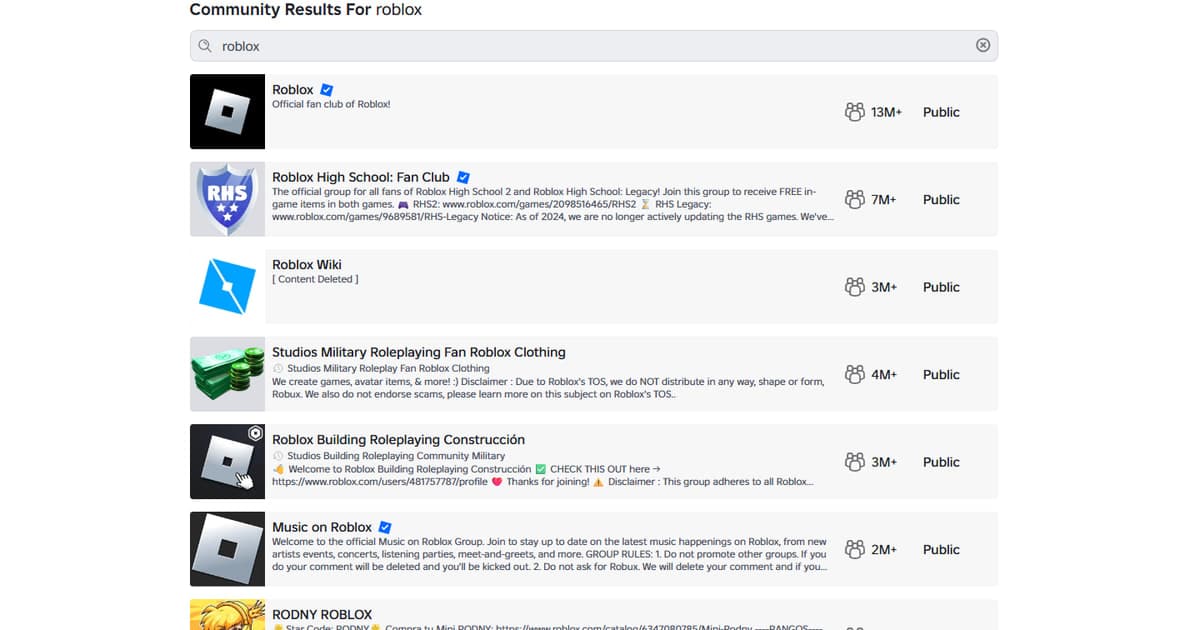
A Roblox group finder should begin with purpose, not member count. A party for one experience, a fan Community, and a creator team for builders, programmers, artists, or testers have different conversations and permissions. Search the target experience and read the description, recent announcements, public or manual approval status, normal activity hours, language, moderators, reporting route, and age or chat rules. A creator opening still does not require a new member to transfer Robux, items, Community ownership, publishing access, or asset-upload permission on day one. No Community needs a legal name, school, home address, phone number, password, one-time code, identity document, or remote device access to approve a normal join request. Minors should keep parental privacy, communication, invitation, and purchase settings enabled and avoid rushed moves into unmoderated off-platform chats.
Separate play groups, fan Communities, and creator teams
Roblox serves many ages, and a “group” may mean a play party, fan Community, or creator team with very different permissions. Limit the trial to one named experience and role; do not approve requests for Robux, item or Community ownership transfers, off-platform chat, or asset-upload privileges, and use parental or official reporting tools when needed. Read what experience the Community covers, its age and content boundaries, main language and active hours, wall or chat rules, approval criteria, moderator list, and reporting route. If it advertises creator work, a portfolio can be a limited sample the owner intentionally published. Group funds, revenue shares, ownership, asset permissions, and publishing access are separate trust decisions, never entrance tickets for a first trial. Limit the visit to one public experience session plus a review of Community rules and permissions; pause when the live activity differs from the description or introduces pressure to trade, install software, or move off-platform.
Checklist before pressing Join Community
- The target experience and play, fan, or creator purpose are clear
- Public or manual approval, language, hours, and recent activity are visible
- Moderators, age and chat rules, reporting, blocking, and leaving are documented
- Approval needs no legal name, school, identity document, password, or code
- Robux, items, ownership, publishing, and upload permission are not entry fees
- The official app or website can complete the join without an external login
- Minors can preserve parental settings and restrict off-platform contact
Roblox Community candidate matrix
| Filter | Check before joining | Verify in the first visit |
|---|---|---|
| Purpose | Named experience, fan space, or creator team | Actual activity matches the description |
| Join flow | Public join or manual approval | Approval asks for no unnecessary personal data |
| Activity | Language, time zone, recent notices, and events | The experience and conversation are still active |
| Safety | Age and chat rules, moderators, reporting | Blocking, reporting, and content moderation work |
| Permissions | Ordinary member versus creator responsibilities | No rushed transfer of funds, ownership, or upload access |
From search results to a safe Community join
- 1Search with an experience and purpose — Combine the experience name with play party, fan Community, or creator team plus the language you need.
- 2Read the description and recent activity — Check approval, notices, event cadence, moderators, age and chat rules, and reporting before sending a request.
- 3Use the official join flow — Join through Communities in the app or website; close external login pages and reject requests for codes, Robux, or items.
- 4Try one public experience — During one public experience session plus a review of Community rules and permissions, observe moderation and rule enforcement without accepting fund, ownership, publishing, or asset permissions.
- 5Continue with minimum permissions — Stay only when activity matches the description and there is no pressure; confirm how to block, report, and leave.
DOR provides public play context, not a trust certificate
DOR does not automatically match Roblox Communities or verify their owners and members. The Roblox page, public clips, and communities are optional context for understanding play style. Use the broader game friends and party finder when looking for people to play with, and the gaming Discord server finder when evaluating links and moderation in an external voice space. A public clip cannot establish identity or safety; use the official join path, a bounded trial, minimum permissions, and your own judgment.
Confirm the current official join flow
The official Roblox information currently explains that Communities can be searched and joined in the app or website, manual-approval requests may require a wait, and abuse reporting is available. Lists, supported versions, featured entries, Community approval, age, and chat features can change, so recheck the official site and client on the day you connect or join. Appearance in an official feature does not certify every server, Community, owner, or member as safe.