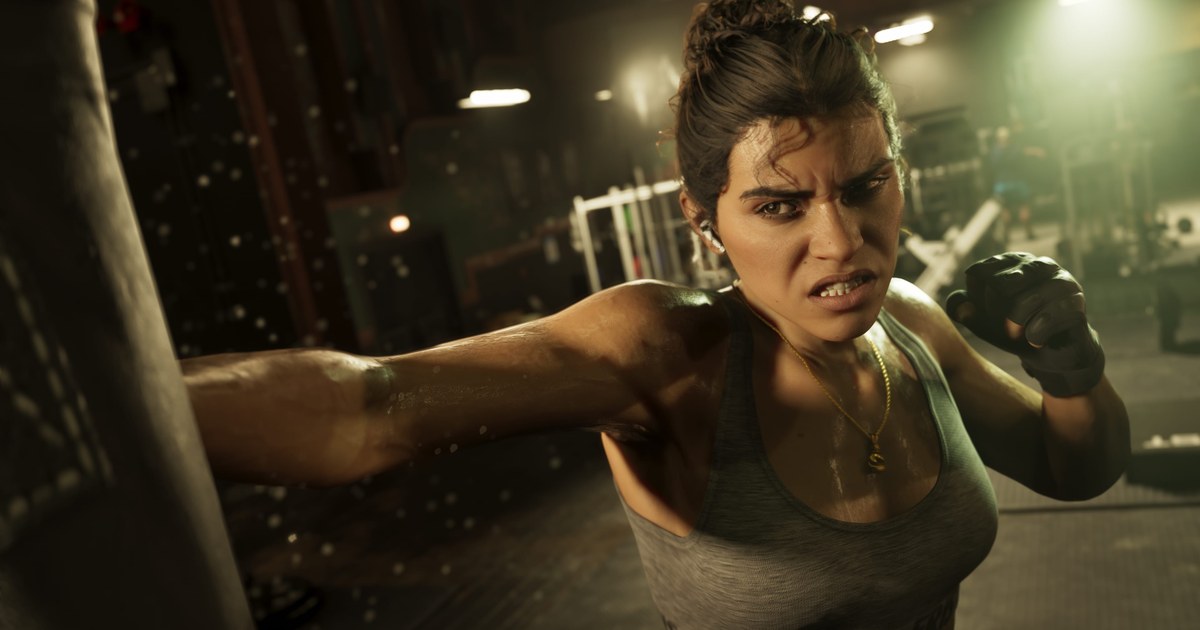
The short answer is that to train in a GTA 6 gym, you talk to the front desk staff on your first visit and buy a membership. You only buy it once, and because Jason and Lucia share it, you never need a second one. After that you can train as often as you like.
Guides do disagree on whether every single gym works the same way, so the safest move is to walk in and check at the desk. This guide covers GTA 6 on PS5 and Xbox Series X|S, which launched on November 19, 2026, and the details are current as of November 24, 2026.
Membership prices vary by gym, so none are listed here. Below you will find which areas have gyms, how to buy the membership, where to work out for free before you spend anything, and the order to follow so each session actually counts.
How the stats rise is covered in a separate guide, so this one stays focused on locations and membership.
Bottom line: free workouts at Jason's house first, then buy a membership at the nearest gym
The fastest route has two steps. First, use the back deck of Jason's house in Key Lento, where you can train strength for free with kettlebells, a bench press, deadlifts, pull-ups and squats. Grab the heavy bag from the shed below the house and mount it under the house, and you have free cardio too.
Once you want treadmills and exercise bikes, head to a gym in Vice City, talk to the front desk and buy the membership. It is shared by Jason and Lucia and lets you train as often as you want. If you cannot decide where to go, pick the closest gym icon on your map. Every gym works the same way: walk up to a machine and press the interaction button.
How to buy the membership and train
- 1Find a gym icon on the mapOpen the map for Vice City or Vice Beach and pick the closest gym icon. If you cannot see one, use the names in the table above to look around nearby streets.
- 2Talk to the front deskOn your first visit, talk to the staff at the front desk and buy the membership. You pay once, and after that you can walk in whenever you like. Jason and Lucia share it.
- 3Pick a machine and interactWalk up to a machine and press the prompt on screen to start. Choose a bench press or squats for strength, or a treadmill or exercise bike for cardio.
- 4Stop at three exercisesFinishing three different exercises completes a workout for the day. You do not need to stay long, you only need to finish those three cleanly.
- 5Train inside the workout windowWork out during the window shown in the Fitness app and finish the whole session. Leaving halfway can mean the workout does not count, so see it through to the end.
GTA 6 gym locations at a glance
| Area | Gym name (as listed in guides) | What to check |
|---|---|---|
| Key Lento | Free workout area behind Jason's house | No membership needed, get the heavy bag from the shed |
| Vice City, Tequesta | Grand Majestic Gym | Buy the membership at the front desk, a good first stop |
| Vice City, Bayside | Dynamix Fitness | Listed by one guide, so confirm the sign |
| Vice City, Downtown | Zenith | Listed by one guide, so confirm the sign |
| Vice Beach, Ocean Beach | Venus Fitness | Treadmills and exercise bikes for cardio |
| Vice Beach | Ajax Gym and others | Exact streets differ between guides, so trust the map icon |
Before you head to the gym
- On your first visit, talk to the front desk and buy the membership
- Buy it only once, since Jason and Lucia share it
- If the cost is a worry, use the free workout area at Jason's house first
- Fetch the heavy bag from the shed below the house and mount it
- Treat three exercises as one set and finish the session
How to make a GTA 6 video
If you want to keep the repair scene or any GTA 6 moment as a video, record it on your console, move it to your PC or phone, and edit it there.
On PS5, press the Create button and choose Save recent gameplay to keep anything from the last 15 seconds up to 1 hour, or Start new recording to capture up to 1 hour.
On Xbox Series X|S, press the Xbox button and then X to save the last 30 seconds, pick a length to keep up to the last 2 minutes, or choose Start recording to record from now.
Copy PS5 videos from the Media Gallery to a USB drive or pull them through the PS App, and view and share Xbox captures in the Xbox mobile app.
Then upload the video to DOR Studio on dor.gg, switch it to vertical 9:16, merge several clips, trim, add text, music and effects such as shake zoom, and export an mp4 or share a link. Your result has no watermark. The full workflow is in how to make a GTA 6 video, the merging steps are in how to merge game clips, and vertical Shorts are covered in how to make vertical gameplay videos.