Short answer: GTA 6 has 11 tattoo shops, and the quickest way to find them is to open the map, choose Style (the T-shirt icon) and then Tattoos. That lists every studio by name, and a counter in the bottom left shows how many you have discovered.
Studios you have uncovered appear as an orange heart icon, so if a heart is missing, that part of the map is probably still under fog.
In GTA 6, which launched on November 19, 2026 for PS5 and Xbox Series X|S, the shops are split across three counties: one in Mariana, eight in Vice-Dale and two in Kelly.
This guide keeps only what the guides agree on as of November 24, 2026, and it stays at county level because no exact street addresses or coordinates were confirmed. Every shop sells a different set of designs, so deciding on a style first saves you the travel time.
Below you will find a table of the shops and their styles, the steps to find them, and a short section on saving your new look as a video.
The answer: pick a style first, then choose from the map's Tattoos list
You do not need to walk into every shop. Open the Tattoos list on the map, find the studio that sells the style you want, and visit the closest one. For an anime look go to Dominion Ink, for lettering try Blood Sugar Tattoo, and for a hand-poked feel try Freedom Tattoo.
Guides describe each shop as selling different designs for Jason and Lucia, and a studio in an area you have not uncovered will not show its icon yet, so explore that region first.
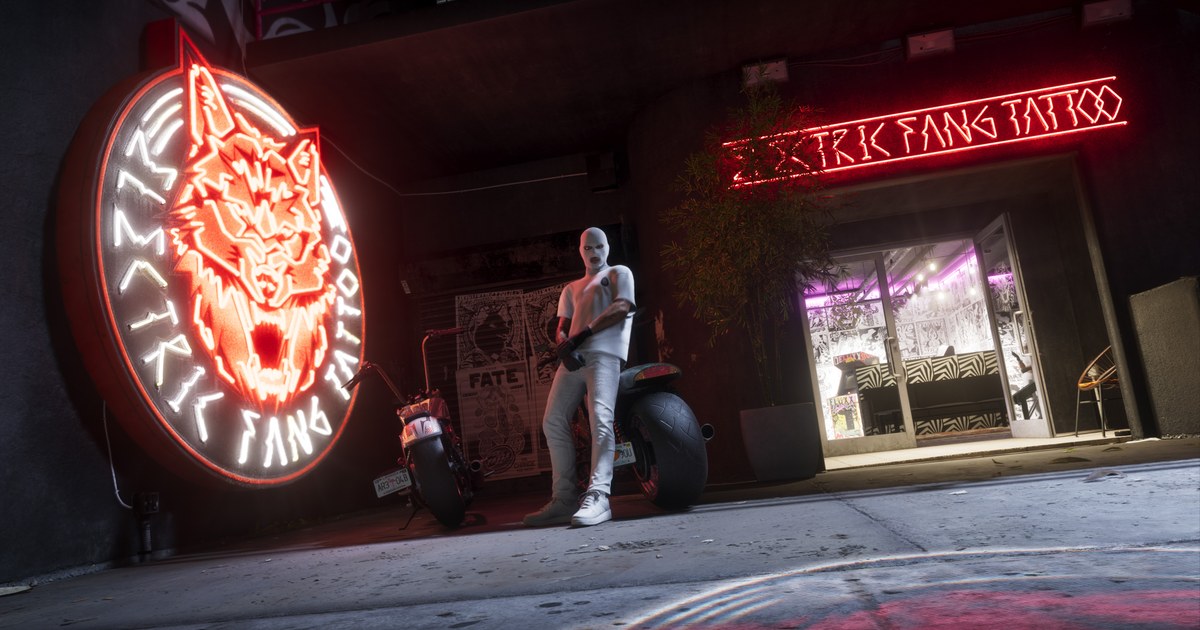
Electric Fang Tattoo is described by several guides as Ultimate Edition exclusive, so it may not appear in the list depending on your edition.
How to find tattoo shops
- 1Open the map and the Style menuOn the map screen, open the Style menu (the T-shirt icon). Other customization options sit there too, so pick Tattoos from the list.
- 2Read the studio names in the Tattoos listChoosing Tattoos lists the studio names. A counter in the bottom left shows how many you have found so far.
- 3Choose a shop that sells your styleUse the table to pick the shop that offers the style you want. Designs differ from shop to shop, so one look may not exist at another studio.
- 4Uncover more of the map if icons are missingThe orange heart icons only appear in areas you have uncovered. If the count is under 11, keep exploring the fogged regions.
- 5Walk in and choose a designEnter the shop and pick a design for Jason or Lucia. Follow the on-screen prompts at each shop for the exact steps.
All 11 GTA 6 tattoo shops at a glance
| County | Shop | Style |
|---|---|---|
| Mariana County | The Inked Mermaid | American Traditional |
| Vice-Dale County | Layin' Ink, Dominion Ink | Black & Gray, Anime |
| Vice-Dale County | Hyper Ink, Cross My Heart | Illustrative, New School |
| Vice-Dale County | Inkomplete Tattoo Co., Twa Ponya Tattoo | Old School, Neo-Traditional |
| Vice-Dale County | Black Spot Tattoo | Geometric & Blackwork |
| Vice-Dale County | Electric Fang Tattoo | New School (some guides: Ultimate Edition exclusive) |
| Kelly County | Blood Sugar Tattoo, Freedom Tattoo | Lettering, Stick & Poke |
Check before you go
- Electric Fang Tattoo is described as edition exclusive in some guides, so check your edition if it is not listed
- Mariana County has just one shop, The Inked Mermaid, so it is an easy first stop
- Vice-Dale County has eight shops, which makes it the best place to compare styles
- Guides differ on the county for Blood Sugar Tattoo and Freedom Tattoo, so confirm in the map list
- If the count is under 11, uncover more fogged areas
How to save your new look as a GTA 6 video
If you want to keep your tattoo look as a video, record it on your console, move it to your PC and edit it there. On PS5, press the Create button and choose Save recent gameplay to keep anything from the last 15 seconds up to 1 hour, or Start new recording to capture up to 1 hour.
On Xbox Series X|S, press the Xbox button and then X to save the last 30 seconds, or pick a length to keep up to the last 2 minutes. Copy PS5 videos from the Media Gallery to a USB drive or pull them through the PS App, and view and share Xbox captures in the Xbox mobile app.
Then upload the video to DOR Studio on dor.gg, switch it to vertical 9:16, merge clips, trim, add text, music and effects such as shake zoom, and export an mp4 or share a link. Your result has no watermark. The full workflow is in how to make a GTA 6 video, merging is covered in how to merge game clips, and vertical Shorts are in how to make vertical gameplay videos.