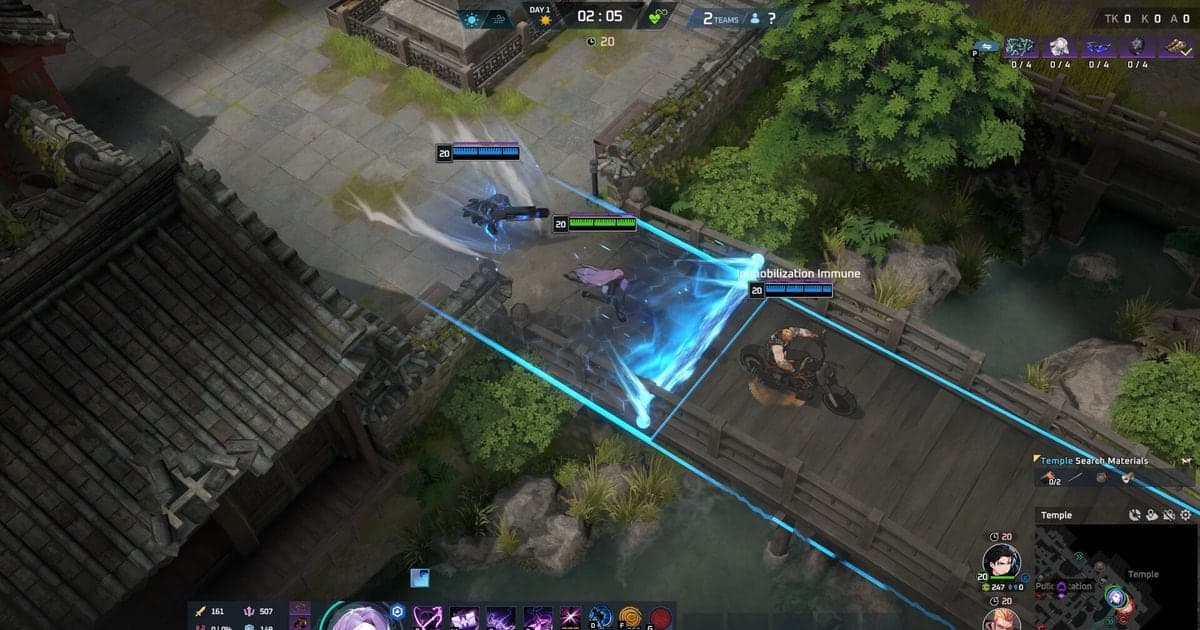
The simplest way to get better at Eternal Return is a loop: choose one thing to fix, watch your own match on video, and check in the next match whether that one choice changed. As of October 2, 2026, the official support center documents Practice Mode, AI Match, Custom Game and Game ID replays as the practice and feedback tools (PC), but it does not say how long replays are kept. This guide uses Ranked Match as its example, where 24 players in teams of three compete on Lumia Island to be the last team standing. If what you want is to turn the in-game replay itself into a video file, start with how to record Eternal Return replays.
Bottom line: one fix at a time
The short version: after watching a match, the thing you fix should be one change you can write as a single sentence. If you change several habits at once, you cannot tell which one made the next match different. Ranked Match has a tier-based entry fee and RP that can go up or down, while the official page says Normal Match only gives XP and A-Coin and no RP. Which one you test a new habit in is your call. If you need teammates to practice with, see Eternal Return ranked team finder.
A six-step routine for reviewing your own match
- 1Record the match in full — If you rely on memory, only the memorable moments survive. Having the whole match on video lets you review everything from the first movement decision to the last fight by the same standard.
- 2Pick exactly one match to review — Choose the match you were least happy with, or one that had a decisive fight. Watching several matches at once blurs your questions, so limit today's review to a single video.
- 3Answer three questions while watching — Use the official scoring terms. First, in which scene was your Survivals placement effectively decided? Second, did an enemy you Downed turn into an Elimination (per the docs, after Day 3 begins, when a target you Downed dies, or when an enemy team is wiped)? Third, if the same situation came back, was there a different choice? Judge the decision at that moment, not the outcome.
- 4Write the one fix as a sentence — Write something you can check next match, such as "check where my teammates are before I enter a fight". A line like "play better" cannot be checked, and you do not need a numeric target.
- 5Repeat the situation in an official practice tool — According to the Japanese and Traditional Chinese docs, Practice Mode lets you set up a dummy plus HP and level, and Custom Game lets you set up a room. AI Match, at Easy, Normal or Hard, is for seeing whether the changed habit feels natural. Confirm the actual options in the game.
- 6Check it in your next match footage — When a similar scene appears in the next recording, look only at whether you carried out the one fix. If yes, move on to the next one; if not, keep the same item for one more match. The standard is whether the choice changed, not whether the result was good.
Official practice and feedback tools vs. recording your own match (checked Oct 2, 2026)
| Tool | What it shows you | Limits and what to verify |
|---|---|---|
| Ranked Match | 24 players in teams of three compete on Lumia Island, and RP can rise or fall with the result. You can see RP changes during play, and scoring is built from Survivals, Eliminations and Downs. | There is an entry fee by tier, and the docs label RP ranges as subject to change, so check the numbers on the official page yourself. |
| Normal Match | You earn only XP and A-Coin, and RP does not change. | The documentation describes only the reward difference and no practice-oriented features. |
| Practice Mode | The Japanese and Traditional Chinese versions of the official doc say you can spawn a dummy, set the character's HP, level and mastery plus map settings, and use items and skills in advance. | The English and Korean versions have only a heading with no description, so confirm the actual screen and options in the game. |
| AI Match | The same doc lists three difficulties (Easy, Normal, Hard) and says you earn XP and A-Coin until Lv.20. | This is based on the Japanese and Traditional Chinese versions, and it does not describe how the AI behaves. |
| Custom Game | The Japanese doc says you create a room and let others in with a room code, with AI settings and banned-character settings available. | Matching the same situation takes other people, and the doc does not list every setting. |
| Replay (Game ID) | You find a numbers-only Game ID on the match result screen or in the match record under Profile, then enter it in the replay feature to watch that match. | Retention period, number of stored replays and viewing limits could not be confirmed in the support center. The replay shortcuts are in a separate support-center page that this guide does not cover. |
| DOR full-match recording | DOR detects a supported game, records the whole match to mp4 automatically, and lets you trim a section and save it from the in-app library. | Eternal Return has no automatic clips and DOR does not mark or analyze moments, so you decide where to look. |
Before you start reviewing
- I picked only one match to review
- I found the moment in the footage where Survivals, Eliminations or Downs diverged
- I wrote the fix as one checkable action
- I chose where to repeat it (Practice Mode, AI Match or Custom Game) and which situation
- For a match that exists only as a replay, I checked its retention in the game
- I am ready to check whether the same type of scene is played differently next match
Keep your own matches on video with DOR
DOR is a free Windows desktop app, and Eternal Return is a game where it records the full match automatically. The whole match is saved as one mp4, so while reviewing you can jump from your first movement decision to the final fight. Automatic highlight clips for kills are not supported in this game, so for the fights you want to revisit, set a start and end in the app library and save that section; the steps are in how to trim game clips. On an NVIDIA graphics card NVENC hardware encoding is the default, and because game audio and your microphone are recorded together, the calls you made out loud mid-fight stay in the footage too.
Official sources (checked Oct 2, 2026)
Everything here reflects what we checked on October 2, 2026, and the official pages say their content can change. For game modes and RP changes see Available Game Modes, for the scoring breakdown (Survivals, Eliminations, Downs) and tier order see Rank System & Tiers, and for Game ID and replay viewing see the Game ID support article, Korean only. The detailed descriptions of Practice Mode and AI Match appear only in the Japanese and Traditional Chinese versions of the modes article, and the current season schedule should be checked on the official season page.