To get better at League of Legends, fix one thing at a time and check your own games to see whether it actually changed. The official tools for that loop are the Practice Tool (which opens at level 9), Match History in the client, and Replays. Replays are limited to your last 20 games on the client, expire once a new patch is live, and show gameplay without chat, so any game you want to compare over time is safer saved as a video file. Downloading and playing a replay file is covered in the League of Legends replay guide; this article focuses on how to use that material to check your own improvement. Everything here is checked as of October 2, 2026, and applies to the PC client. None of these methods guarantees a rank or win-rate gain.
The Short Answer: One Game, One Fix
Rather than binge-watching several games and changing many habits at once, pick one game to review and one fix to make, then repeat that situation until you can tell whether it changed. That is a general learning principle, not something Riot documents. The official tools split the work: the Practice Tool is for repeating a situation, while Match History and Replays are for looking back at a finished game. If you also keep your own video of the game, you can still watch it after a patch changes or the 20-game limit pushes it out, for as long as the file stays on your disk. If you have not set up recording yet, start with how to record League of Legends.
A Six-Step Review Loop for League of Legends
- 1Record the game — Turn on full-match recording such as DOR and play as usual. You do not need to play differently just to review; the finished game only has to exist as a video. Replays are tied to the last 20 games and the patch cycle, so a game you want to compare for a long time is easier to keep as a video.
- 2Pick one game to review — Choose a single game, such as a loss or one with a decisive fight, from the games you just finished. Labeling it from the End of Game screen and Match History makes it easier to find later. Watching many games in one sitting scatters your attention, so go one at a time.
- 3Watch with three questions — Look at choices, not results. First, when you decided to start or avoid the fight, what were your ability cooldowns and health? Second, where were you standing, and what could you tell from the minimap? Third, if the same situation came back, would you make the same choice, and why? A replay has no chat, so fill in what was said from memory.
- 4Write down one fix — Pick one finding and write it as a single sentence, such as 'Next game, I check where the enemy is before I start a fight.' Changing two or three things at once makes it hard to tell what made the difference. If your input method or hotkeys felt awkward, that can be your one fix.
- 5Repeat it in the Practice Tool — At level 9 or above, open the Practice Tool. Used alone, every champion is unlocked, so repeat the fix on the champion you actually play. You can respawn jungle camps and Scuttle Crab, so actions around them can be repeated as often as you like. If you plan to change WASD input or hotkeys, the official FAQ advises setting them in the Practice Tool before a real match. Nothing guarantees that what works in practice carries over to a live game.
- 6Check only that item next game — Record the next game and look at the one thing you chose, using the same question. Judge whether the choice changed rather than whether you won. If it did, move to the next single fix; if not, go back to the Practice Tool and repeat the same item once more.
Official Practice and Feedback Tools in League of Legends
| Tool | What the official docs confirm | Limits (checked October 2, 2026) |
|---|---|---|
| Practice Tool | Opens at level 9. Used solo with only one human player, it unlocks every champion and lets you spawn and respawn jungle camps and Scuttle Crab (Patch 25.21). The multiplayer version supports up to 10 players (Patch 25.S1.1). | It does not open before level 9. Features beyond the ones above were not confirmed in official documents, so none are assumed here. Level requirements can change. |
| Co-op vs. AI | Described as a lower-stress way to learn and grow compared with PvP. | In a developer post dated April 28, 2023, Riot said that for new players, playing more co-op vs. AI games before entering a PvP queue would not improve their chances of winning. It is low-pressure practice, not a win-rate tool. |
| Match History and the End of Game screen | Review past games under Match History in the client, and see results on the End of Game screen when a match finishes. | How many games or how long the client keeps Match History was not confirmed in official documents, so it is not stated here. Check it in your own client. |
| Replays | Download from the button at the top right of the End of Game screen (next to Advanced Details) or from Match History; after downloading, the button becomes Watch Replay. Per the docs, number keys 1-5 or Q-W-E-R-T switch the champion view. | Only the last 20 games on the client are available, and replays expire once you patch up. They show gameplay only, with no in-game chat. |
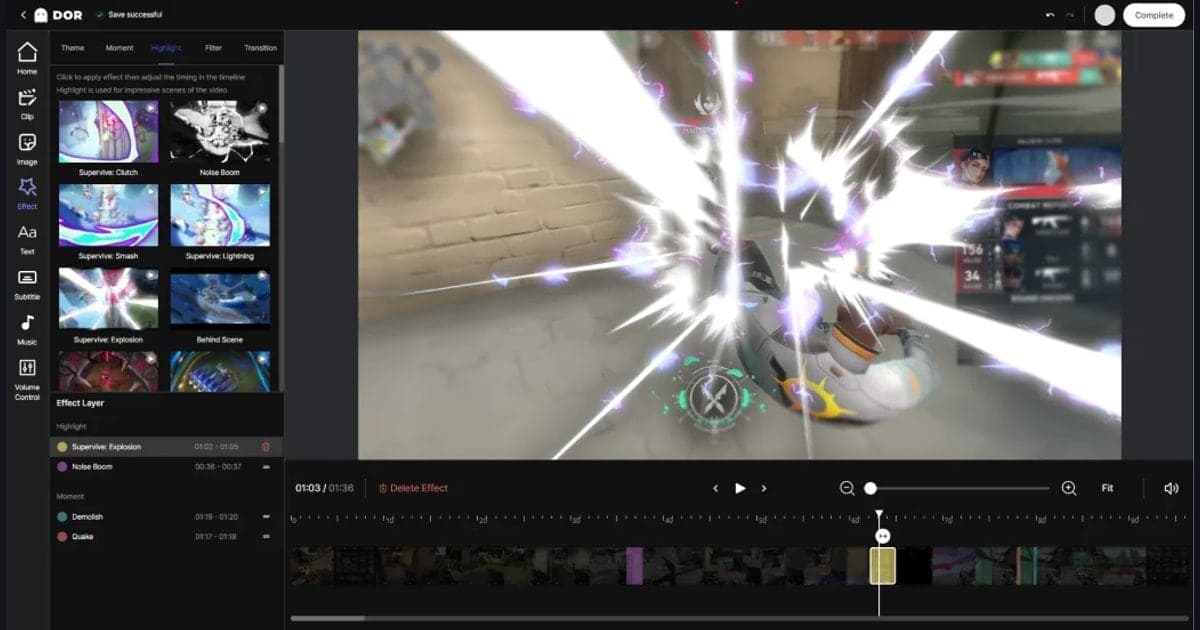
| DOR full-match recording | Detects supported games, saves the full match as mp4, and lets you cut a section in the app library. | It is a recording tool, so you decide where to look. How long you keep files depends on your own storage. |
Pre-Review Checklist
- The game was recorded and saved as a video file.
- If I also plan to use the replay, I downloaded it before a new patch and within the last 20 games.
- I picked only one game to review.
- I decided to look at choices, not win or loss.
- I wrote down my three questions (cooldowns and health, position and minimap information, same choice again or not).
- I wrote the one fix as a single sentence.
- I chose the situation to repeat in the Practice Tool and the item to check next game.
Keeping Your Games as Video With DOR
DOR is a free Windows app that detects League of Legends automatically and records the full match as mp4, and League is one of the supported games where highlight clips such as kills are also saved automatically. What matters for review is that, unlike a replay, you end up with your own video that is not tied to the patch cycle or the 20-game limit. On an NVIDIA graphics card, NVENC hardware encoding is used by default, and game audio and microphone can be recorded at the same time, so a call you made or a decision you muttered during that game can stay with the footage. Once you find the scene to review, the app library lets you set a start and end point and save that section, choose a 16:9, 9:16 or 1:1 output ratio, and share it with a dor.gg link that also plays in a mobile browser. DOR's job stops at keeping the game as video and saving trimmed sections; figuring out which moment was the problem is still your own review. See the DOR League of Legends hub for what is supported, and how to trim game clips for cutting a section.
Official Sources and Check Date
The 20-game limit, patch expiry and controls for replays come from the Riot support article on replays. The level at which the Practice Tool opens comes from the Riot support article on unlocking game modes. Solo Practice Tool champion unlocks and jungle camp spawning come from the Patch 25.21 notes. All of this is as checked on October 2, 2026, and levels, retention limits and features can change. The Patch 25.S1.1 notes (up to 10 players), the keyboard WASD input FAQ and Riot's April 28, 2023 developer post on co-op vs. AI are on the same official Riot sites and can be found by name. The control details in the replay FAQ have no clear publication date, so they may differ from the current client.