When video is present but game sound, microphone, or teammate voice is missing, resetting every option at once makes the cause harder to identify. An Outplayed clip can be silent because audio was never recorded or because an external player is playing only one of several stored tracks.
Compare the options and their failure conditions
| Option | Best fit | Verify before committing |
|---|---|---|
| Audible inside Outplayed | An external player may select a different track | Use a player with explicit audio-track selection |
| Microphone only | Output device, spatial audio, driver, or conflict | Default playback device and Windows Sonic state |
| Game only | Wrong microphone or voice chat in another process | Selected input and game-chat process boundary |
Identify the file and the required outcome first
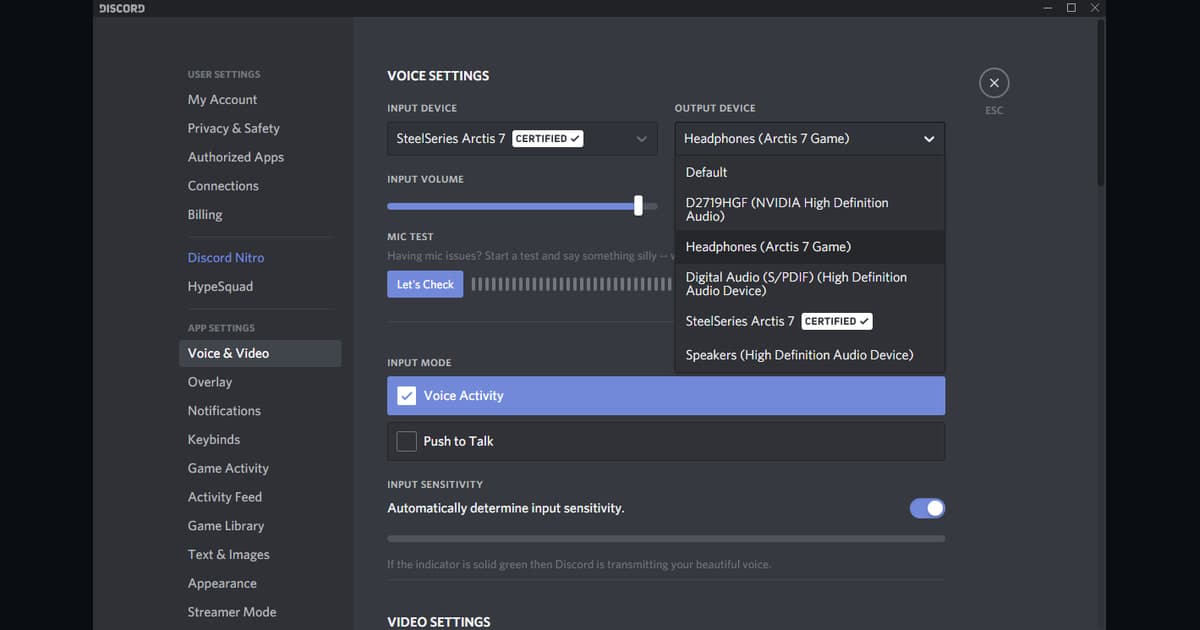
Compare playback inside Outplayed with a multi-track external player first, then verify the selected input and output devices, capture-audio options, and whether voice chat runs in another process. If the required audio track is absent from the source file, a settings change cannot add it retroactively; correct the path and make a new controlled sample.
A source-safe workflow
- 1Preserve the source and baseline — Copy the file and note game and app versions, display mode, audio devices, encoder, destination, and free space.
- 2Create a sixty-second reproduction — Use real-match conditions and include fast movement, game effects, microphone speech, and any required voice path.
- 3Inspect each result separately — In both the original app and an independent player, verify video, every audio source, frame pacing, seeking, and size.
- 4Change only one variable — Adjust one setting directly tied to the observed failure, then repeat the same sample and compare.
Checks after a one-match test
- A backup of the source file and settings exists.
- Current game and application versions are recorded.
- Game audio and microphone were checked separately.
- Output location and free space were verified.
- The sample opens in an independent player.
Test DOR as a separate capture path
This workflow diagnoses Outplayed; it does not claim that DOR repairs Outplayed. Only compare a fresh DOR sample in a supported game when a separate future-capture path is useful. If the audio problem is the last straw, the Outplayed alternatives comparison covers ShadowPlay, OBS, and DOR with or without Overwolf. OBS desktop audio diagnosis, NVIDIA microphone diagnosis, Apex Legends game page. For a supported-game example, see VALORANT auto recording.
Official source and version boundary
Overwolf treats total silence, microphone-only capture, missing Discord voices, unsupported formats, and external-player track selection as distinct cases. Overwolf Common Sound Capture Issues.