People look for an Outplayed alternative for different reasons: they do not want the Overwolf client that the Outplayed installer sets up alongside it, automatic highlights are missing in their game, ads or resource use bother them, or they simply want manual control over audio and storage. This comparison puts Outplayed next to NVIDIA ShadowPlay, OBS Studio, and DOR on automatic highlights, Overwolf dependency, GPU requirements, manual replay saving, audio control, and review time, and it separates the alternatives that run without Overwolf from the ones that do not.
Separate the failed stage from the result you want
Write down which Outplayed mode you actually use—Highlights, Full Match, Full Session, or Manual—and whether Overwolf itself is the problem, then test whether each candidate reproduces that result: ShadowPlay and DOR can replace automatic Highlights only in their own supported games, while OBS replaces only the Manual and Full Session modes. Outplayed, NVIDIA ShadowPlay, and DOR all automate highlights, but each only in its own supported games, so check your main game on each list before switching.
Compare recording approaches, not slogans
| Option | Best fit | Verify before choosing |
|---|---|---|
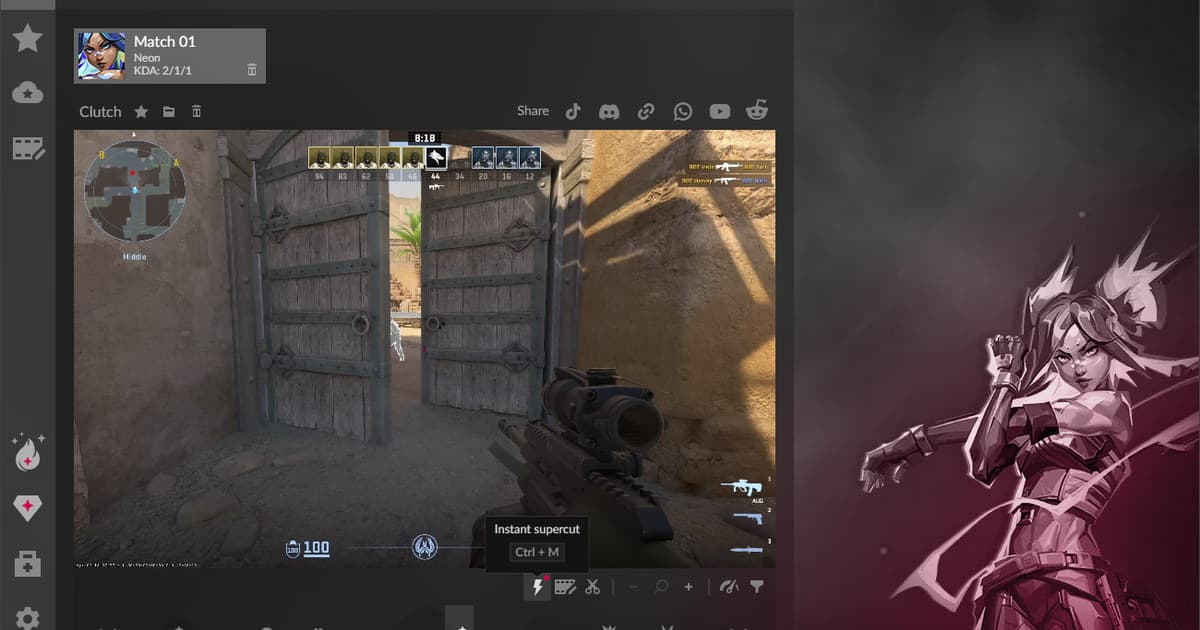
| Outplayed | Automatic event highlights plus Full Match, Full Session, and Manual modes in the games Outplayed has added | Installs the Overwolf client; the free Core plan shows ads; highlights depend on per-game event support |
| OBS Studio | Custom scenes, sources, replay buffer, and audio tracks | Free, open source, and no Overwolf, but fully manual: Settings > Output needs Enable Replay Buffer plus a Save Replay hotkey, and nothing is clipped automatically |
| Built-in game or GPU capture | NVIDIA ShadowPlay in the NVIDIA app: Instant Replay saves recent moments on a hotkey and NVIDIA Highlights auto-saves key moments in integrated games | Needs a GeForce GPU; automatic Highlights only in games with NVIDIA Highlights integration |
| DOR | Free standalone Windows app, not an Overwolf app: auto-detects supported games, records the full match, and clips kills automatically with NVENC by default | Confirm your game is on the DOR supported list, then verify a sixty-second sample for video, game audio, and microphone |
Final checklist before a real match
- Your main games and required event types are on the candidate’s own supported list (Outplayed, NVIDIA Highlights, and DOR each keep a different list)
- You can control whether game, voice chat, and microphone audio are included
- Automatic storage management will not remove clips you intended to keep
- The candidate does not require a component you want to avoid (Overwolf for Outplayed, a GeForce GPU for ShadowPlay), and its overlay and hotkeys do not conflict with another recorder
- Exported files play correctly in your editor and on a phone
A controlled troubleshooting sequence
- 1Choose one required outcome — Select automatic kill clips, a complete match, a full session, or a manual hotkey as the non-negotiable result, and decide whether "no Overwolf" is itself a requirement. If the actual problem is that Outplayed stopped capturing or lost its sound, work through the Outplayed not recording checklist and the Outplayed no audio diagnosis before replacing it.
- 2Record the same scene — Use the same busy sixty-second training segment and keep game audio and microphone conditions equal.
- 3Measure review work — Time how long it takes to find, trim, name, and export one useful moment, then note the final file size.
- 4Watch performance — Compare frame-time spikes, encoder load, and write-disk activity instead of relying only on average FPS.
- 5Keep the decision reversible — Back up the existing library and trial one game before moving the rest of your recording routine.
Use DOR for a future supported-game session
Outplayed Alternatives (2026): vs ShadowPlay, OBS & DOR — With or Without Overwolf: For a separate DOR test in a future supported-game session, use the free game recorder comparison, game-audio troubleshooting guide, and VALORANT game hub.
Recheck the current official documentation
Outplayed documents four capture modes—Highlights, Full Match, Full Session, and Manual—and explains that event availability can change how a session is divided; Overwolf’s own setup and account pages add that downloading Outplayed installs the Overwolf client, that an Overwolf account is required, and that the free Core plan shows ads while Premium removes them. Source: Outplayed official capture guide.