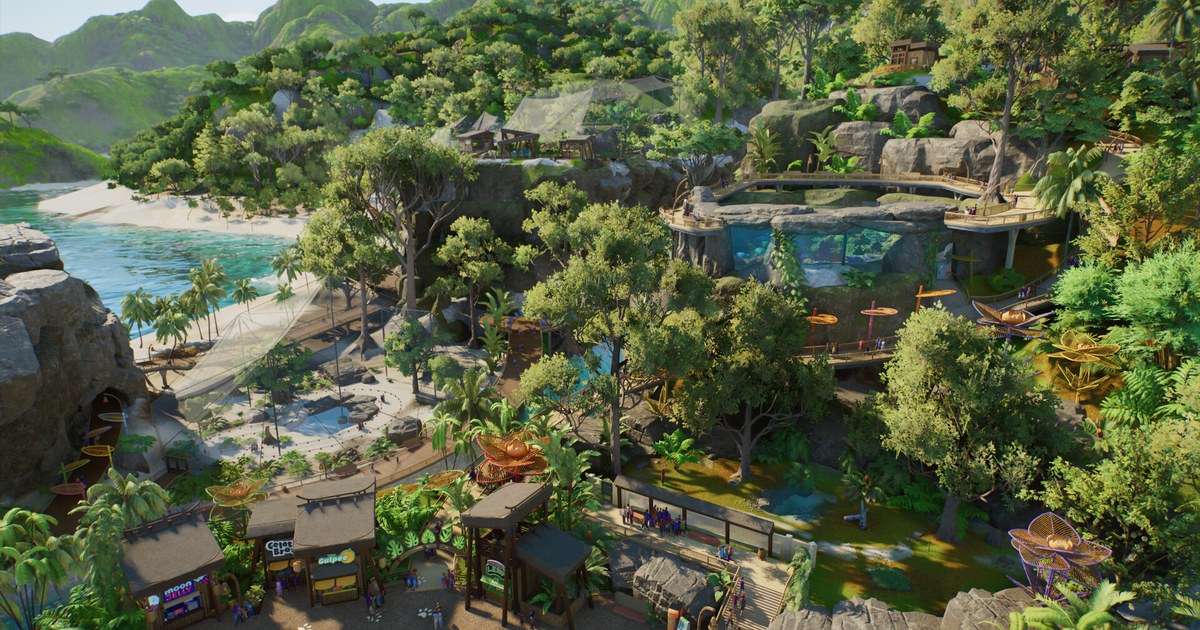
Short answer: in Planet Zoo 2, three things fix early money. Place donation boxes close to your animal exhibits, sell offspring once they are fully grown, and cut losing buildings and spare staff.
This guide is for Career and Franchise, where you have to earn your own cash, and it is current as of November 24, 2026. Frontier Developments released Planet Zoo 2 on October 13, 2026 for PC, PS5, and Xbox Series X|S, and the Steam page lists Career, Franchise, and Sandbox modes.
I kept only the methods that several English guides and community threads agree on, and left out numbers I could not confirm. If you want to film your zoo as you build it, see how to record gameplay for free.
The answer: donation boxes, breeding, then a cost audit
Start with donation boxes. They are cheap to place and need no upkeep, and guests donate after they watch an animal and read its info board, so placement near the exhibit matters. Next comes breeding.
Offspring can be sold through trading once they are adults, which earns cash and keeps your population under control. Third is the cost audit. If you have spare staff or shops running at a loss, income can rise while your balance barely moves.
After those three, put ATMs where guests run out of cash, and run a marketing campaign once you have a popular animal. Several guides recommend this same order, and older Planet Zoo 1 tips may not hold in Planet Zoo 2, so test them in your own zoo.
How to build early cash step by step
- 1Place donation boxes with every new exhibitGuests donate after watching an animal and reading its info board, so the spot next to the exhibit is the right one. Boxes are cheap and need no upkeep, so make it a habit to place one whenever you open a new habitat. Popular animals tend to bring in more.
- 2Breed animals and sell the grown onesOffspring can only be sold once they are adults. Start with species that mature fast and breed often so the cycle turns quickly. Selling extras earns cash and also prevents crowded habitats and inbreeding.
- 3Cut losing buildings and spare staffOpen your finance screen, find shops that run at a loss and buildings on quiet paths, and move or remove them. If you have more staff than you need, reduce it, and try lowering feed quality slightly for low priority animals. Skipping some of the buildings the game suggests also saves early cash.
- 4Add ATMs first, marketing laterGuests carry a fixed amount of money and leave when it runs out. ATMs near food stalls, gift shops, and busy paths let them keep spending. Marketing costs money up front, so run it once you have a featured animal and happy guests.
- 5Record the finished zooWhen the zoo is settled, record a tour of it. The steps for joining short clips are in how to merge game clips.
Early game income methods at a glance
| Method | When to use it | How to do it |
|---|---|---|
| Donation boxes | As soon as animals arrive | Place them near the exhibit info boards, starting with the most popular animals |
| Breed and sell | When offspring are adults | Pick species that mature fast and breed often, then sell the extras |
| Cost audit | Income is up but cash is not | Cut spare staff, shops that lose money, and buildings on quiet paths |
| ATMs | Guests leave because they ran out of cash | Put them near food stalls, gift shops, and busy paths |
| Marketing campaign | After a popular animal appears | The cost comes first, so build it around one featured animal |
| Feed quality | When losses continue | Lower it slightly for low priority animals and watch their condition |
What to check when money runs short
- Every new exhibit has a donation box near its info board
- You have grown animals that you can sell as extras
- No shop or building is running at a loss on the finance screen
- Your staff count is not too high for the size of the zoo
- There is an ATM on the paths where guests gather
Record your finished zoo tour with DOR
DOR is a free Windows game recording app. When you launch a supported game, it detects it automatically and records the whole match, and recordings collect in My Clips.
Screens that are not games and games outside the supported list can be captured with screen recording, so you can still film a tour of your finished zoo.
In the app you can trim a section and save it in 16:9, 9:16, or 1:1, then in DOR Studio (dor.gg/studio) join several videos, add text and BGM, and export an mp4 or share a dor.gg link. Recordings, edits, and exports carry no watermark. Free recording quality covers 720p and 1080p at 30 or 60 fps, with 1080p at 30 fps as the default.