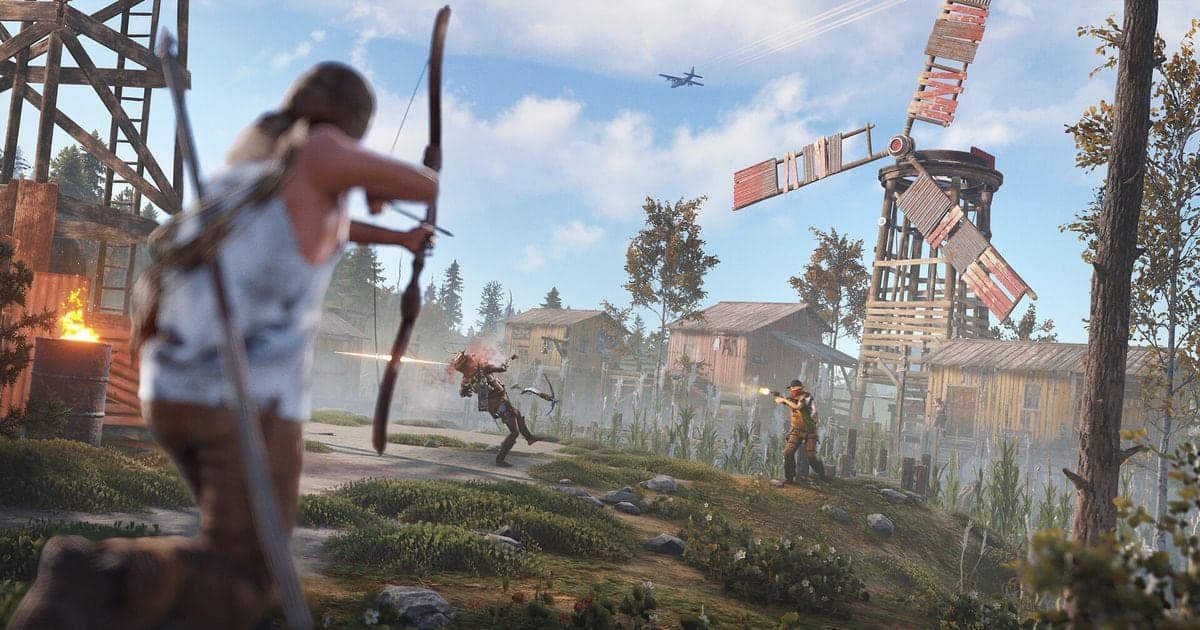
For Rust on PC, the three biggest FPS items that official documents back are these: lower the visual options under Options > Graphics one at a time, drop your mouse polling rate below 1000Hz, and keep the game on an SSD with the Windows pagefile left on automatic. Facepunch has no single 'best settings' page and no recommended value for any individual option, so this guide, checked on October 6, 2026, covers only what patch notes and support articles actually state. If your frames drop only while recording, start with fixing FPS drops while recording games; this guide stays on in-game and Windows settings.
The short verdict: change one thing, compare in the same spot
The order is: compare your PC with the Steam requirements, sort out the SSD, pagefile and power mode, adjust the graphics options, check the mouse polling rate, run the repair steps, then read the F8 overlay. None of these comes with an official promise of a specific FPS gain. NVIDIA's 2021 claim of up to 50% more frames with DLSS at 4K was a statement about GeForce RTX cards at the time, not a number to expect from Rust today. Change one thing, then compare in the same spot. If you want to know how much a recorder itself adds to GPU load, reducing GPU load while recording covers that separately.
Order to apply: easiest to undo first
- 1Compare your PC with the Steam requirements and save dxdiag info — Checked on October 6, 2026, the Steam store lists minimums of Windows 11 64-bit, 12 GB RAM, a GTX 1060, RX 470 or Arc A580-class GPU and DirectX 11, and recommended values of 16 GB RAM, an RTX 3060, RX 6600XT or Arc B580-class GPU and DirectX 12. Install size is 45 GB. Steam says an SSD is highly recommended at the minimum tier and lists it as required at the recommended tier. Press Windows key + R, type dxdiag, press OK and choose 'Save All Information...' to create the spec file described in Facepunch's support article; it contains no private data.
- 2Sort out the SSD, the pagefile and the Windows power mode — Facepunch says Rust performs better on an SSD. Press the Windows key, search for 'Advanced System Settings', open 'View advanced system settings', then go to the Advanced tab, Performance 'Settings', the Advanced tab again and Virtual Memory 'Change'. Make sure 'Automatically manage paging file size for all drives' is ticked, press OK and restart if you changed anything. Following Microsoft's performance tips, also set Settings > System > Power & battery > Power mode to 'Best performance' and turn off startup apps you do not need in Task Manager. Windows 11 has an 'Optimizations for windowed games' switch too, but Facepunch never says it helps Rust, so this guide does not ask you to change it.
- 3Change Options > Graphics one entry at a time — The 2025 Recap update (January 1, 2026) overhauled the graphics settings, added a DLAA option and reduced blur and artifacts in TAA. Names and positions may differ from older guides, so beyond what patch notes name, this guide lists no current option names or values. Shadow Mask was removed in the Naval Update (February 5, 2026), so any guide still listing it is out of date. After each change, compare frames in the same spot. With an NVIDIA RTX card and the latest driver, DLSS is a candidate; Power Trip (August 6, 2026) notes slightly improved performance when switching between anti-aliasing modes. Reflex returned to the settings menu in June 2026, but no official text calls it an FPS option, so it is not counted here. Common Ground (July 2, 2026) added an experimental shadow caching mode, but its menu location is not stated, so this guide does not tell you to toggle it.
- 4Check the two items that changed in recent updates — The Built Different update of June 4, 2026 moved Rust to Unity 6, changed how mouse input is processed, and listed as a known issue that mice with a polling rate of 1000Hz or more can cause CPU overhead and frame drops. Lowering the rate below 1000Hz in the mouse maker's software is the stated workaround; that is as of the June post, so check the latest patch notes for a fix. The Livestock Update of October 1, 2026 moved Rust to the new 'Rust Render Pipeline' and expects slightly better performance in most areas. If you see graphical or performance problems, a setting under the experimental tab can switch back, but Facepunch says it will exist only for the first month and hopes to remove it after the next patch, and it does not give the setting's name. As of October 6, the first month has not ended.
- 5If it still feels wrong, go file check, beta branch, fresh install — Close Rust, then in Steam, right-click the game in Library > Properties... > Installed Files > Verify integrity of game files. It takes several minutes, some files failing to verify is normal if they are local config files, and Steam says not to run it during defragmenting or virus scanning. If frames drop only while holding a weapon, open the Game Versions & Betas tab of the same Properties window and pick 'GPU Skinning test' if it is listed; it may not be, and you can opt out again if launching goes wrong. The last resort, a fresh install, deletes the whole Rust folder and reinstalls from Steam, which differs from a normal uninstall that leaves files behind. The default path is C:\Program Files (x86)\Steam\steamapps\common\Rust.
- 6Read the F8 overlay to see whether the CPU or the GPU is stuck — The Livestock Update of October 1, 2026 added detailed frame timing information to the F8 performance overlay to help identify CPU and GPU bottlenecks. Official text does not explain every displayed field, so this guide gives the purpose rather than a reading of each number. The overlay is a diagnostic for your own PC; high ping or being pulled back is a server or network matter and out of scope here. Knowing which side is stuck makes it easier to decide whether to revisit a GPU-side step such as the graphics options or a CPU-side step such as the polling rate.
Item by item: what it does, which way to move it, and the source
| Item | What it does and which way to adjust | Official source |
|---|---|---|
| Options > Graphics (DLSS, DLAA, TAA) | Sets image quality and the anti-aliasing method. If frames are short, move quality down, one entry at a time. DLSS needs an NVIDIA RTX graphics card and the latest driver. | Facepunch's 2021 DLSS post, 2025 Recap (2026-01-01), Power Trip (2026-08-06) |
| Mouse polling rate | Mice at 1000Hz or higher are described as causing CPU overhead and frame drops. Lower the rate below 1000Hz in the mouse maker's software. | Built Different update (2026-06-04) |
| Install drive and pagefile | Install on an SSD and let Windows manage the pagefile automatically. A pagefile set very low can cause performance issues. | Facepunch 'Managing your Virtual Memory Pagefile', Steam requirements note |
| File integrity check and fresh install | Repairs missing or damaged files. If symptoms remain, delete the whole Rust folder and reinstall. | Steam Support 'Verify Integrity of Game Files', Facepunch 'Performing a fresh install' |
| GPU Skinning test beta | A beta branch for unexplained frame drops while holding a weapon. Pick it only if it is listed, and opt out if launch problems appear. | Facepunch 'GPU Skinning Test' (undated) |
| Windows power mode and startup apps | Set the power mode to Best performance and cut startup and background apps. | Microsoft 'Tips to improve PC performance in Windows' |
Checklist after you apply it
- Saved dxdiag info and compared it with the Steam requirements
- Rust is installed on an SSD and the pagefile is on automatic management
- Changed graphics options one at a time and compared in the same spot
- Tried a mouse polling rate below 1000Hz and checked the latest patch notes for a fix
- If you use in-game voice, confirmed the right input device is selected and that software like RTX Voice or Voicemeeter is not in the way
- Ran the integrity check once, and tried the GPU Skinning test beta and a fresh install only when needed
- Looked at the F8 overlay once to see whether the CPU or the GPU is the limit
What to know when you record Rust sessions
DOR is a free Windows recording app, and Rust is listed as a supported game on the Rust game hub. For Rust it saves full-match automatic recordings as mp4, and it does not make automatic highlight clips such as kills. While you are tuning frames, finish the steps above with recording off, then switch it on and compare in the same spot again. Recording adds some load to a PC, how much depends on the PC, so this guide promises no FPS numbers and DOR does not raise your FPS. On an NVIDIA graphics card, NVENC hardware encoding is the default, and how that differs from x264 software encoding is covered in NVENC versus x264. Game sound and your microphone are recorded together.
Official sources and how this was checked
Every value was checked on October 6, 2026 and can change with later patches. Requirements come from the Rust store page on Steam, the Render Pipeline and F8 overlay from Facepunch's Livestock news post, and the mouse polling rate from Facepunch's Built Different news post. The pagefile, GPU Skinning test and fresh install articles open when you search their titles on support.facepunchstudios.com. The Steam integrity check follows 'Verify Integrity of Game Files' on help.steampowered.com, and the Windows items follow Microsoft Support's 'Tips to improve PC performance in Windows'. Check the latest update post on rust.facepunch.com/news for the latest changes.