A TFT VOD review works best when your own game is saved as a video file. The official TFT site and Riot support articles do not describe an in-game replay feature for TFT (checked October 2, 2026), so this guide skips the question of whether one exists and walks through reviewing from footage you record yourself. If you have not set up recording yet, start with how to record TFT games. Everything here assumes a Windows PC. TFT can also be played on mobile, but DOR is a Windows desktop app, so mobile games are out of scope.
Bottom line: all you need is the video
The short version: all a review needs is the video of that game. Instead of rewatching a whole game from start to finish, pick one game per sitting and focus on just a few moments where your decisions diverged. A TFT game is long, so watching all of it tends to dilute your attention. Once you have picked the moments, trim them so they are quick to find next time. The basics of cutting are covered in how to trim game clips. This guide promises no particular result from reviewing and only lays out a routine.
Run a review step by step
- 1Get the game saved as video — On a Windows PC, playing TFT with DOR records the full match automatically. A game can only be reviewed if it was being recorded from before it started, so after an important game, open the DOR library and check that the video was saved.
- 2Pick which game to review — You cannot review every game, so start with losses, games that ended lower than you expected, and games where your health dropped sharply. A win that felt lucky is a candidate too. Double Up is a two-player co-op mode where partners share a health pool (per Riot support), so review it separately from standard ranked games to keep comparisons fair.
- 3Skim once and mark moments — On the first pass, do not stop; just skim and note the points where a decision could have gone either way. Rather than relying on round numbers, remember scenes: right after the Carousel, a round where your health dropped a lot, or just before a level-up or reroll decision. Keep your notes in whatever way you normally do.
- 4Rewatch with review questions — Slow down only on the marked moments and apply the checklist questions below one at a time. Focus on the decision and its reason in that moment, not just the outcome. If your answer is that you do not know, that moment is a candidate to fix next time.
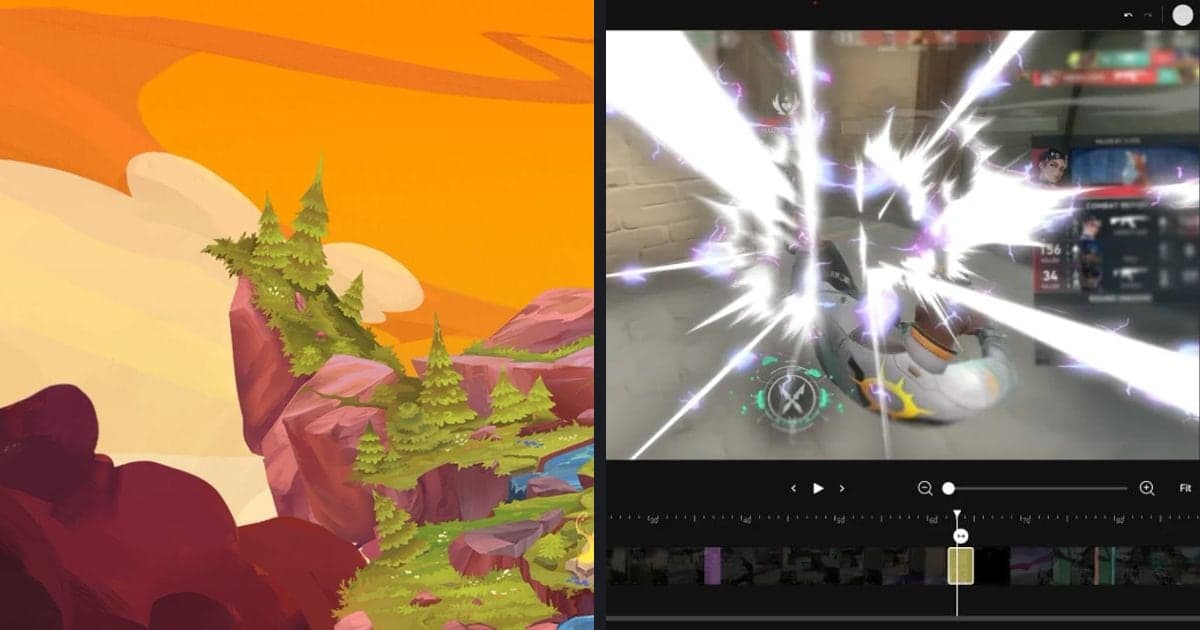
- 5Trim and save the moments — Once a moment is sorted out, use the trim tool in the DOR app library to set its start and end and save it separately. Pick 16:9, 9:16, or 1:1 for the output, and share a dor.gg link if you want to watch on a mobile browser. As trimmed moments pile up, you can compare them side by side to see whether the same mistake repeats.
Review methods compared
| Method | What we confirmed | Pros and cons |
|---|---|---|
| In-game replay | The official TFT site and the Riot support TFT articles do not describe a TFT replay feature (checked October 2, 2026). The LoL replay article covers LoL only, so it is not applied to TFT. | We cannot say whether one exists, so do not build your review plan on it. Retention and limits for TFT are not documented either. |
| Footage you record yourself (any recording program) | The whole game stays on your PC as a file. | You can rewatch any moment, but if you forget to start recording that game is gone, and you manage settings and disk space yourself. |
| DOR full-match auto-recording | Records TFT full matches automatically on Windows PC and saves them as mp4. TFT does not get automatic highlight clips. | You do not have to remember to start recording, but you still choose the moments to review yourself. |
| DOR library trim tool | Set a start and end, save the cut, and choose 16:9, 9:16, or 1:1 output. You can also share it through a dor.gg link. | Lets you collect only the moments you want, but deciding where to cut is up to you. |
Review questions to ask
- What decision did you make in the rounds before your health dropped sharply?
- Did you choose to level up or reroll, and can you explain why in words?
- How did your Carousel choice connect to the rest of your board?
- If you changed positioning, why, and did the result match your intent?
- Was there a moment when you had time to scout opponents and respond but did not?
- In a Double Up game, did your choice account for sharing health with your partner? Skip this one in standard ranked games.
Keeping your TFT games with DOR
As the TFT game page shows, DOR supports TFT with full-match auto-recording, and it does not make automatic clips such as kill highlights for TFT. If your PC has an NVIDIA graphics card, NVENC hardware encoding is the default, so TFT rounds are encoded by the GPU. Game audio and your microphone are recorded together, so talking through the reasons for your choices as you play makes it easier to recall your intent during review. For recording long games without stutter, continue with how to record long gameplay without stutter.
Official sources (checked October 2, 2026)
We looked for TFT replay or rewatch descriptions on the official TFT site and in the Riot support TFT articles and found none on either. Partners sharing health in Double Up comes from the TFT Double Up article. Official pages can change with updates, so check them again before settling on a review routine.