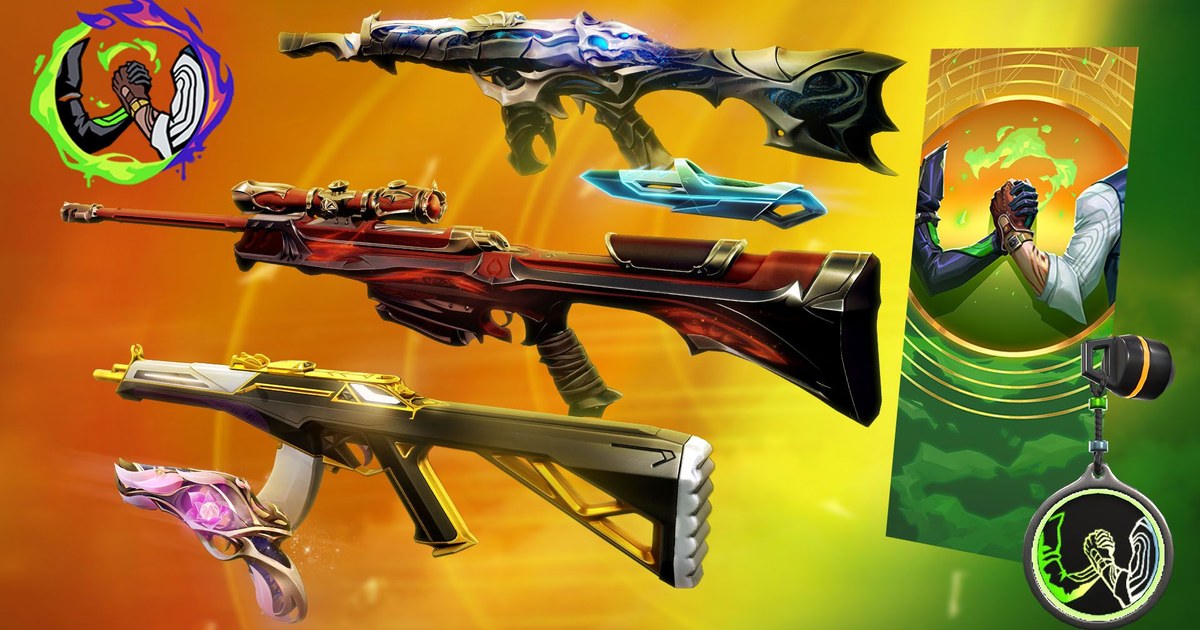
Gifting arrived in VALORANT with Patch 10.08 at the end of April 2025. Before that, the closest thing was dropping a weapon for a teammate during a match; now you can buy a friend a Featured Store bundle they keep for good.
The catch is that the Gift button comes with eligibility rules, and plenty of players run into a friend who shows as ineligible on their first try. This guide works from Riot's Player Support page on gifting.
You will find every requirement in one table along with what to check when it blocks you, the exact clicks from the Store to the Purchase button, how accept, reject and the 60 day window work, and a word on third party gifting services.
If you also want to gift in League, the rules and menus are different, so use the League of Legends gifting guide for that. Everything about recording and clipping the game itself lives on the VALORANT page.
Why a friend shows as ineligible: every VALORANT gifting requirement
| Requirement | Riot's rule | What to check when it blocks you |
|---|---|---|
| Sender level | The gifter's account must be level 15 or higher | This is about your account, not your friend's, and rank is not part of it. Below 15, keep playing matches until your account level gets there. |
| Time as friends | You must have been friends for at least one week | If you only added each other a few days ago, wait out the full week and try again. Not friends yet? Start with how to add friends in VALORANT and League. |
| Account standing | Neither player can be serving a long or permanent ban | If either side has a long penalty, the gift will not go through, and only that person can tell you whether it applies. |
| Shard | Both players must be on the same shard (NA, LATAM, BR, EU, KR or AP) | A friend in Canada and one in the US share the NA shard, so that works; an EU account and an NA account cannot gift each other. |
| Country limits | Philippines, Indonesia, Thailand and Vietnam can only gift among those four; Turkey, Russia, Ukraine, Iran and Egypt only within each country | These go by real location, not shard, so a player in Japan cannot gift a friend in the Philippines even though both are on AP. |
| Already owned | You cannot send content the recipient already owns | For a bundle, the price drops to cover only the items they are missing, but a single skin they already have cannot be gifted. |
| Daily cap | Up to 10 gifts per day | Gifting a whole squad at once can hit this, so send the rest tomorrow. |
| Giftable items | Featured Store bundles, single items inside them, and Esports bundles as a whole | Other content is not giftable yet, though Riot says it plans to add more options. |
After you send it: accept, reject, 60 days and refunds
Once the gift is sent, the next move is your friend's. The next time they log in to VALORANT they are prompted to accept or reject it. Accepting puts the gear in their collection right away; rejecting refunds the purchase to your account, and so does leaving it untouched for 60 days.
Riot does not show the sender whether a gift was accepted, so the quickest way to find out is to ask. Accepted bundle gifts cannot be refunded unless the law in your region requires it, which means a gift sent to the wrong friend is easiest to undo by asking them to reject it.
VP gifts work differently. You do not move VP out of your balance; you buy a new VP bundle on the VP purchase page using the gift icon next to it, it arrives instantly, and it only works on PC. Riot says VP gifts may be refundable in certain cases if you submit a ticket.
You will also run into search results for 'VALORANT gifting services.' These sellers usually ask you to add an account you do not know as a friend, wait out the week, and then receive a discounted skin. That deal happens entirely outside Riot's own store.
Riot already tells players not to buy prepaid cards from unauthorized sellers because it cannot help when those cards fail, and a gifting service puts you in the same position. If a service asks for your login or password, walk away.
How to gift skins in VALORANT, step by step
- 1Check the requirements firstConfirm your account is level 15 or higher, that you have been friends for a week, and that you share a shard. If you are not friends yet, send the request today with the friend request guide and gift a week later.
- 2Open the Store and find the itemGo to the Store and look in Featured Store Bundles or the Esports tab. Those are the giftable areas Riot lists, so you will not find a Gift option on daily offers or the Night Market.
- 3Click Gift and choose a recipientSelect the GIFT button in the lower right corner, then pick your friend. If their name cannot be selected or shows as ineligible, one of the rules in the table above is the reason.
- 4Pick the bundle or single itemsSend the whole bundle or just the melee or one gun skin inside it, then select NEXT. Anything your friend already owns is taken off the price.
- 5Confirm the price and purchaseCheck the price on the next page and select PURCHASE. Then tell your friend a gift is waiting at their next login, because it refunds after 60 days with no answer.
- 6Save their first match with itThe first match with a new skin is the one people want to show off. With DOR running on their PC, the match records automatically and kills are clipped, so they can trim it and send it back; see how to clip VALORANT.
Before you hit Purchase
- Your account, as the sender, is level 15 or higher
- You have been friends for at least a week and neither of you is serving a long or permanent ban
- You are both on the same shard and not split by the country limits
- The item is a Featured Store bundle, an item from one, or an Esports bundle, and your friend does not own it
- You are under 10 gifts today and have enough VP for the price
- Your friend knows to accept it at their next login
Turn the first match with that skin into a thank you clip
DOR is a free Windows app for recording games. Leave it running and it detects VALORANT on its own, records the whole match, and cuts kill highlights automatically.
In each round, multi kills are labeled double, triple or quadra, ace and clutch rounds get a tag, and one Play of the Game clip is picked for the match, so if the new Vandal landed an ace, it is waiting in the app as soon as the match ends.
Send the clip as a dor.gg link and the friend who gifted the skin can play it straight in a phone browser; sharing VALORANT clips with friends covers the details. If you queued together, a party clip puts each player's point of view into one highlight.
For a birthday edit, DOR Studio (dor.gg/studio) lets you merge clips, switch to 9:16, add text, music and effect templates like shake zoom, then export an mp4; making VALORANT Shorts walks through the vertical version.