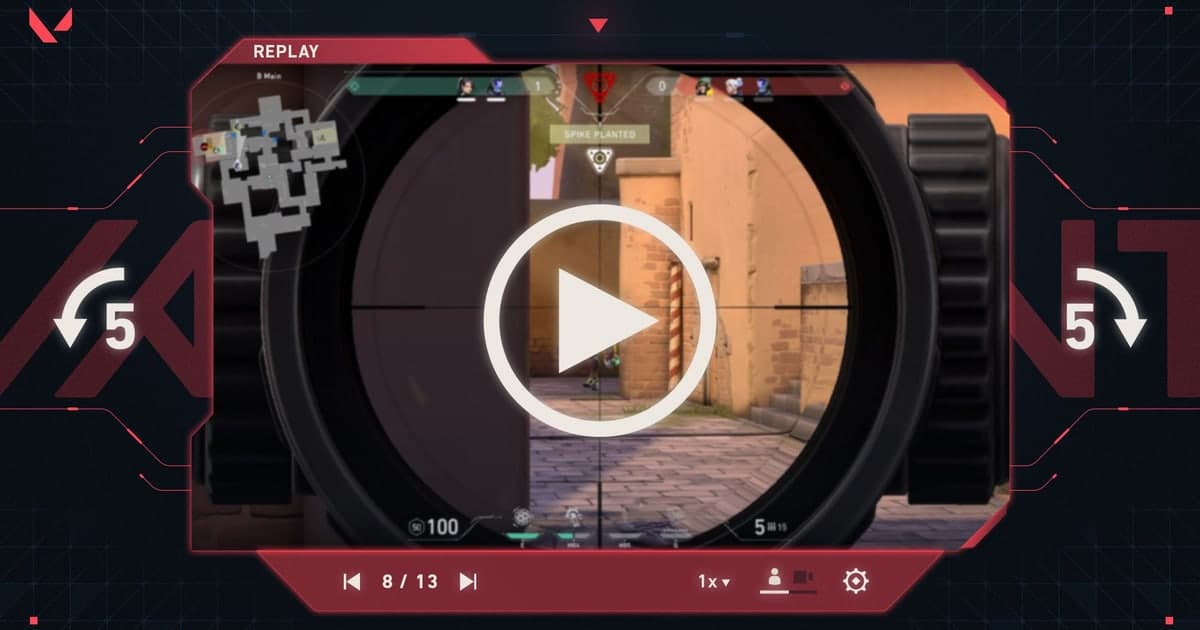
“Convert VALORANT replay to MP4” is a misleading shortcut. The replay contains data that a compatible VALORANT client uses to reconstruct the match, not a standard video stream, so a publishable file must be made by playing the replay and capturing its picture and audio.
The short answer: for future matches, having recording on beforehand is the surest way
Two lines answer it. For a replay you already have, confirm it plays in the client, start a recorder that captures the screen and audio at 1080p 60fps, and capture the rounds you need while they play; renaming the file to mp4 only leaves you with a file that will not play. For matches still to come, it is better to reverse the order: replay availability windows and supported modes change with patches, but footage recorded live during the match has none of those limits. With DOR running, it detects VALORANT, saves the whole match as an mp4 and keeps kills and rounds as separate automatic clips, so the whole process of finding that round in a replay and re-recording it disappears. The table and steps below are the order for turning an existing replay into a video.
Why playback capture is not file conversion
VALORANT replay availability, eligible modes, and sharing behavior follow the current client and patch. Keep replay data for camera changes and analysis, but capture the final scene at a stable setting such as 1080p60. Renaming the extension cannot recover a replay the official client no longer opens. For a VALORANT replay, verify the currently eligible modes, download window, and sharing behavior in Riot’s live documentation first. Record an analysis master that keeps attacker and defender viewpoints, team utility setup, and the round result before cutting a short clutch; then remove or mute Riot IDs, party chat, and teammate voice in the public copy.
What each saving method produces
| Method | Output | Use it for |
|---|---|---|
| Keep replay data | A match the game client can reconstruct | Changing viewpoints and analysis |
| Record replay playback | A normal editable video | A selected moment from a past match |
| Record the next live match | Continuous video and audio from the start | Reliable archives and publishing |
| Rename the extension to MP4 | An unplayable file with a new name | Never |
Turn replay playback into a shareable clip
- 1Open the replay first — Verify the current game version plays it correctly. No recorder can capture a replay that does not open.
- 2Mark the shot list — Write down the round, time, camera view, and three to five seconds of padding around the action.
- 3Lock capture settings — Start with 1080p60 and make a twenty-second test of the game window, system audio, and optional microphone.
- 4Clean private UI — Hide friend lists, messages, notifications, and any identifiers that should not appear in the final upload.
- 5Capture and inspect — Play at normal speed, record the scene, then inspect frame pacing, audio sync, and the final seconds before editing.
Pre-capture checklist
- The replay plays to the end in the current client
- The capture source targets the correct game window
- Game and microphone meters move as intended
- The destination drive has enough free space
- Names, chat, and permission to publish were reviewed

What DOR can and cannot do here
DOR does not directly convert VALORANT replay to MP4 or repair an incompatible replay. In a supported environment, you can record replay playback, or more reliably prepare DOR before future live sessions so the action is captured at play time. Compare the VALORANT hub, replay guide, game recording guide, free recorder comparison, and DOR automatic recording guide before choosing a workflow.
Use Riot’s current replay guidance
Riot’s official VALORANT replay documentation describes current replay features and limitations. Check the documented eligible modes and current download or sharing behavior rather than assuming every replay is exportable. Avoid uploading account data or replay files to unknown “converter” sites.