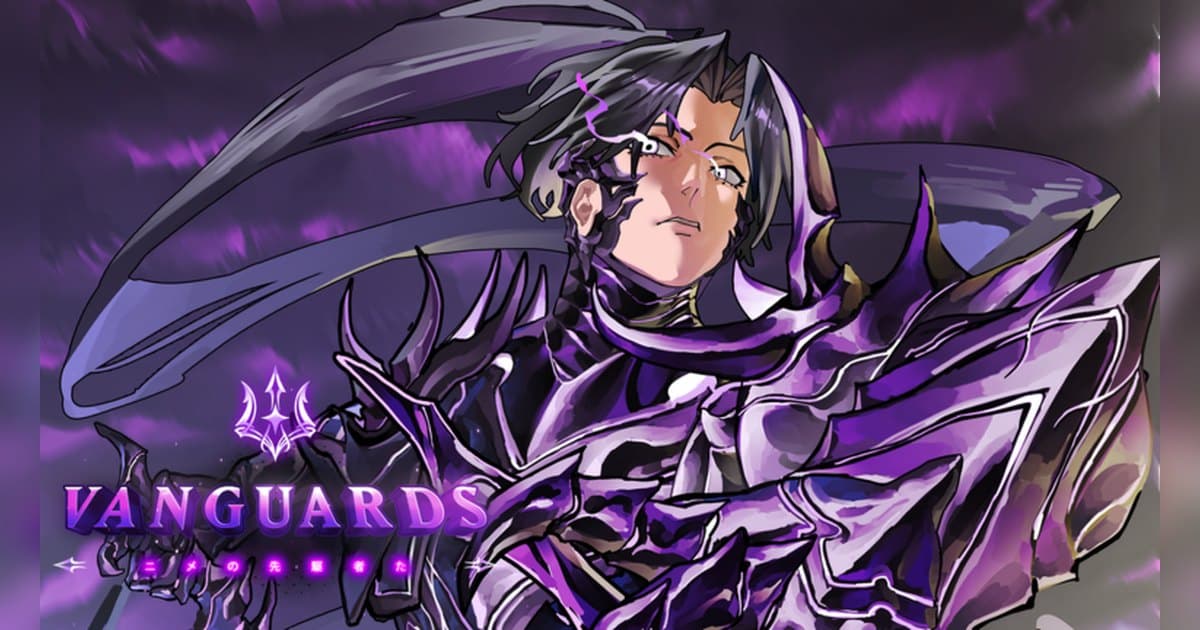
Vanguards is, in its own description's words, a tower defense experience where an event has caused multiple worlds to collide and you summon units to fight the enemies and save those worlds. It is made by the Kitawari group and fits up to 24 players in a server. As of October 20, 2026 it shows about 2.09 billion visits, about 2 million favorites and roughly 50,000 people playing at that moment, with the last update on October 19. Its official event list starts with ANIME VANGUARDS UPDATE 1 in October 2024 and adds new units and modes almost every month after that, up to the 2nd Anniversary update that opened on October 9, 2026. The name on the page is now Vanguards, but badge descriptions still say things like a developer of Anime Vanguards was in your lobby, so searching both names helps. On the October 20 Roblox charts it was fifth in US Top Trending, sixth in Taiwan, eighth in Japan and ninth in Vietnam; the full country breakdown is in popular Roblox games right now. This guide sticks to what the official description, badges and update posts confirm. Tier lists and drop rates that the creator does not publish are left out.
The short version: build a team by summoning, grow it by leveling and evolving, and pick goals from the badges
A Vanguards session is about stopping waves of enemies with the units you summoned. The official description puts it in three lines: summon units to fend off enemies, level up and evolve units to strengthen them for the battles ahead, and play with your friends across multiple game modes. The official badges are the clearest guide to what to aim for. Summoned Monarch goes to anyone who summons a unit or Memoria with Monarch or Divinity from one of the banners, and about 390,000 players had it by October 20, 2026. First Try Monarch asks you to roll Monarch on a unit that was never rolled before, and Your Odyssey is awarded for completing 1,440 floors in Odyssey Adventure mode. The rarest is Godly Roll, three Godly statistics in a single roll, held by 13 players. The update posts show modes being added one after another: Boss Rush and co op Boss Rush, raids with a raid shop, tournaments, and rifts that players around the world open together. A natural order for a new player is to collect units through the standard mode, then move to Odyssey or Boss Rush once the team can hold. And a roll result never replays. The second a Monarch lands or a boss wave finally breaks is worth having on video. If you have not recorded Roblox before, start with how to record Roblox gameplay.
Starting Vanguards: do it in this order
- 1Join with the PC version of RobloxOpen Vanguards in the PC version of Roblox from roblox.com. With DOR installed, recording starts the moment you join with nothing to press, so even the first summon you do in the lobby is on video.
- 2Summon your first units from a bannerSummoning is the first line of the official description. Pull units from a banner to build your team. A Monarch or Divinity result brings its badge with it. The result screen moves on quickly, so check it and then save a clip.
- 3Hold waves in the standard mode and grow your unitsPlace units on the map and stop the incoming enemies. Between battles, level your units up and evolve them when they qualify. That is the part of the description about strengthening units for more battles to come.
- 4Widen your modes with friendsServers take up to 24 players and the description encourages playing with friends across game modes. Update posts have added group modes such as co op Boss Rush. If your usual group is offline, try the Roblox group finder.
- 5Set a long goal in Odyssey AdventureOnce your team can hold, take on Odyssey Adventure. Clearing all 1,440 floors earns Your Odyssey. It is not a one sitting goal, so record each session and use the files to check how far you got.
- 6Trim the rolls and boss waves afterwardAfter the session, find the moments with the biggest reaction, such as a Monarch landing or a boss wave falling, and trim them with a few seconds of margin. Export 9:16 for Shorts or 16:9 for YouTube.
Vanguards moments worth keeping, and what officially backs them
| Moment | What the official sources confirm | How to keep it |
|---|---|---|
| A Monarch or Divinity result on a banner | The condition for the Summoned Monarch badge, held by about 390,000 players. | Recording is already running from the moment you join, so the result screen is complete. |
| Monarch on the very first roll of a unit | The condition for First Try Monarch, held by only about 16,500 players. | It only happens once, so save a clip right after the result appears. |
| Three Godly stats at once | The condition for Godly Roll, held by 13 players. | Leave the stat window on screen a few extra seconds so every line is readable. |
| Clearing floor 1,440 of Odyssey Adventure | The condition for Your Odyssey, held by about 55,000 players. | It is a long run, so record the whole session and trim just the final floor. |
| Breaking a boss wave | Boss Rush, raids and boss events keep appearing in the update posts. | Keep your friends' voices on the same track so the reaction comes through. |
Before you join Vanguards
- You launched the PC version of Roblox from roblox.com.
- DOR is installed on your PC, so recording starts by itself when Roblox runs.
- There is enough free space for a long Odyssey run.
- You know how your friends will join the same server.
- You checked the tag in front of the experience name and the lobby board for the current event.
- You will ask before posting clips that include a friend's voice.
Keep a whole Vanguards session with sound using DOR
All you do is launch Roblox. There is no button to press and nothing to set up: DOR, a free Windows PC app, recognizes the PC version of Roblox and starts AI auto recording the moment you join Vanguards. When you leave to the home screen, that session lands in your library as one mp4. Game audio and your microphone are recorded together on one track, so the call with your friends during a boss wave stays in the file, and AI voice notes log what was said with timestamps so you can jump back to the loudest moments. To keep the roll that just landed on its own, press the clip hotkey and the last 30 seconds are saved as a clip, with 15, 30, 45 or 60 seconds to choose from. Recording defaults to 1080p at 30fps, with 60fps available. Pick the clips you saved and press Create highlight, and the AI highlight joins them into one video; trim any part to 16:9, 9:16 or 1:1 and share it with a single dor.gg link. DOR Studio opens right in your browser for text, background music and effect templates. If you have played tower defense on Roblox for years, the All Star Tower Defense guide covers the other big one.
 #Roblox