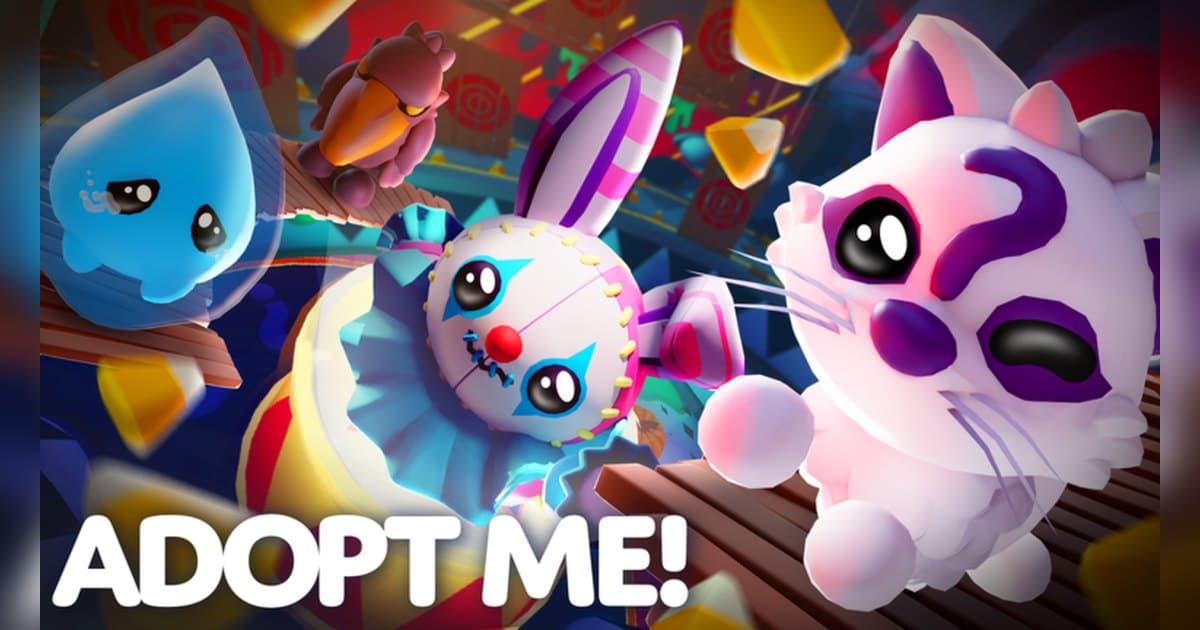
Adopt Me! describes itself as a place to 'adopt and raise' pets, 'trade and collect legendary pets', build a dream home, and roleplay with friends. It is made by Uplift Games, it has been live since July 2017, and up to 35 players share a server. Checked on 19 October 2026, it sits at roughly 45.1 billion visits, about 122,000 players in the experience at that moment, and close to 29.8 million favorites, with its most recent update on 17 October. Whether you have played for years or started this week, the question that comes up most is trading. In Adopt Me trading is a ladder rather than a button: a Trade License, a Trading Phone, and a Neon pet each unlock part of it, and the trades themselves happen in the Trading Hub, a separate place inside the same experience. This guide sticks to the order that Uplift Games' own help center and update notes confirm. On pet values the help center points players to the fairness warning inside the experience, so this guide stays with what official sources confirm. And because a trade is final as soon as both sides accept, a few seconds of video showing what each side put up turns out to be one of the most useful habits you can pick up. If recording Roblox at all is new to you, start with how to record Roblox gameplay. All experience figures are from 19 October 2026, and Adopt Me posts a new update every week, so event content changes.
The short version: clear the license, phone, and Neon pet first, then keep the trade screen on video
Start at the Safety Hub. Talk to Agent Jake, take the test, and get all three questions right to earn the Trade License; the official FAQ says you can retake the test as often as you need. That license is what lets you trade Ultra Rare and Legendary pets, trade houses, view your recent trade history, and report a trade. Next comes the Trading Hub. According to the official update notes, access opens once you have the free Trading Phone the Guide gives you after about two hours of play, the Trade License from the Safety Hub, and your first Neon pet. The phone summons a hot air balloon that takes you up to the Hub, and in ordinary servers the same phone shows your listings, the offers you have received, and your trade history. Creating or editing a listing happens at the Hub itself. Inside the Hub, Robo Todd handles listings: you pick what you are offering and what you want back, each listing costs 100 Bucks, and two can be active at once, with more available for 49 Robux. Robo Rob handles searching, and when nothing matches exactly he shows similar offers instead. A pet that is listed or attached to an offer stays locked until you pull it back, so keep the pets you want to carry around out of your listings. Before you accept anything, read the icons next to the other player's name. The help center explains that a smiley face marks someone on your Roblox friends list, a purple butterfly marks a member of the Uplift Games team, and a gold star marks a member of the official Adopt Me influencer program. For an unfamiliar partner you can click their avatar and choose Spectate Trade so a friend or parent can watch along. Since both sides accepting makes the trade final, a short clip of the full offer screen is the easiest way to check later exactly what changed hands. Other Roblox experiences have a different kind of moment worth keeping: hatching is the whole story in how to get Huge pets in Pet Simulator 99, and a single harvest decides everything in Grow a Garden mutations explained.
Trading in Adopt Me, step by step
- 1Launch the PC version and set recording up firstA trade screen lives only in the moment it happens, so get recording ready before you go in. Launch the PC version of Roblox from roblox.com, have your recorder running, and then enter the experience. To be sure the first seconds after entry are included, open Roblox first and join Adopt Me a moment later. The capture option in the Roblox experience menu gives you video clips of up to 30 seconds, while a PC recorder is what carries a long trade with its audio from start to finish.
- 2Earn the Trade License at the Safety HubHead to the Safety Hub and talk to Agent Jake to start the test. Three correct answers earn the Trade License, and the official FAQ says the test can be retaken as often as you like. The license becomes a Toy inside Adopt Me that stays with you, and it covers Ultra Rare and Legendary pet trades, house trades, recent trade history, and reporting. If you are walking a friend through their first trade, a recording of the test makes the explanation much shorter.
- 3Pick up the Trading Phone and line up a Neon petThe official update notes say the Guide gives you a free Trading Phone after roughly two hours of play. With the Trade License and your first Neon pet, the Trading Hub opens. A Neon comes from taking four fully grown copies of the same pet to the Neon Cave on Adoption Island. Once a pet is fully grown it gains a friendship bar, and the friendship levels of the pets used in a Neon are combined. Pets used in the process come out faded in color, so set aside any pet whose colors you want to keep as they are.
- 4Ride the balloon up to the Trading HubUse the Trading Phone to call a hot air balloon and travel to the Trading Hub. The Hub is a separate place inside the same experience, and moving between places inside one experience usually stays within a single recording. In regular servers the phone still shows your listings, the offers you have received, and your trade history, while creating or editing listings happens at the Hub. Your first ride up only happens once, so check that recording is live before you leave.
- 5List with Robo Todd, search with Robo RobRobo Todd takes your listing once you choose what you are offering and what you want back. Each listing costs 100 Bucks, two can run at once, and extra slots cost 49 Robux. He is also where you review or edit the offers people send. Robo Rob is the search side, and when nothing matches your request exactly he shows similar listings. Any pet you list or attach to an offer stays locked until you pull it back, so leave out the pets you still want to walk around with.
- 6Read the icons and both offer lists before you acceptA trade is final once both sides accept, so look before you press. A smiley face means the player is on your Roblox friends list, shown with a yellow border and Verified Friend text; a purple butterfly means a member of the Uplift Games team; a gold star means a member of the official Adopt Me influencer program. No icon means the player is not on your friends list, which is worth a closer look. A trade that looks lopsided raises a fairness warning, and with an unfamiliar partner you can click their avatar and pick Spectate Trade so a friend or parent watches along. Hold the shot with both offer lists visible for a few seconds.
- 7Cut the trade moments out afterwardsWith the whole session recorded, pick your moments once you are done: the screen right before you accepted, the search result that finally matched, the four pets merging in the Neon Cave. Trim with a few seconds of room on either side so the context survives. Export 9:16 for Shorts or Reels, 16:9 for a normal YouTube video. If a friend's voice is in the clip, ask them before you post it.
Each trading step in Adopt Me and the screen to keep
| Trading step | What the official sources confirm | Screen worth keeping |
|---|---|---|
| Earning the Trade License | Talk to Agent Jake at the Safety Hub and answer all three questions correctly. The license covers Ultra Rare and Legendary pet trades, house trades, trade history, and trade reporting. | The moment you pass the test and the license lands in your inventory, which saves a lot of explaining to a friend starting out. |
| Getting the Trading Phone | The Guide hands you a free Trading Phone after around two hours of play. With the license and a first Neon pet, the Trading Hub opens. | Calling the hot air balloon and riding up to the Hub. The first time the Hub opens only happens once. |
| Posting a listing (Robo Todd) | Choose what you offer and what you want in return. Each listing costs 100 Bucks, two can be active at once, and more slots cost 49 Robux. | Picking the terms and the finished listing on screen, so the exact terms you posted stay on record. |
| Searching listings (Robo Rob) | Search for the trade you want; when there is no exact match, similar offers show up instead. | The moment a combination you had hunted for finally appears in a search. This is where the loudest reaction lands. |
| Right before you accept | Icons mark a Roblox friend (smiley face), the Uplift Games team (purple butterfly), and official influencers (gold star), and an unbalanced trade raises a fairness warning. | One wide shot with both offer lists and the icons visible. That single frame answers most questions afterwards. |
| Making a Neon or Mega Neon | Four fully grown copies of the same pet at the Neon Cave on Adoption Island become a Neon, and four fully grown Neons become one Mega Neon. | The merge itself. It only reads well with the grind that led up to it attached in front. |
Check this before you go in to trade
- Roblox is running as the PC version downloaded from roblox.com.
- Recording is on and there is enough free storage for a long session.
- The Trade License is earned, the Trading Phone is in hand, and one Neon pet is ready.
- Pets to list and pets to keep carrying are separated in advance.
- You have a fixed habit of reading the icons and the fairness warning before accepting.
- For unfamiliar partners, a friend or parent is watching through Spectate Trade.
- Trade requests are set the way you want under Settings and then Interactions.
Keeping a whole Adopt Me session, sound included, with DOR
DOR is a free Windows PC app that detects the PC version of Roblox downloaded from roblox.com on its own. Recording starts when you enter an experience and ends when you leave it for the home screen or close Roblox. The behavior is on by default and can be adjusted with the full game recording setting. Each experience becomes one mp4 in the library, and travelling between the island and the Trading Hub inside the same experience, as Adopt Me does, usually stays in one recording. With up to 35 players in a server and sessions that run for hours, having the trading and the roleplay sitting in one continuous file is the part that pays off here. Game audio and your microphone, with noise suppression, are recorded together on one track, so the back and forth during a trade is in there too. When you only want what just happened, such as the seconds around an accept, press F8, which is remappable, and the last 30 seconds are saved as a separate clip; the length can be set to 15, 30, 45, or 60 seconds. The hotkey works while a recording is running inside an experience. Video is saved at 1080p and 30fps by default with 60fps available, so settle resolution, frame rate, and clip length before you go in. DOR warns you once free space drops under 30GB, so clear room ahead of a long session. Afterwards, the trim tool in the app library exports just the trade in 16:9, 9:16, or 1:1 and shares it as a dor.gg link, and DOR Studio in the browser joins several moments together with text, background music, and effect templates before you download the mp4. For whole scenes planned out with friends, see setting up roleplay in Berry Avenue; for multi-hour collecting routines, see the Bee Swarm Simulator guide.
 #Roblox