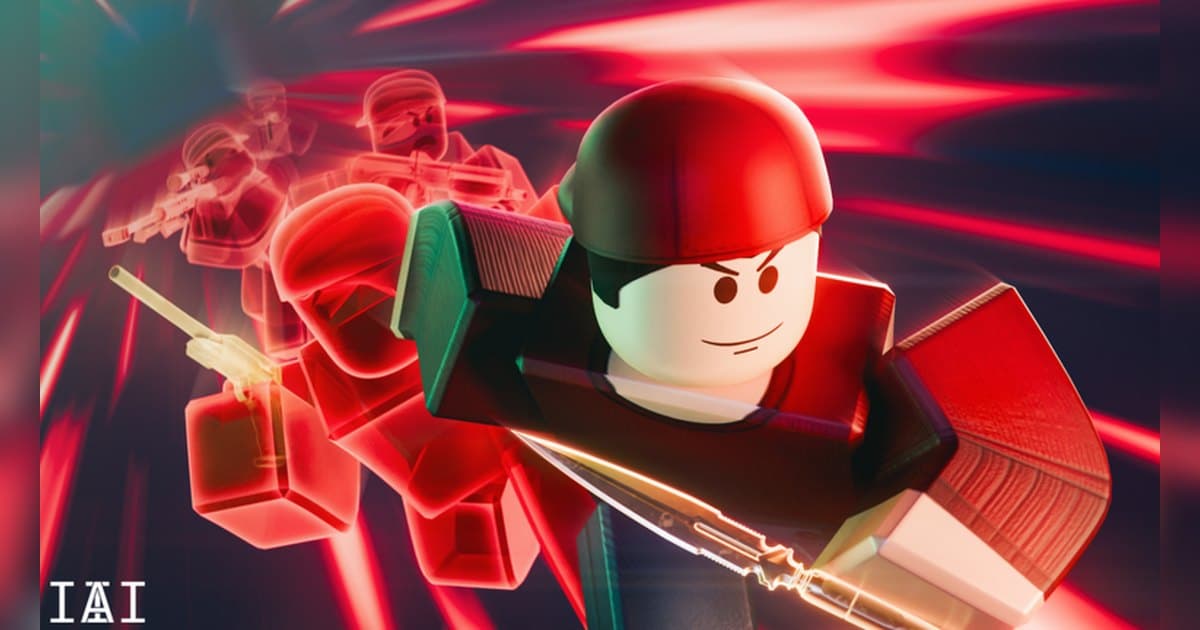
Arsenal is an arcade shooter where the weapon in your hands changes as your kills stack up. It is published by ROLVe, a group with a verified badge whose own description says it formed in 2013 and makes the games its friends want to play together. The experience went up on 18 August 2015 and has been running for over a decade, with its most recent update on 12 October 2026. Roblox files it under Shooter, with Deathmatch Shooter as the sub-genre, and the starting place holds up to 16 players. Checked on 19 October 2026 it had roughly 6.3 billion visits, around 11.52 million favourites and about 5.13 million likes. That favourite count is strikingly large next to the live player count, which reads as a long-running experience people keep coming back to. Roblox marks the content maturity as Mild with one descriptor, Violence (repeated, mild). The official description pitches it as a race to the top through a massive arsenal, from bazookas to spell books, with BattleBucks to earn and a cast of characters, melees, kill effects and skins to dress your game up with. This article stays inside what the official description and the badges registered to the experience confirm, then turns to the part that is easy to lose: getting the good scenes out of a very short match. If you want the general recording walkthrough first, read how to record Roblox gameplay. All figures were checked on 19 October 2026.
The short answer: the goal is one golden knife hit, and the road there is your footage
Arsenal answers the question of what to aim for in its own description. The Korean and Chinese versions state that you stack kills and assists to move along the path to the golden knife, and that a kill with the golden knife wins the game. That makes a round easy to read: work through the weapons as they rotate, push the order as far as it goes, and close the match with a blade. The badges registered to the experience point the same way. There is a badge for winning a game, one for finishing in the top three where everyone in the top three holds a golden knife, one for landing a headshot on somebody who has the golden knife, and one for assisting the final kill of the game. Your recording priority follows from that. A match here can be over in three minutes, and the scenes worth keeping sit in the few dozen seconds of an unbroken killstreak and in that last hit. Neither announces itself in time for you to start filming, so keeping the whole match and choosing afterwards is far more reliable. For a contrast with rounds that run long and turn on a single structural moment, read the Roblox BedWars guide, where one bed break decides the game. The official description also states that joining the ROLVe group gives an in-game chat tag plus 25% more BattleBucks and XP, so if you want that, how to find Roblox groups covers the joining part.
How to play through a match of Arsenal
- 1Start your recording before you go inOne of Arsenal's badges is about finishing a game inside three minutes, which tells you how short a match can run. That makes starting recording before you join a better fit than reaching for a capture each time something happens. Roblox has its own capture: open the in-experience menu, choose Capture, and a capture icon appears on the right of the screen. It records up to 30 seconds and saves a clean frame, because the in-experience UI and the nicknames above avatars are removed from the video. Captures sit in Roblox app storage and the save icon exports them to the Videos folder on desktop or your camera roll. To keep the gunfire and the kill effect sounds too, start a PC recorder before you go in.
- 2Check that ROLVe made it, then joinSearch Roblox for Arsenal and check that the creator is ROLVe, the group with the verified badge. Depending on your language setting the title may appear translated. Alongside the starting place, the same experience has places named 32 Player Chaos and 24/7 Clown Infection (32 Players) registered to it. Only the names are public, so go in and see what differs. If you plan to record with DOR, launch the PC version of Roblox you downloaded from roblox.com.
- 3Get a grip on how weapons rotateThe official description pitches a run through weapons that keep you guessing, from bazookas to spell books, and its Korean and Chinese versions say plainly that kills and assists move you along the path to the golden knife. The badges show the weapons are numbered: one asks for a top-three finish at or past the 26th weapon, and another asks for kills with 42 different weapons in one play session, which puts the roster in the dozens at least. Because getting two kills with a single weapon is itself a separate badge, the badge set reads as a structure where a kill normally advances you to the next weapon. Exactly how many kills it takes is something to check inside the experience.
- 4Push the order to the end and take the golden knifeAt the end of the weapon order sits the golden knife. The Korean and Chinese versions of the official description state that a kill with the golden knife wins the game, and the badges add finishing in a top three where everyone holds a golden knife, plus assisting the final kill of the game. In other words, the last hit is the conclusion of the round. Once the knife is in your hands, looking for a way to close distance fits the condition better than trading at range. This is the highest-tension stretch of the match, so check your recording is running from the moment you get the knife.
- 5Learn how to stop the player holding the knifeThe reverse situation comes up just as often. The experience has a badge for a headshot kill on somebody who holds the golden knife, which means stopping them is treated as an achievement in itself. There are also badges for winning a knife fight and for five backstabs in one round, so close range is one of Arsenal's pillars. Deciding in advance how you want to space yourself when you see that someone has the knife makes your response much faster.
- 6Spend BattleBucks on looks, and take the group perkThe official description says you earn BattleBucks and dress your game up with a cast of characters, melees, kill effects and skins. Several badges use items like the rocket kill effect, the soap kill effect and lightning as their conditions, which tells you kill effects show up clearly on screen. For video, that customisation is where your footage gets its personality, so it is worth a look through the store. The Korean version of the description adds that the store resets daily and new items keep rotating in. The description also states that joining the ROLVe group comes with an in-game chat tag and 25% more BattleBucks and XP.
- 7When the match ends, cut the streaks outIf you kept the whole match, pick your scenes afterwards. Find the unbroken streak, the shot that cleared two or more, and the stretch from receiving the knife to the final hit, then trim with a few seconds of air at each end. Export 9:16 for Shorts or Reels and 16:9 for a wide upload. Because a match is short, collecting several of them and stitching the clips in weapon order already makes a full video.
Moments worth keeping in Arsenal, and how to keep them
| Moment | Why it is worth keeping | How to keep it |
|---|---|---|
| Ending the match with a golden knife kill | This single hit is the win condition the official description states. It happens once per match and runs straight into the results screen. | You can see it coming, so raise the clip length to 45 or 60 seconds and the stretch from receiving the knife lands in the same file. |
| Headshotting the player who holds the golden knife | The experience has a badge specifically for a headshot kill on somebody with the golden knife, which tells you how much it swings a match. | Once the game shows that someone has the knife, check your recording is running, then hit the clip hotkey right after you stop them. |
| An unbroken killstreak | Badges split streaks into 5, 10 and 15 kills without dying, so the unbroken stretch itself is the record. | Hit the hotkey right after the streak ends to save the stretch, and pull a longer version out of the full-match recording. |
| Clearing two or more with a single shot | Badges call out vaporising two or more with the railgun in one shot and a collateral kill with the Z80, so one-shot scenes get their own treatment. | These are short, so a clip length of 15 or 30 seconds is enough to press immediately after the shot lands. |
| Winning a knife fight or stacking backstabs in one round | There are separate badges for winning a knife fight and for five backstabs in one round, so close-range scenes are worth filing too. | Melee swings the camera around fast, so recording at 60fps makes these far easier to watch back. |
| A three-minute match where you pushed the weapon order far | A badge asks for a top-three finish at or past the 26th weapon in a game that ended within three minutes, which makes a short fast match a story on its own. | The match is short enough that the full recording is already the right length. Keep it from the first spawn to the results screen and edit from there. |
Check this before you record Arsenal
- Arsenal is open in the PC version of Roblox downloaded from roblox.com.
- Recording is already on before you join, because a match can finish quickly.
- You have done a short check that gunfire and kill effect sounds come through.
- You have settled your frame rate, since melee swings the camera around fast.
- The clip hotkey sits well away from your weapon and melee keys.
- There is comfortable free disk space for a run of several matches back to back.
Keeping a full match of Arsenal from first spawn to results with DOR
DOR is a free Windows PC app, and it detects the PC version of Roblox you installed from roblox.com. When you enter an experience it starts recording on its own, and it finishes when you leave for the home screen or close Roblox. That behaviour is on by default and sits behind the Full Game Recording setting. Each experience becomes one mp4 in your library, so even a run of short Arsenal matches stays filed. If you launch Roblox and jump straight in, recording can begin about 15 to 20 seconds later, so wait a moment after launch when you want the opening of that first match too. Game audio and your microphone are recorded together by default with noise suppression applied, so gunfire, kill effects and whatever you said at the time land in one mixed track. Press F8 right after a streak breaks, or right after you close the match with the knife, and the previous 30 seconds are saved as a separate clip, with 15, 30, 45 and 60 seconds available as lengths. The key can be reassigned and it works while a recording is running inside an experience. That is how the scenes get filed: you save them yourself with F8, or trim them out of the library once the match is over. Video defaults to 1080p at 30fps, and 60fps is available for the fast camera movement that melee brings; 1440p and above and 120fps and above are Pro options. Set resolution, frame rate and clip length before you start so the whole match is captured the same way. Leave at least 20GB free, and ideally 30GB or more, and several matches back to back record straight through. Afterwards the library's trim tool exports 16:9, 9:16 and 1:1 (text goes on in 1:1) and shares through a dor.gg link, while DOR Studio in the browser joins streaks from several matches together and adds text, background music and effect templates before you download the mp4. For other experiences where one piece of timing decides the outcome, record the Blade Ball parry guide and The Strongest Battlegrounds combo guide the same way and the footage lines up for comparison.
 #Roblox